The Neopian Times Guide

If you’ve ever wanted to hear about the happenings of Neopia, read some original comics, or perhaps ask TNT a question, you’re in luck because Neopia has its very own newspaper — The Neopian Times! This user-based “paper” is released every week by Saturday and is full of many informative and entertaining goodies. Read below to learn how to access the times, get published, and more!
Neopian Times
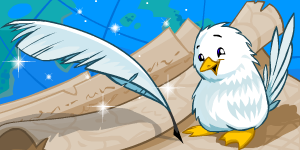
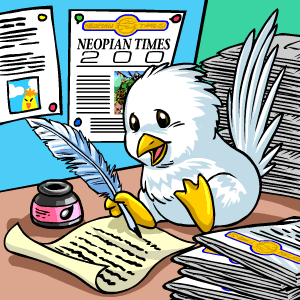
The Neopian Times mascot— the White Weewoo!

THE NEOPIAN TIMES: A (SHORT) HISTORY

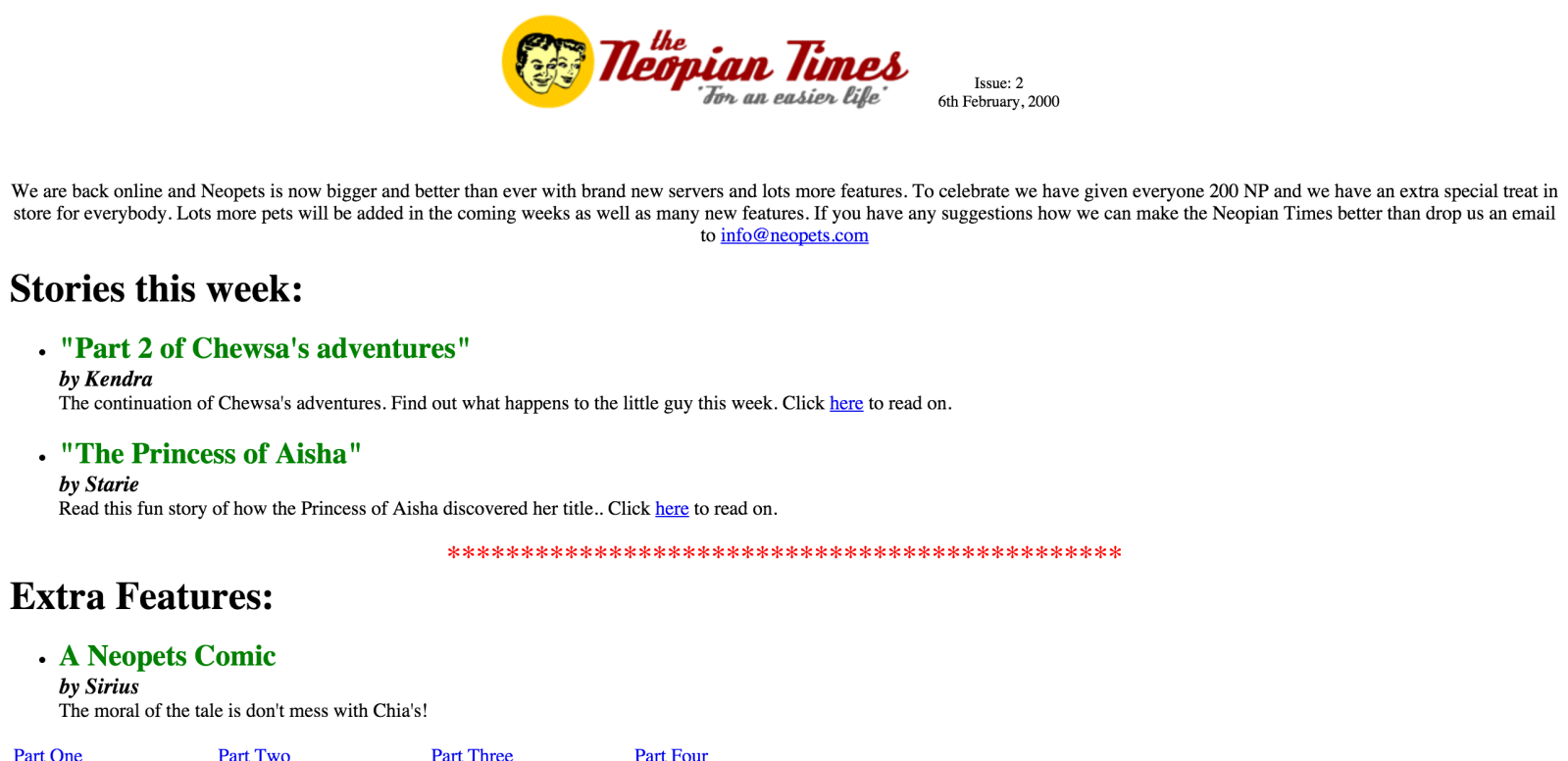
The Neopian Times began being published in Winter 1999-2000. It looked much different than it does today! Before its revamp, it was a white page with simple bolded headers, and there were far fewer featured articles. Here is a snapshot of how The Times looked in its second issue:
Neopian Times
6 February 2000 issue, edited by “Josh” a.k.a. Mr Shankly

It included puzzles, comics, and stories/serials, all user-submitted, which is not too different than much of the content used today! As The Times became more refined in its design, it also added new regular articles like the Guild Spotlight.

The Times has gone through many revamps since becoming the slick and organized paper it is today. Its other notable format included a table of contents and this famous banner:

And of course, we cannot forget this fantastic and nostalgic layout!
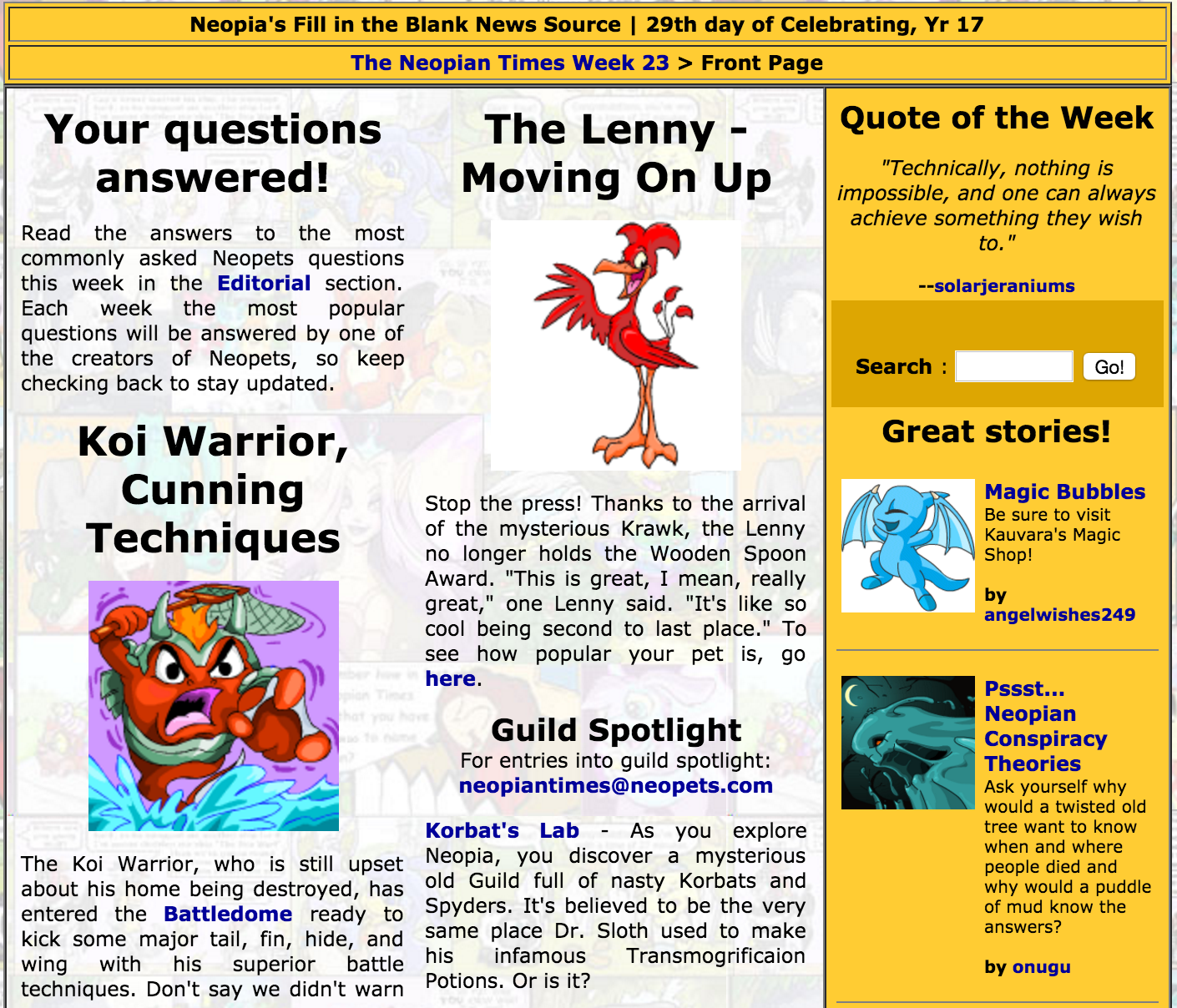
Back when some entries were sent via email!

Today, this is what The Times looks like!
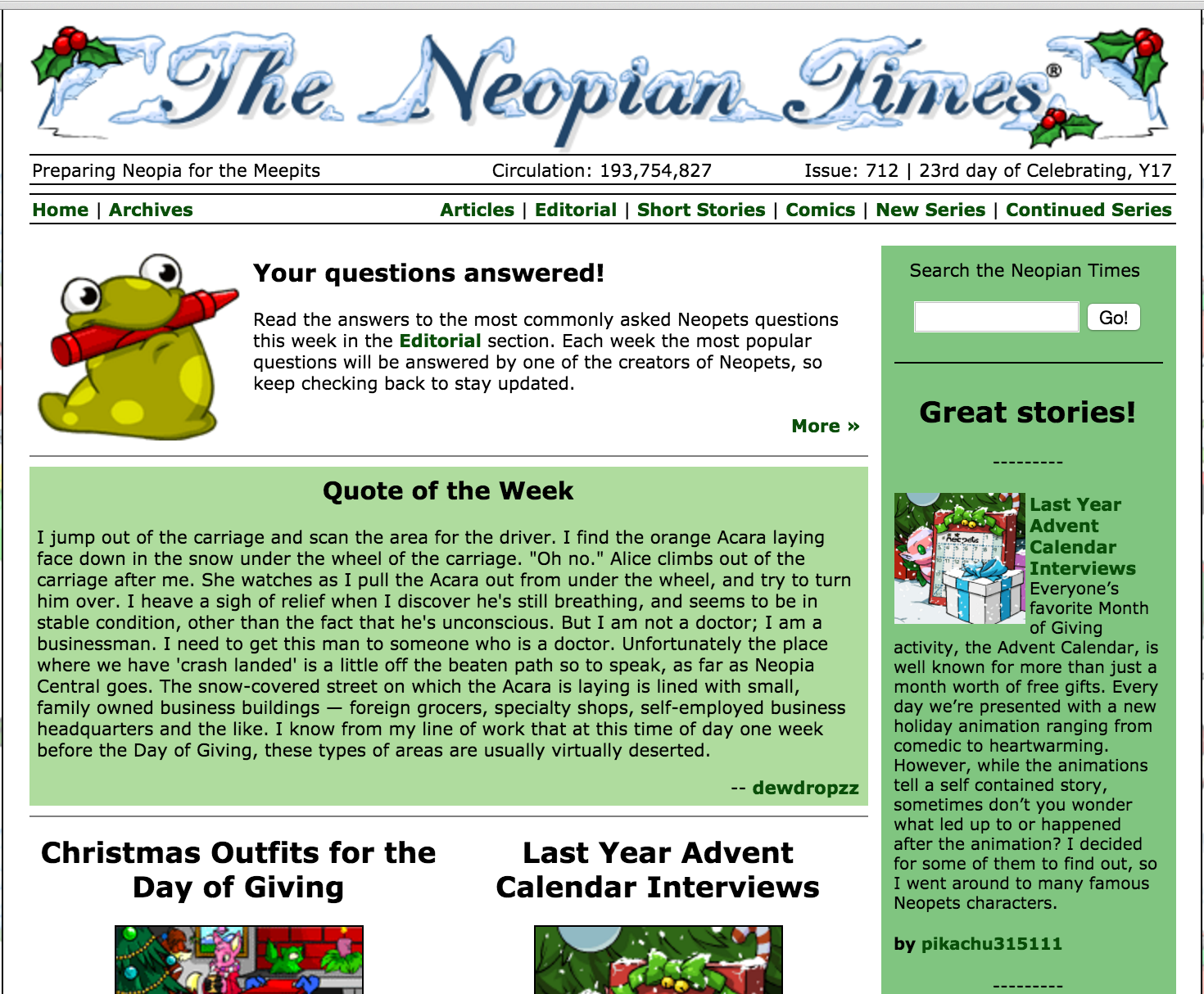
Issue 172 right in time for the holidays, as you can see!

There is a navigation bar in the top, right corner of the screen that can take you to the articles, short stories, and more if you’re looking for something specific. We’ll get more into those sections soon!

Past editors of The Times include Mr. Shankly and Felicia, a.k.a. Snowflake. Darcy, a.k.a. Droplet, is the current editor.

The Mascot

The White Weewoo is The Neopian Times mascot. It has been the unofficial symbol of The Times since 2003. In 2002, a user was adamant about achieving a White Weewoo petpet for one of her pets, to resemble Harry Potter’s white owl Hedwig. The user and her friends submitted tons of content to The Times, subtly and sometimes not-so-subtly mentioning a White Weewoo — which had yet to exist in Neopia — in order to push TNT to create one. The user achieved her goal on 28 October 2003 when the White Weewoo was officially released!
Neopian Times

CONTENT

The Neopian Times is a newspaper that features opinion and advice articles, stories and serials, comics, spotlights, and an editorial, all user-submitted. It is important that articles be entertaining, useful, informative, appropriate, and within the diegetic universe that is Neopia. There are important guidelines that need to be followed for every submission, otherwise a submitted article will be rejected. These guidelines are not content-based — you can certainly let your creativity run wild when it comes to submissions!

Articles

Articles in The Times cover a wide-range of informative content and activities in Neopia. These are non-fiction guides, streams of advice, and various information. Game guides are very popular articles, as well as guides on how to obtain certain tricky avatars such as Bon Appétit (from the Kelp restaurant) and guides on how to peruse different Neoboards with their particular lingo. These articles should always be truthful and verified, involve as much necessary information as possible, and be accessible for readers of all levels. This is a site for all ages, and it’s up to those who write articles for The Times to make some of the more difficult aspects of gameplay simpler so everyone can understand!
NOTE: Article word count = 1,000 minimum / 50,000 maximum

Short Stories and Serials

The Times features short stories and series of single stories, all fictional and written by users. The content of these stories must be completely within the world of Neopia and, with few exceptions, cannot involve anything that wouldn’t be found there; for example, if you were writing a story and a character was scared of a spider, they would actually need to be scared of a Spyder, because plain old spiders are not found in Neopia! It’s important that these stories be entertaining, whether they be happy or sad or funny or anything in between. Most importantly, they need to be original! There have been a lot of issues of The Neopian Times, and if a story is not original, it will easily be forgotten (if it can even get published)! Short stories are one of the original and most popular aspects of The Times.
NOTE: Short story word count = 1,200 minimum / 4,000 maximum
NOTE: Series word count = 1,5000 minimum per part / 50,000 maximum per part

Comics

The Neopian Times has its own page of comics that is arguably its best and most popular content every week. These comics are often very funny and make fun of some of the sillier happenings in Neopia, such as the behavior of trolls in the Pound Chat or feeding those troublesome kads. Controversy and light teasings are not off-limits and this mockery can be seen in the comics every week. Drawing talent is not necessary — as long as you try your best and the quality of the scan/image is nice, it doesn’t matter if you draw like a 2-year-old or if you draw like M.C. Escher. For those players that do not speak English as a first language, make sure the text in your image is grammatically correct since TNT will not edit the comic .jpg/.gif to fix spelling or grammar edits; post on the boards or ask a friend to double-check your image before you submit it!
NOTE: File size max = 2oo KB, 470 pixels maximum / .jpg and .gif only

Editorial

The Editorial is a very important part of The Neopian Times. Here, users and TNT can finally be on the same page about some things every week. Users can submit questions and Country Queen (CQ), the current Editorial editor, will pick and answer some questions for the following week. Because the editorial comes out every single week with The Times, many of the questions are very current and about current glitches or miscommunications. CQ generally does not answer questions that have been answered in past issues (such as inquiries about KeyQuest, which is a very popular question). If you ask a question but do not want your username to be displayed alongside the question, for whatever reason, simply mention this at the end of your question and your UN will be removed.
NOTE: While getting an article, story, or comic published in The Times will get you a trophy for your lookup, having a question answered in the Editorial does not award a trophy or count towards the avatars.

GUIDELINES AND SUBMISSIONS

There are very important guidelines and rules when it comes to what sort of content makes its way into an issue of The Neopian Times. While I mentioned the word limits above, there are a lot of other rules. Some brief guidelines can be found on the submissions page. Otherwise, let’s go over some of the DON’Ts in depth!

  • All Neopets rules apply to The Neopian Times.
  • Mild cartoon violence is acceptable, but no blood, gore, etc. is permissible.
  • All content of stories, serials, and (most) comics needs to be realistic to the Neopian universe. This means that things/people/Neopets/items/etc. that do not exist in Neopia should not be part of stories, including but not limited to male Faeries, most technology outside of the Virtupets Space Station (this includes video games, telephones, and televisions), vehicles like cars and planes, police, incurable disease, non-existent pet colors, Neopia origin stories, and any animal, hybrid, or creature that could not be found in Neopia.
  • All spiritual and political topics are not allowed, including but not limited to religion, politics, seances, cults, and origin stories.
  • Adult topics are not allowed, including but not limited to child custody battles, excessive death, prisons, and romantic relationships.
  • Any mentioning of the existence of Jelly World is not allowed.
  • Users should not mention on-site penalties like being frozen or silenced, unless they are mentioning it off-hand or briefly in a guide. Rules should also not be listed or explained, as it is up to users to read the official rules and not rules that have been summarized by others.

Once your appropriate submission is sent in, you will receive a word from the editor in 3-10 days with a neomail that explains if your submission has been accepted, rejected, or held over for a possible future issue. The reasons for rejection will be listed, and you do have the option of “fixing” your submission and re-submitting. If your article is being held over, you do not need to re-submit; rest assured that they have it, and you’ll hear back about it (again) soon!

You can co-write articles with your NeoFriends. Simply add their UN to the authors’ box when you are submitting your piece and you both will receive eligible trophies and avatars if the piece is published!

TROPHIES AND AVATARS

Being published in The Times definitely pays off! Any published author gets a shiny golden trophy for their lookups:

Neopian Times Trophy
Neopian Times Champion! Good job!

If you get published multiple times, the amount of trophies you have won’t grow, but underneath your trophy will say x2, x3, x4, etc., based on how many times you’ve been published.

There are also two beautiful avatars that can be “won” from submitting to The Neopian Times. But don’t get your hopes up too quickly because these are tough to get and take a lot of dedication and patience!

Neopian Times AvatarGet published in The Neopian Times 10 times.

Get published in one of The Neopian Times’ every 50 issues,
i.e. issues ending in ’00’ or ’50’ (beginning since Issue 200).

Getting published in “landmark” issues like #300, #350, etc. can get those authors some other interesting and special awards, such as the prized Neopian Times White Weewoo Plushie!

NOTES

  • You can access past issues in the The Neopian Times archive, and issues 1 to 150 at this archive.
  • Chet Flash is a name you might see in The Times. He was created by the Neopian Times Writers’ Forum for really no reason besides to have a never-before-seen-nor-heard character that could be namedropped every once in a while. You may see his signature line, “Chet Flash wuz here,” but you’ll never see the man himself!
  • The editor and artists pick the images that are displayed with the stories and articles in The Times. The images that are displayed with the stories are generally original, unique images never before seen!
Last updated: 12/15/2024

Neopets Secret Ninja Training School Guide

If you (and your neo-wallet) work very hard at training your pet, there will come a time when it graduates from both the Swashbuckling Academy and the Mystery Island Training School. Once this is the case, you’ll need to take up training at the Secret Ninja Academy, also found on Mystery Island. This is only for elite BD pets, so you won’t be able to access it otherwise!

FINDING THE SECRET NINJA SCHOOL

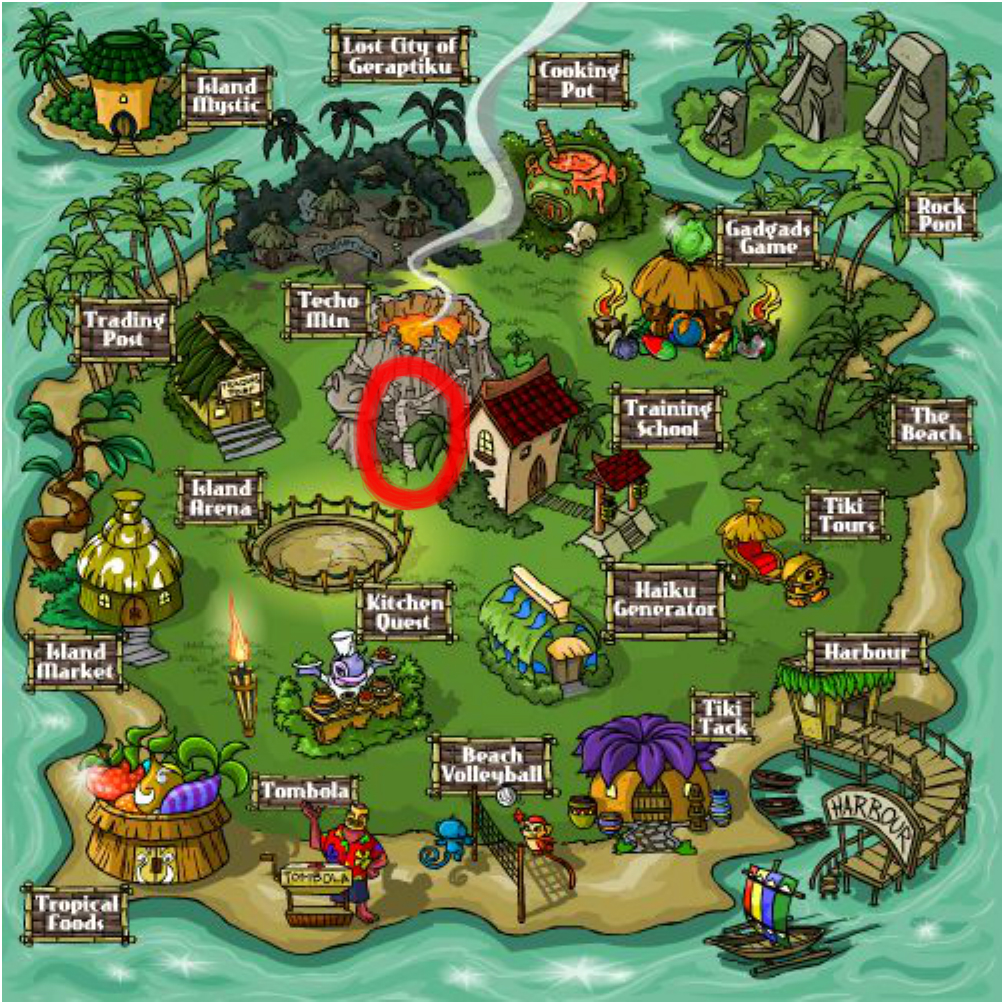
It’s not called “secret” for nothing! The Secret Ninja Training School is located on Mystery Island, up the stairs of the volcano next to the regular Training School. You can find it based on the picture below (or just click the direct link above):

Neopets Secret Ninja Training School Guide

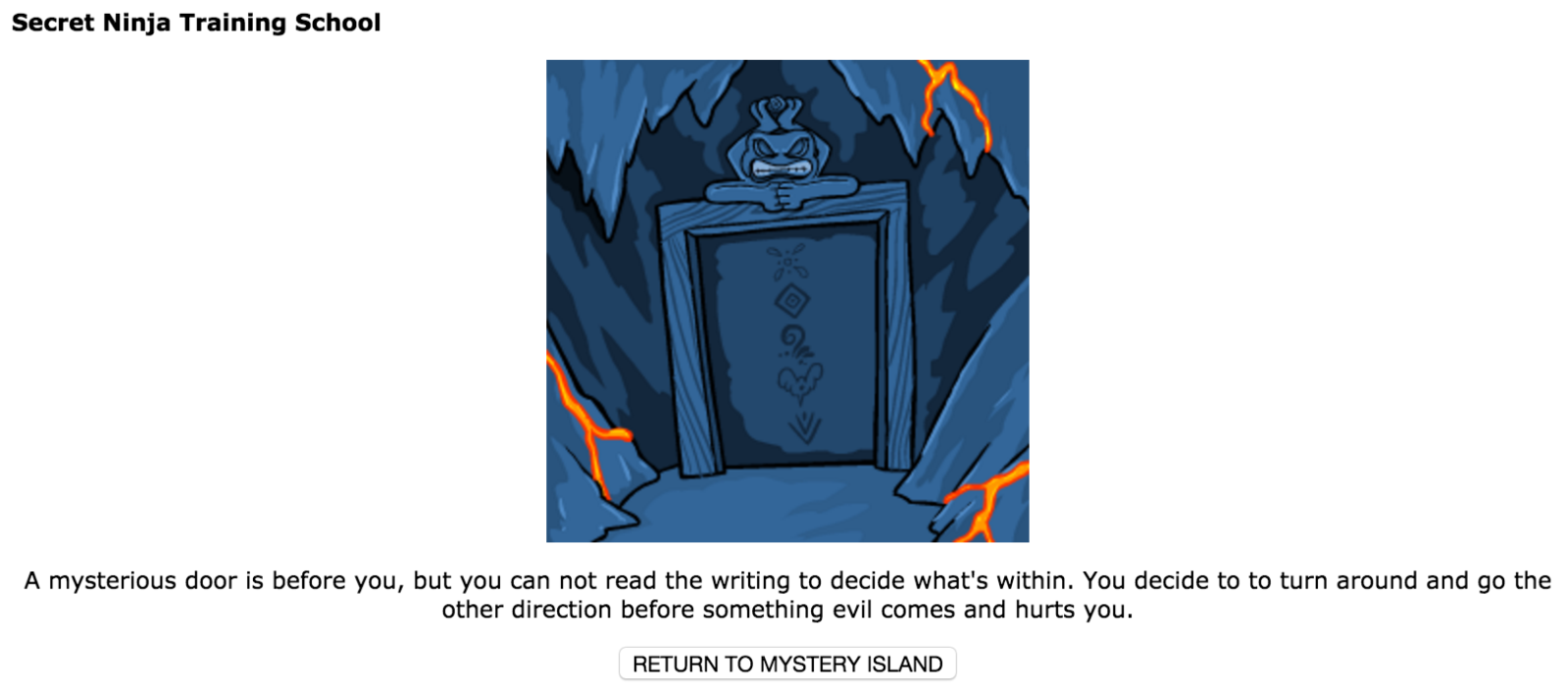
If you don’t have a pet that is eligible to train here — i.e. a pet that is at least level 250 — then  you will get the following message:

Secret Ninja Training School

Don’t have your feelings hurt! Just train harder.

TRAINING AT THE NINJA TRAINING SCHOOL

Training here is exactly like Mystery Island Training School. You simply enroll your pet in a specific course and then pay the codestone(s) required to complete that course. Unlike the MITS, you can cancel the course you selected in order to choose a new course; the only catch is that you have to wait a full 24 hours before you’ll be able to select a new course at all.

Course Type Your Pet’s Level Cost (in Red Codestones) Length of Course
Intermediate 250 1 codestone 4 hours
Adept 300 2 codestones 6 hours
Advanced 400 3 codestones 8 hours
Expert 500 4 codestones 10 hours
Master 600 5 codestones 12 hours
Grand Master 750+ 6 codestones 12 hours

You can train all of your stats here: Strength, Defense, Health (Endurance), Movement (Agility), and Level. Just as with the Swashbuckling Academy and MITS, you cannot train your pet’s stats above twice its level, so always keep your pet’s level in mind!

Cutting down on training time

If 12 hours is simply too much for you to wait, you can head over to Noda’s Fortune Cookies (NC Mall) and purchase a Training Fortune Cookie. They currently cost 125 NC and reduce your training time between 30% and 75% for five days.

Ninja Training School

PAYING FOR YOUR COURSES: RED CODESTONES

While the Swashbuckling Academy takes dubloons and the Mystery Island Training School takes tan codestones, you must pay for your courses at the Secret Ninja Training School with red codestones. These are generally more expensive than tan codestones, though you are able to use less codestones for a much longer amount of time (see the table above).

Cui Codestone Kew Codestone Mag Codestone Sho Codestone Vux Codestone Zed Codestone

WHERE DO YOU GET THESE THINGS?

There are a couple of ways to get red codestones:

  • Make your own! You can throw one of every tan codestone into the Mystery Island volcano and you will receive one random red codestone in return.
  • Purchase from regular Shop Wizard or Super Shop Wizard (SSW). Prices fluctuate occasionally but they are otherwise what you’ll generally see them at on SSW. Because so many players now have SSW, particularly “elite” restockers and resellers, SSW tends to dictate the prices of items more correctly than regular Shop Wiz.
  • Win them in the Battledome. Red codestones can be given out as a prize in the BD. This happens mostly commonly with Jetsam Ace in the Premium-only Cosmic Dome. For non-Premium members, they are given out as a general prize in any dome, but it is quite a rare occurrence. (They say that Koi Warrior has the highest chance of giving them out, though!)
  • Try your luck at the Money Tree. Hey, you never know!

SHOP

You may notice there’s a small shop in the Secret Ninja Training School. Here, you can buy some relatively cheap goods, listed here.

NOTES

  • You are free to train any eligible pets on your side accounts. Make sure that the codestones or NP to buy codestones for these side account pets are from your main account!
  • Just like with the Swashbuckling Academy and Mystery Island Training School, you can receive super bonuses at the Ninja School. Here, though, you will always receive at least two extra bonus points instead of one!
Last updated: 12/14/2024

Neohomes 2.0 Guide

Neohomes 2.0 is a revamped housing system for the denizens of Neopia. Existing alongside the original Neohomes system, Neohomes 2.0 adds a plethora of fun and useful features that allow you to customize your home to your heart’s delight. Most importantly, the Neohomes 2.0 system introduces Neocash items for home decoration, and allows you to actually place your pets and their petpets inside of their homes!

neopets neohome

GETTING STARTED WITH YOUR NEOHOME

To begin building the Neohome of your dreams, you’ll want to access the Neohomes section of the site, with a link conveniently located in the Customize section of your navigation bar. Once you are in the Neohomes section, you will see several options: Shops, NC Mall, FAQ, Board, Spotlight, and Classic.

The six areas of the Neohomes section on the right side of the menu are fairly self-explanatory. The Shops will sell you furnishings and other decorative items for Neopoints, while the NC Mall Shops will do the same for NC. The FAQ will set you straight on commonly-asked questions about Neohomes, while the Board gives you a place to ask new questions and discuss Neohomes with the larger community. At the end of our menu is the Spotlight, which showcases some of the finest homes around, and finally, Classic Neohomes, which gives you access to the old Neohomes 1.0. features.

To begin planning your own beautiful new Neohome 2.0, click the Create A New Neohome button located on the bottom left side of the menu, below the preview picture!

Before you begin to break ground on your new home, you must select the area of Neopia that you wish to build your new home in – use the preview menu (shown below) to select an area and see what it will look like in the viewer to the left. Choose carefully – once you select your building area, you cannot change where your house is located!

Once you’ve selected the area you wish to build in, press the Create This Neohome button, and watch as your new home becomes a reality!

FIRST STEPS WITH YOUR NEOHOME

Now that you’ve constructed your new Neohome, it’s time to build it into a comfortable (and fashionable?!) place for you and your pet to enjoy. To help you on this path, you are provided with one of five Starter Packs of furniture to begin your collection. These packs come in one of five colors – red, blue, yellow, green, or purple – and are made up of various furniture, floors, and decorative items to fill your new Neohome with. The items in this starter pack, as well as any future items that you may obtain, are placed in your Storage Shed, similar to how wearable items for your pet are placed in your Closet. To purchase additional items to stock your Shed, head over to either the Shops or the NC Mall, both conveniently accessible from their respective buttons on the Neohomes Menu.

GETTING DOWN TO DECORATING YOUR NEOHOME

Once you’ve shopped until you’ve dropped and you’re ready to start turning the contents of your Shed into a lovely home, it’s time to start decorating! From the Neohomes menu, press the Customize My Neohome button to launch the Neohome editor. For first time users, there is a handy tutorial to show you the ins and outs of navigating the editor. In short, items from your Shed appear on the bottom menu, which contains three tabs: Items (Furniture, Decorations), Materials (Floors, Walls), and Pets.

To decorate with furniture, open the tab (marked with a chair) and drag items from the bottom bar up to the top screen. Once items are on the top part of the screen, they can be dragged around to re-position them.

Clicking an item opens up a menu that will allow the item to be rotated, raised, or lowered, depending on its position in the room. Certain items, like tables and lamps, will need to occupy the same ‘space’ but be raised / lowered apart from one another to create the illusion that the lamp is resting on top of the table, for example.

To decorate with materials, open the tab (marked with a hammer) and click the pattern you are looking to decorate your walls or floor with. Selecting the pattern changes your cursor into a paint-roller icon! With this roller, click and drag your cursor across the surfaces to be decorated, depending on if you are painting your walls or installing new flooring.

You will see yellow selection boxes spring up to highlight the areas of your home that you are about to decorate. Release your mouse button and watch as your pattern fills your home! Doors, windows, and other wall decorations are also located in the Materials tab, and are placed similarly to furniture.

You may have noticed that you can edit the outside of your house as well as the inside of the house – there are restrictions as to what can be placed outside, but simple furniture can be added to spruce up your landscaping! To switch between the inside and outside, use the large blue button on the middle-left side of the screen.

When you are ready for your Neopets (and their petpet!) to move into their new home, click the Pet tab (marked with a Kacheek) and drag your pets into place. They can be raised and lowered in the same way that other items can be, to position them to sit on beds, chairs, couches, and tables.

When you are done decorating, don’t forget to Save your changes by clicking the floppy-disk icon on the lower right hand side!

NEOHOME SPOTLIGHT TROPHY

Now that you’ve bled and sweat to build the perfect Neohome, why not reap the rewards of your hard work? Master decorators and creative construction workers can submit their Neohome projects to the Spotlight contest by filling out a simple application. First, use the Snapshot Mode button (marked with a blue camera) in the top right corner of the Neohome Customization window. Adjust your view using the arrows in the top left of the screen, then click the snapshot window to take a photo! This photo will become the default image of your Neohome for all associated menus, as well as your Contest Entry!

Once you’ve captured a picture of your Neohome that you think shows off all your hard work, type a quick description and caption into your application and send it off! Once per week, a winner is selected from all the entries and that Neohome is awarded with a place on that week’s Spotlight page! For your efforts, your account will also be awarded the coveted Golden Neohome trophy!

People in gold houses shouldn’t throw trophies…

Notes

  • Although the initial items in your Starter Pack are not able to be traded, you can purchase any of the items from the five sets at the Neohomes Superstore! Collect them all!
  • Once you have submitted an application for the Neohome Spotlight, clicking the application link in future weeks will re-submit your application for the next contest. If at first you don’t succeed, try again!
Last updated: 12/15/2024

Neopets Magma Pool

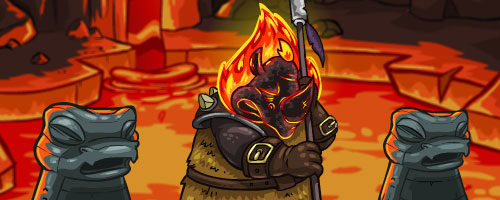
The Magma Pool is an area of Moltara that appeared on the 16th Day of Celebrating in Year 11 that now (rarely) grants access to very special lake of Magma. Find out when you can enter and you can “paint” your pet Magma at no cost whatsoever!

guard_rejected-8617091If he’ll let you, in that is.

ENTERING THE MAGMA POOL

The Magma Pool is like many other spots in Neopia in which you need to arrive at a certain time in order to gain access to its spoils. The thing is… I can’t tell you what time to go. Unlike anything else in Neopia, the Magma Pool is open at a specific and very random time for each user. No specifics are known as to why or how these times are decided, but here is what we do know:

  • The Magma Pool will be available (you can sneak past the Magma Tonu guard) within the same ten minute interval everyday. This time is not necessarily every ten minutes, so it could be 3:41-3:51am or 10:22-10:32pm. To figure out your unique time, you literally have to constantly refresh at the Magma Pool until the guard falls asleep. Yep. That’s all you can do. Once you find out what the time is, you know it! REMEMBER IT. It will never change!
  • There will be special times in which you will not have to sneak past the guard and he will randomly awake. Specifics to these very random times are unknown. Some believe that completing Moltaran-related tasks such as seeking Igneot’s wisdom, can enhance the chances the guard will be awake, but this has not been proven or thoroughly supported.

What he says 23 hours and 49 minutes a day…

DIPPING YOUR PET IN THE POOL

If you have discovered your “magma time” or happened upon the guard while he’s awake and willing to let you pass, you’ll have the ability to “dip” your pet into the magma pool for an exclusive color: Magma!
NOTE: You will only be offered pets that are currently activated with the color Magma.

guard_snoozing-6304854Shhh… look! The guard is sleeping! Maybe you can sneak by him if you’re very, very careful…
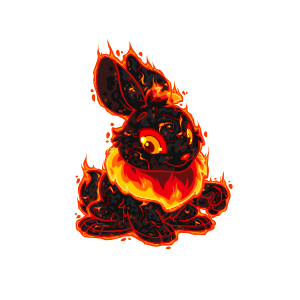
Please select your Neopet to take a swim in the Magma Pool and be painted Magma.

You only have until the guard wakes up again to dip your pet! That means if you linger too much, you’ll lose the chance to dip your pet and you’ll have to wait until the next day.

Simply select the pet you’d like to dip and proceed.

4-1945914Aren’t I beautiful?!

Once you have a dipped a pet, you will be banned from the Magma Pool for one week. This means you’ll need to wait until eight days later to visit and dip another pet.

Pounding and Transferring Magma Pets

Like Lutaris, there are some issues when it comes to pounding Magma pets.

  • Transferring: Transferring is a safe method for moving Magma pets.
  • Pounding: Pounding a Magma pet turns it Red. This means that the moment it is put into the pound, it will revert to the color Red and this is irreversible. You cannot find any Magma pets in the pound.

Notes

  • You do not need to complete the Atlas of the Ancients Plot in order to gain access to the pool.
  • There is no Magma Paint Brush and Magma is not a color that can be received via a Fountain Faerie Quest. If you want a Magma pet, you have three options: 1) Find out your magma time and dip your eligible pet; 2) Find a user who knows his or her magma time and is willing to dip your pet for you; or 3) Get a verrrrrry lucky zap with the lab ray.
  • You can visit the Magma Pool on your side account in order to dip a pet that may be located off of your main. (Editorial)
Last updated: 12/13/2024

Neopets Altador Plot – Quick Completion Guide

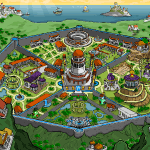
The Altador Plot is one of the most iconic and exciting multi-part storylines in Neopets, offering players the chance to dive into a captivating mystery, solve challenging puzzles, and earn unique rewards. Whether you’re a seasoned veteran or new to the world of Altador, completing this plot is a thrilling experience that combines strategy, exploration, and a bit of Neopian history.

In this comprehensive yet quick guide, we’ll break down the key steps to successfully navigate the Altador Plot. From gathering clues and deciphering cryptic messages to unlocking hidden secrets, we’ll show you the most efficient way to complete each stage without getting lost in the details. Along the way, you’ll encounter a variety of puzzles, trivia questions, and mini-games, making the Altador Plot a great way to test your knowledge of Neopets and earn valuable rewards.

By following this guide, you’ll be able to quickly move through the plot’s various chapters and reach the conclusion with ease. Whether you’re aiming for the exclusive plot items, a special avatar, or just the satisfaction of solving the Altador mystery, this guide will ensure you have a smooth and enjoyable experience from start to finish. Let’s get started and uncover the secrets of Altador!

– Part One (A) –
1. You start off by going to the Hall of Heroes.
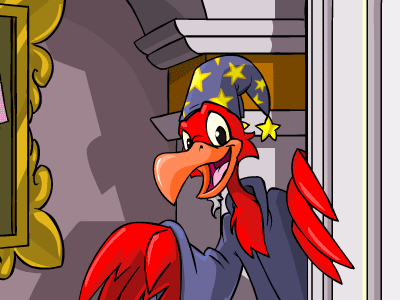
2. Then talk to the Janitor in the back.
3. Push the sun shaped button beside him.
4. Leave and go to the quarry.
5. Then head over to the Archives and try to get the book that’s propping up the table leg.
6. Go back to the quarry and pick up a flat rock.
7. Now, you go back to the Archives and switch the rock for the book, but clicking the book.
8. Click the book that’s now on the podium. It’s blank except for the first 3 pages.
9. Return to the Hall of Heroes yet again.
10. Click on the janitor fellow again.
11. Push the button again. He now says something different. He’s talking about how the wheels may be rusty and dusty.
12. This next part is tricky, click on a statue and move your mouse over the very top until the little hand appears, that will take you to the ceiling. From there, go to another statue and a bottle of oil should appear. The oil is random and you may have to click many statues. (It took be about 4 or so statues before I found it).
13. Go back to the janitor and click the button, it works this time.
14. Again, go back to the Archives. You don’t have to do this, but it doesn’t hurt.
15. Go back, again, to the Hall of Heroes. Go to the statues and click on the ceiling again, dots now appear. If you connect them correctly, you’ll find out the constellation pattern for that statue. Using a constellation finder would be the easiest method.
16. Take them stairs, which are located when you first enter the HOH (Hall of Heroes) off to the left in the back. (They appear after you do all the stuff above.) Or you can click on the statue of Gordos the Collector and get to them that way.
17. If everything has been done correctly up to this point, you should be able to join theAstronomy Club.
18. When you first enter the Altadorian Archives, you see a bulletin board in front of you, there is no longer underwater basket weaving, it has been replaced by the astronomy club. You can click the paper to go to the astronomy club.
19. Go back to the Archives.
20. The janitor too has something to add.
21. Follow the stairs again and it leads into an observatory. Click the telescope stand.
*Don’t forget to go here to get your coordinates.
22. After you have found them, go back to the
observatory and enter your constellation coordinates.
– Part One (B) –
tomb_87d8b-7278808
1. Head to the Restive Tomb.
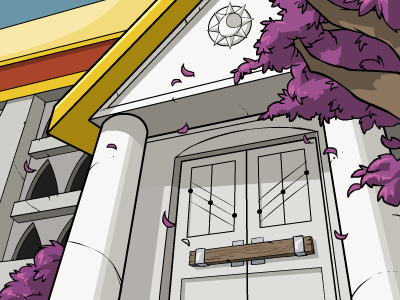
2. Once there, click on the markings on the door. (The three diagonal dots, either set).
3. After that, head over to the Archivist.
4. Following that, go to the Hall of Heroes(HOH), and then from there, the Observatory.
*If You Need Help go Here to get all the coordinates.
5. Once you have found your constellation, connect them so they resemble what was on the door. Then click submit. After it says you have found a new constellation, head back to theArchivist.
6. Then read The Book.
7. After all is said and done, head by the Astronomy Club, then back to the HOH, and click on the Sleeper’s statue, then her ceiling.
– Part Two –
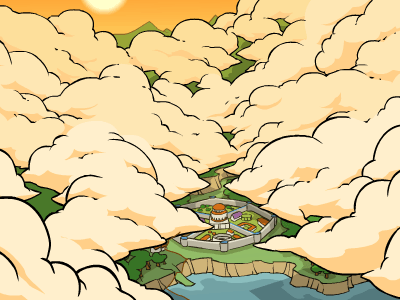
1. So we’re back on Altador’s front page, and looking around we notice the nice clouds. How about clicking on the clouds that are furthest right?
2. Wow, such a nice view of… clouds? Wait, why don’t you try and click on the litle spaces between the clouds?
Aha! They form *another* constellation.
3. Let’s go see what the Archivist has to say about this, shall we?
4. After this, we head on over to the HOH, and go up to the Observatory.
*Don’t forget about your Coordinates.*
5. It may take a while, but you’ll get the constellation right, I had a time with it as well. It’s the bottom part of the constellation that throws you off.
6. Go talk to the janitor and see what he says.
7. We all know what to do now, go to the Archivist and then the book.
– Part Three –
1. Go to the Restive Tomb , and once there click on the furthest left side’s most southern corner. Or tab three times and hit enter.
2. If this worked, you should be facing Altador, with the observatory, with a ray of light going through, in the center.
3. From there, click Return to Altador, then go to the HOH and click on the Dancer.
4. Whilst at the statue, click on the sun beams behind her.
5. You should now be looking outside the window and onto the ground, now click on one of the little cirles on the ground that come from the sunbeams.
It’s The First to Rise’s constellation!
6. Off to the Archivist with you!
7. Now you return once again to the HOH, and then to the observatory.
*Don’t forget about your Coordinate.
8. After everything is said and done, go check out the Dancer’s ceiling.
9. After all of this, the janitor wants a little input.
10. Head over to the archivist and he greets you much more better.
11. Don’t forget to check out the Book on the Podium.
12. And when the day is all over, you can go to the Astronomy Club and get yourself a badge.
– Part Four –
1. First, head off to the Old Follies Farm.
2. Once there, click on the door to the windmill.
3. Then, when inside the mill,pull the lever that is located to the left hand side.
4. After getting fussed at by the Moehog there, click on the doorway to leave.
5. When you see the six bundles of hay, click on them to reveal the constellation.
6. Then make your way back the Archives.
7. Make a brief appearance at the Astronomy Club.
8. Then it’s off to the Hall of Heroes with you.
*Don’t forget to get your Coordinates.*
9. After that, the ceiling is lit up above Florian, and it’s off with you to the Archives again, to check out the Book of Ages, which has new pages in it!

– Part Five –
1. So there you are, in the main hall of the Archives, when something catches your eye.
2. On the bulletin board is a bulletin for a Dance club.
3.So you got to check it out, but they aren’t accepting new members, but before you leave something else catches you eye, There are 6 dots to the right of disco ball, they look vaguely familar, why don’t you click on them.
Oho! It’s the Dancer’s constellation!
4. Off to the Archivist you go.
5. Back to the HOH and back to the Observatory.
6. After everything has been said and done, visit the Janitor.
7. Well, since he isn’t pleasant, go to the Archivist and see what he says, and then check out the Book on the Podium.
8. Why not stop by the Astronomy Club as well.

– Part Six –
1. Ah yes, another new day in Altador, why not go check out the Docks?
2. Nothing of interest seems to be going on, so how about clicking A wave?
Oh! Another Constellation! This time it’s the Wave’s constellation.
3. Off the to Archivist we go again!
4. We know what this means, HOH and Observatory time.
5. After we’ve finished plotting, go and see The Wave’s statue and ceiling.
6. Go and visit the Janitor while you’re there too. At least he’s more pleasant today.
7. The Archivist seems pleasant today too.
8. Don’t forget to check the Altadorian Archives Book.
9. Now at the Astronomy Club, you get a little trinket, why not head over to the Toy Repair Shop to get it fixed?

– Part Seven –
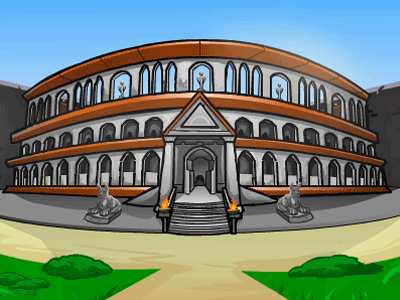
1. A new section has been unlocked. Go the the Colosseum.
2. Click around on all of the windows located on the first 2 rows of the Colosseum. Everyone’s is different so I can’t provide a link.
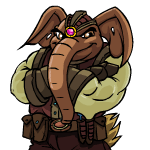
3. Keep clicking until you find a Grarrl. He also moves around so if you leave and come back, he’ll be in a different spot.
4. He will ask you to join the Punch Club. Follow him! This part is a bit reduent too, so you won’t have much luck with a Punch Club cheat of Punch Club help.
5. There are 3 bowls of punch on the table. Keep clicking on them until the goblet, located inbetween bowls 2 & 3, becomes clickable.
6. Click on the sun emblem on the goblet. It will light up, showing the Gladiator constellation.
7. Head to the Archivitst to get your new coordinates.
8. Go to the HOH then the Observatory. Look for the Gladiator.
9. Congrats! You have found The Gladiator. The gems above Torakor, the Gladiator now glow.
10. The Janitor is a little upset you went to the Punch Club without him.
11. Don’t forget to check the Altadorian Archives Book.
12. The Astromony Club members mention to you that they aren’t too happy with the president now. Wonder what will happen next?

– Part Eight –

The Shopkeeper at Illustrious Armory.
1. First, it’s back to Altador with you. Then head to either of the following three shops: Magical Marvels, Illustrious Armory, or Exquisite Ambrosia.
2. From there, at any of the shops, check the inflation rate of that shop.
3. Then go to your<ahref=”http: www.neopets.com=”” bank.phtml”=””> bank account and either withdraw or put in neopoints until you have the same amout of neopoints on hand as the inflation rate. (ex. if inflation is 2.64%, take out 264 np, or put in until you have that much).
4. Go back to the shop where you got the inflation and there should be an item there, which will have the constellation on it.
5. Then go to see the Archivist!
6. After that, head over to the observatory.
*Don’t forget about your constellation data!
7. After it’s been plotted go check out the collector’s statue, he’s the one in front of the stairs, and click on the ceiling.
8. Afterwards, why not click the janitor to see what he says.
9. And back to the Archivist you go!

– Part Nine –
1. Time to go to Altador again. Head over to the Archives.
2. Why it’s the Lenny from Lenny Conundrum! Approach him. He asks you for Finneus’s (the archivist) favorite Meepit Plushie.
3. Go speak with Finneus. He’s not going to just give you the Meepit on his desk so we need to distract him. Click on the vase in the back left of the room. He’ll look away…then click on the Meepit Plushie on his desk! Take it to the Lenny from Lenny Conundrum.
4. After speaking with the other Lenny, he informs you that this is not his favorite plushie. Go back to Finneus. He’ll explain he has a TON of Meepit Plushies. Great…
5. We need to go find the Meepit box. Head to the Library, located to the left of the bullentin board in the Archieves.. It’s the door that has the purple rope across it.
6. Ok this is similar to the Punch Club. There are some doors in this room. We really want the small door in the upper right available.
You are going to have to click on the doors circled in yellow until the door circled in red becomes clickable. Keep trying and check back each time you try a door.
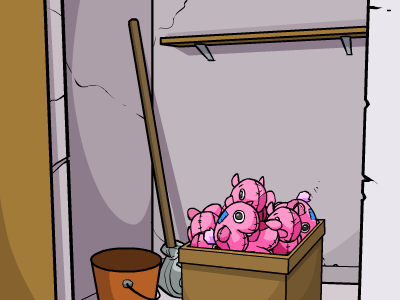
7. Once that door is available, go in and it will take you to a closet with a box of Meepit Plushies!


Click on the ‘Hide the Box’ Button.
8. Go back the the Archivist. Click on the vase again and take the Meepit Plushie. Return it to the Lenny Conundrum Lenny.
9. Uh-oh. Looks like it ripped! Click the ‘Uh-oh’ button to reveal a dagger inside the plushie.
10. Click on the dagger to reveal the Theif constellation! Alright!! You better go back to theArchivist to get your new cooridnates.
11. After that, head over to the observatory.
*Don’t forget about your constellation data!
12. After it’s been plotted go check out the Theif’s statue to see the gems glow above him.
13. I don’t think the Janitor likes Lenny Conundrums…
14. Then head back to the Astronomy club. 10. Don’t forget to click on the book to see the next section.
11. And lastly, go to the Astronomy club.

– Part Ten –
1. You are looking for a Vaeolus petpet! He is either at the Docks, the Quarry, or the Farm. It is different for everyone.
2. This poor little Vaeolus seems to have had his flames extinguished, and has been severely injured! Perhaps you should take him to the Archivist. He might know what to do.
3. The archivist says, “Oh my! What a poor little Vaeolus! I wonder what happened to his owner. He seems very ill!” He’s not much help. Head over to the bullentin board. Click on the purple potion for the Alchemy Club.
4. “Hmm, so you’re looking for medicine, eh? I’ve got a potion that could help you out… for a price!”

Elixir of Petpet Healing
30,000 NP

The quiggle cackles at you and demands 30,000 neopoints for the medicine! What a jerk!
5. Click on the medicine even if you don’t have enough Neopoints.
The Archivist storms over and swats the Quiggle on the hand. “Hey! No selling of items is allowed in the Archives! Why are you such a troublemaker, anyway?” He mutters angrily and retreats to his office. Click Continue.
6. Follow The Archivist into his office. The Vaeolus is in the upper left-hand corner. Click on him. It will give you the following options:
Give Medicine
Wait
Check in on the Vaelous

7. Next we need to go get some more options for our petpet. Go to the Colosseum and find the Punch Club (click on the windows until you find the Grarrl). Once at the Punch Club, click on the pie on the table. Hooray we have a piece of Blueberry Pie!!
8. Then head over to the Restive Tomb. Click on the door to enter the tomb.
Oh no! An angry, mummified Gelatinous Non-Cube is roaming around the tomb!

There will be a small bit in the lower right hand corner coming off, click it to get the mummy bandages!
9. Now it’s time to take care of the petpet. You should have the following options:
Feed, Bandage, Give medicine, Wait, Check in on the Vaeolus
The Vaeolus changes every minute. You’ll need to refresh the page after a minute and take care of him. Here’s a break-down of each option.
Feed – Do this when he has his tongue sticking out
Bandage – Do this when he holds his paw out
Give medicine – Do this when he looks like he’s about to throw up!
Wait – Do this when he is laying down
Check in on the Vaeolus – Do this after each minute
Refresh the page each minute and tend to him accordingly.
10. ***IF YOU ARE HAVING PROBLEMS HEALING YOUR VAEOLUS***
Start off by curing what is wrong with him. After a minute click on “Check in on the Vaeolus”. After each time you should start to build up some numbers in your web address bar at the end of the url. They should look like this: av1=feed&av2=feed&av3=meds&av4=meds&av5=wait&av6=feed&av7=wait&av8=feed
After each time, you get get a new av. Example: First time I feed him, then after a minute I clicked check in and his stats changed and it said av1=feed, I feed him again, waited another minute, clicked check in and his stats changed and it said av2=feed, and so on. He DOES repeat things. Once you get to av9…you should see a Skeith pop up at the bottom of the page.
11. The Vaeolus seems to be feeling better!
A Skeith knocks on the door just then. “Why, hello there!” he says. “I’m from the Petpet Protection League, and I heard you were nursing this poor little creature back to health. Very helpful of you! I’d like to present you with this certificate on behalf of the PPL!”
Click on the Watermark on the Certificate. It’s your new constellation!!
12. Go the the Archivist for your new coordinates.
13. Go to the telescope and find your Gatherer constellation.
14. The gems above the statue of Fauna, the Gatherer, begin to glow!
15. The janitor says, “Wow, it’s getting really bright in here with all these gems lighting up on the ceiling. Only two left! I wonder if anything special happens when all of them are lit up. Now that would be something to see.”
16. Head back to the Archivist for a full update!
17. Hey where’s the Astronomy Club President?

– Part Eleven –
1. Head to the Rock Quarry and go up the path. Here you will reach the city wall.
2. Click on the bottom right hand stone on the wall. Here you will find the Minitheus. Click on the amulet & click continue.
3. Go to the Farm. The farmer’s crops are drying up!
4. Next, go to the Water Plant. It’s the water tower right above the archives. You need to get the water levels right in order to save Altador from flooding and to water the farmer’s plants. Click on the door below the shoyru. There are 3 areas with levers and valves. When you first enter, you’re in the middle room. There’s another room to your left and to your right. There’s no altador plot water plant cheat… I just messed around and got it right. Go to each of the rooms and click on the valves and levers. You do NOT want to flood Altador but if you do the water plant will reset. Once you’ve gotten it correct, you will see this:

5. Go back to the Minitheus (in the Rock Quarry) and click on the amulet. You will see the newest constellation, the Protector!!
6. Go back to the Farm to see what the farmer has to say.
7. Head over to the Archivist for your new coordinates.
8. Go to the telescope and find your Protector constellation.
9. What? The Gems stopped glowing?!
10. The janitor shouts, “HEY!! Why are the lights off?! I was having fun looking at them, all shiny and stuff… RAAARGHH!! IT REALLY MAKES ME ANGRY WHEN THE LIGHTS GO OFF!!”
11. Head back to the Archivist for a full update!
12. Head over to the Astronomy Club to see what happens to the president.
13. We’re not sure if this is it. Only one more constellation left! In the meantime, keep exploring Altador.
14. In the newest Neopian Times Editorial, here’s what TNT has to say about the plot:
Have TNT officially released the Altador Plot yet? Because when they released a new screensaver, they said “If your screen needs some saving, why not download this new Screensaver featuing the constellations from the Altador Plot?” Sooo… has it been released or what?!?!?!?! Thanks for clearing it up! ~xwiltedx
Erm… yes. It’s currently still in progress, as a matter of fact! Has been for about a month. If you haven’t started yet, you’d best get busy! There’s not much time left. 😉
Hi! I was just wondering about the altadorian plot. Usually a comic comes out, and I’m really looking foward to it, especially because it’s taking place in Faerieland, which is my favorite. So, are they coming out soon? I’m sure they’ll be fantastic. =) (like always!) ~ skittlezmaniac
We’re glad you like the comics! But that probably means you’ll be disappointed with our answer to your question. 🙂 The Altador plot is a “mini-plot” so there will be no comic to speak of. It’s taking place entirely in Altador. (:o! Was that a hint for future clues?!) The portal in Faerieland is merely the current way to get to Altador. This plot is basically something we’re doing to hopefully entertain everyone while we’re planning our next big event. Oops… erm, there’s no big event coming soon… like in June or something. Honest. If there were, though, it wouldn’t involve the Battledome. Seriously. There is no war planned for quite a while. *slays rumour and hopes weapon and codestone prices will drop a bit, finally*
Last updated: 12/13/2024