Neopets Island Builders App

Neopets: Island Builders is Neopets’s fourth mobile neopets app game. It is a 3D Construction Simulation game and your job is to rebuild the destroyed island civilization of Dacardia. The game is currently in open beta for Android and closed beta for iOS. For information on how to download and play the game, I would read over Jellyneo’s on-going article:
Is downloading Neopets: Island Builders worth it?
As of it’s launch, you cannot earn NP nor obtain any tradable items on-site, so not really unless you want the three No-Trade items.

Do I expand my island towards the giant jungle waterfall first or the purple space mountain?
It is recommended that you expand your island towards the Mystic Jungle first over the Crystal Plateau. This is because the Mystic Jungle Route has the following:

– An increased amount of Core Buildings for faster Town Leveling.
– Quests and Gathering items are more quickly obtainable.
– An increased pet amount.
– The Crystal Plateau items are generally more difficult to come by.
– Jungle Route has Active Quest sequence that also unlocks an amenity building sooner.
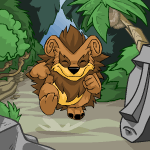
Are pet elements and ideals randomized? Is there any way I can get a specific pet element/ideal combination?
Yes, pet elements and ideals randomized, and no, there is currently no way how to get a specific pet element/ideal combination.

What’s the most efficient way to gather Power Neggs?
Here is a quick list of ways you can efficiently gather Power Neggs:

– Turn in items that can gathered quickly en masse such as Rocks, Pirate Daggers, Magnets, and Echo to the Power Plant.
– Complete Quests (namely Pet Quests)

What’s the most efficient way to gather Building Materials?
Here is a quick list of way you can efficiently gather Building Materials:

– Turn in items that can gathered quickly en masse such as Bamboo, Straw, Rocks, and Spyder Webs to the Molten Mixer.
– Complete Quests (namely Pet Quests)

What’s the most efficient way to increase my Town Level?
The most efficent way how to increase your Town Level is by leveling up your Core Buildings. The higher the level of the core building, the more exp gained, so instead of raising 3 different buildings all to level 4, focus on getting one up to max level.

You can also increase your Town experience by placing decorations on your island (the larger and/or more recipe complex the decorations are, the more EXP you earn), but in addition, do note that removing decorations from your island decreases your Town experience. Also, completing the Active Quests from the storyline awards Town experience.

What’s the giant egg in the Crystal Plateu for?
The giant egg in the Crystal Plateu is just an immovable decoration.

Why isn’t the Trading Post working?
The Trading Post is broken on Android and has been temporarily disabled for iOS. When functional, the Trading Post would be a way for players to trade their items for other items within the game. Players were encouraged to use the Trading Post when they needed items from their opposing expansion route (Mystic Jungle/Crystal Plateau).
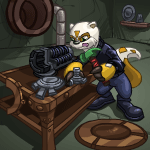
Does upgrading my Core Buildings do anything?
Upgrading your Core Buildings can give you Town Level experience, but aside from that, it just sits there and look pretty.

Why do I keep getting these constant tutorial/error messages?
The error messages are most occurring when you’re crafting/gathering items too quickly, but you shouldn’t be in any trouble for that. You’ll have a certain amount of items taken away and returned, but you can still create/gather said items afterward. This also appears when you’re putting ingredients in the Molten Mixer too quickly. You would want to click one item and do a full slow one-count before clicking anything again. The constant tutorial pop-ups is a known problem, and it is presumed to be worked on.

Is the Premium Emporium/Crystal Negg Store worth investing money in?
Personally, I would say no, since the game is not exactly functional for In-Game Purchases just yet. It is a personal and financial choice if you do wish to purchase an extra pet (Kacheek, but only available for a limited time at the beginning of your playthrough) and additional decorative items. You can steadily obtain Crystal Neggs from the Wheel of Offers and Level 3 Daily Goals.

How do I raise happiness?
You can raise your pet’s and overall island happiness by doing any of the following:

– Eating Omelettes
– Visiting an Amenity Building
– Painting your Neopet (not recommended)
– Customizing your Neopet (not recommended)

Also if your pet levels up it’s Affinity then happiness and hunger restored to 100%.

NOTE: Paint Brushes and wearables are Single Use. Blank Paint Brush, Blank Roller, Basic Hat are not craftable and at the time only obtainable through the Wheel of Offers for iOS. For Android, Blank Paint Brush, Blank Roller, Basic Hat can be obtained in the Premium Emporium.

How do I craft X item in Island Builders?
I would check out Jellyneo’s guide for a crowdsourced compiled list of items that can be crafted in the game.

In the crafting buildings, you can mix and match new craftable items through the Discovery Item section with the except for the Omelette Slab and Workshop. For the Workshop, the equipment cannot be unlocked early, and you can only obtain them through Active Quests. For the Omelette Slab, you will have to match ingredients every time you want to create/discover a specific omelette. For all failed attempts at the Omelette Slab, items will not be returned and your creation will always result in a Dubious Omelette.

Neopets Island Builder Avatar

An avatar for Neopets: Island Builders has been discovered, but the avatar is not currently active, but will most likely be made available in the future.

Island Builders – What to Gather

SourceItemSec. to completeItem neededRare DropElementIdeal
Fast-Grass FarmStraw15EarthEfficiency
Fast-Grass FarmPumpkin30BasketEarthStrength
Fast-Grass FarmApple (2)90BucketWormEarthLuck
Fast-Grass FarmBerry (2)300SpadeWormEarthDexterity
Crokabek FieldBamboo15DarkStrength
Crokabek FieldFeather60Spyder-Web NetVaeolus FeatherDarkEfficiency
Crokabek FieldSoil60BucketFertilizerDarkStrength
Crokabek FieldHedge Sapling300SpadeMistletoeDarkIntuition
Enigma WharfSpyder Web30WaterDexterity
Enigma WharfBicycle Wheel60Spyder-Web NetWaterAgility
Enigma WharfCrab300BucketFishWaterIntuition
Enigma WharfFresh Fish900Fishing RodHumongous FishWaterLuck
Enigma WharfDriftwood540WheelbarrowDriftwoodWaterEfficiency
Secret BeachSeawe*ed30WaterEfficiency
Secret BeachShell60BasketSpadeWaterIntuition
Secret BeachCoconut120Spyder-Web NetBucketWaterAgility
Secret BeachStarfish600BucketWaterIntuition
Secret BeachSand600SpadeSugar CaneWaterStrength
Mysterious MineRock30DarkDexterity
Mysterious MineOre60Stone HammerFireDarkStrength
Mysterious MineIce300PickaxeCoalDarkEfficiency
Mysterious MineClay1800WheelbarrowGoldDarkLuck
Mysterious MineCoal (2)3600DynamiteGoldDarkEfficiency
ShipwreckPirate Dagger90WaterIntuition
ShipwreckSail Cloth300ScissorsGemsWaterLuck
ShipwreckHoneycomb420Grappling HookWaxWaterAgility
ShipwreckCannon Ball1200Suction Cup GloveGun PowderWaterStrength
ShipwreckVaeolus Feather3600SlingshotGemsWaterLuck
CenoteVines120WaterAgility
CenoteMushroom (2)300ScissorsCacao BeansWaterDexterity
CenoteSquid420Grappling HookSquid InkWaterAgility
CenoteSea Urchin1800GloveNeedleWaterDexterity
CenoteLimestone1800DynamiteGemsWaterLuck
Negg TreeTree Branch120WaterAgility
Negg TreeBloomin’ Negg (2)300ScissorsWaterStrength
Negg TreeFerocious Negg420SpearPirate NeggWaterAgility
Negg TreeJungle Negg900SlingshotShadow NeggWaterDexterity
Negg TreeDacardian Negg3600Dynamite?WaterLuck
Negg TreePirate Negg900SlingshotShadow NeggWaterIntuition
Crash SiteMagnet90AirEfficiency
Crash SiteDark Crater Rocks300Magnet ClawLight Crater RocksAirStrength
Crash SiteRadioactive Green Ooze420Crystal BucketAirEfficiency
Crash SiteMeteor Ore600Laser AxeAlien CircuitboardAirStrength
Crash SiteSafety Pylon900Magnetic Field NetAlien CircuitboardAirAgility
Crash SiteSpace Bugs3600Ultrasonic CannonLight Crater RocksAirIntuition
Crystal GeyserCrystal Shard120AirEfficiency
Crystal GeyserIridescent Water300Crystal BucketRough CrystalAirEfficiency
Crystal GeyserJellyfishUnknownCrystal Fishing Rod???AirLuck
Crystal GeyserElectric Eel1500Magnetic Field NetVenomAirAgility
Crystal GeyserSnowflake600Echo ChamberRough CrystalAirIntuition
Sonata StelaeEcho120AirAgility
Sonata StelaePulsing Sound300Echo ChamberHarmonious SoundAirAgility
Sonata StelaeTranquil Sound600Laser HarpHarmonious SoundAirDexterity
Sonata StelaeSynth Sound900Laser AxeExtraterrestrial SoundAirIntuition
Sonata StelaeThunderous Sound3600Sound AmplifierExtraterrestrial SoundAirStrength

Island Builders – Workshop Recipes

ItemMix 1Mix 2Remark
BasketStrawSeawe*ed
Blow DartFeatherNeedle
Crystal BucketBucketCrystal Shard
Bungee CordGrappling HookRubber
DynamiteGun PowderCandle
Echo ChamberEchoCrystal Bucket
Spyder-Web NetWebBamboo
Crystal Fishing RodPerfect CrystalFishing Rod
Fishing RodStringSpyder-Web Net
Negg Lure Fishing RodJungle NeggFishing Rod
GloveStarfishRubber
Suction Cup GloveGloveSuction Cup
Grappling HookVinesPirate Dagger
Laser AxePickaxeRed Laser Beam
Laser HarpRed Laser BeamSynth Sound
Magnet ClawCrabMagnet
Magnetic Field NetSpyder-Web NetMagnet
PickaxeStone HammerSoft Metal
BucketPumpkinBasketRare Drop
ScissorsPirate DaggerPirate Dagger
SlingshotTree BranchRubber
Sound AmplifierSafety PylonPulsing Sound
SpadeShellStone HammerRare Drop
SpearTree BranchPirate Dagger
Stone HammerRockBamboo
Ultrasonic CannonAlien CircuitboardThunderous Sound
WheelbarrowBucketBicycle Wheel
GPS BeaconGyroscopeAlien Circuitboard
Apple SeedsMortar & PestleApple
BarrelWood PlankNail
Big PumpkinPumpkin SeedsFertilizer
Black InkSquid InkCoal
BrickClayFire
CandleWaxThread
CementLimestoneFire
CheeseMilkMushroom
BurlapStrawSpyder Web
LinenBurlapThread
CompassClear GlassNeedle
Rough CrystalCrystal ShardIridescent Water
Flawless CrystalRough CrystalHarmonious Sound
DiamondFlawless CrystalExtraterrestrial Sound
Raw CrystalCrystal ShardPulsing SoundRare Drop
FertilizerSoilFresh FishRare Drop
Jungle FertilizerFertilizerJungle Negg
Nuclear FertilizerFertilizerGreen Laser Beam
Overgrowth FertilizerFertilizerFierce Jungle Negg
Radioactive FertilizerFertilizerRadioactive Green Ooze
Rich FertilizerSoilHumongous Fish
FireOreThatchRare Drop
FlourStrawMortar & Pestle
Clear GlassCloudy GlassLimestone
Cloudy GlassSandFire
Focus LensCrystal ShardCloudy Glass
Glass LensClear GlassSuction Cup
Optic LensFocus LensFlawless Crystal
Gun PowderCannon BallFeatherRare Drop
GyroscopeMeteor AlloyMagnetic Field
Jelly BeansHoneycombApple Seeds
Green Laser BeamRed Laser BeamRadioactive Rod
Red Laser BeamElectric EelFocus Lens
Magnetic FieldMagnetMagnet
MapBamboo PaperCompass
MedicineHealing NeggMushroom
Alien AlloyMeteor AlloyExtraterrestrial Sound
Strong MetalSoft MetalCoal
Meteor AlloyMeteor OreRed Laser Beam
Soft MetalOreFire
MilkCoconutSuction Cup
Miniature StarStarfishThunderous Sound
Mortar & PestleRockCoconut
NailNeedleSoft Metal
NeedleSea UrchinCrabRare Drop
Bejeweled NeggGemsGolden Negg
Fierce Jungle NeggJungle NeggFerocious Negg
Healing Negg??????
Golden NeggFaerie NeggGold
Tropical NeggJungle NeggCoconut
Dark OozeRadioactive Green OozeBlack Ink
Bamboo PaperBambooBamboo
Newsprint PaperBamboo PaperDriftwood
Carbon FibreCoalSynth Sound
FibreglassCloudy GlassSynth Sound
Pumpkin SeedsPumpkinMortar & Pestle
Radioactive RodRadioactive Green OozeSnowflake
Light Crater RocksDark Crater RocksTranquil SoundRare Drop
Strong RopeRopeVines
RopeStringString
RubberTree SapFire
SandpaperSandBamboo Paper
Alien Plant SaplingHedge SaplingExtraterrestrial Sound
Harmonious SoundTranquil SoundThunderous SoundRare Drop
SpiceWormSandpaper
Squid InkSquidFeatherRare Drop
StrawberrySugar CaneRaspberry
StringThreadThread
Suction CupSquidPirate Dagger
Sugar CaneBambooPumpkin SeedsRare Drop
Table ClothLinenVaeolus Feather
ThatchStrawBamboo
ThreadSpyder WebBicycle Wheel
Tree SapTree BranchSuction Cup
WaterIceFire
WaxHoneycombFire
Palm Tree WoodTree BranchTropical Negg
Wood PlankTree BranchPirate Negg
Purple WoodAlien Plant SaplingGreen Laser Beam
Reclaimed WoodDriftwoodSandpaper

Island Builders Rare Drop Items

ItemLocationWhen GatheringWith Equipment
WormFast-Grass FarmAppleBucket
WormFast-Grass FarmRaspberrySpade
Vaeolus FeatherCrokabek FieldFeatherSpyder-Web Net
FertilizerCrokabek FieldSoilStone Hammer
MistletoeCrokabek FieldHedge SaplingSpade
FishEnigma WharfCrabBucket
Humongous FishEnigma WharfFresh FishFishing Rod
DriftwoodEnigma WharfDriftwoodWheelbarrow
SpadeSecret BeachShellBasket
BucketSecret BeachCoconutSpyder-Web Net
Sugar CaneSecret BeachSandSpade
FireMysterious MineOreHammer
CoalMysterious MineIcePickaxe
GoldMysterious MineClayWheelbarrow
GoldMysterious MineCoalDynamite
GemsShipwreckSail ClothScissors
WaxShipwreckHoneycombSpear
Gun PowderShipwreckCannon BallGlove
GemsShipwreckVaeolus FeatherSlingshot
Cacao BeansCenoteMushroomScissors
Squid InkCenoteSquidGrappling Hook
NeedleCenoteSea UrchinGlove
GemsCenoteLimestoneDynamite
Pirate NeggNegg TreeFerocious NeggGrappling Hook
Shadow NeggNegg TreeJungle NeggSlingshot
???Negg TreeDacardian NeggDynamite
Light Crater RocksCrash SiteDark Crater RocksMagnet Claw
Alien CircuitboardCrash SiteMeteor OreLaser Axe
Alien CircuitboardCrash SiteSafety PylonMagnetic Field Net
Light Crater RocksCrash SiteDark Crater RocksUltrasonic Cannon
Raw CrystalCrystal GeyserIridescent WaterCrystal Bucket
???Crystal GeyserJellyfish? Crystal Fishing Rod?
VenomCrystal GeyserElectric EelMagnetic Field Net
Raw CrystalCrystal GeyserSnowflakeEcho Chamber
Harmonious SoundSonata StelaePulsing SoundEcho Chamber
Harmonious SoundSonata StelaeTranquil SoundLaser Harp
Extraterrestrial SoundSonata StelaeSynth SoundLaser Axe
Extraterrestrial SoundSonata StelaeThunderous SoundSound Amplifier
Last updated: 04/13/2022

Neopets Rainbow Pool – Paint your Neopets!

neopets rainbow pool

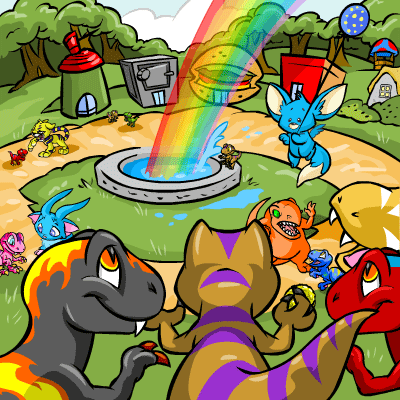
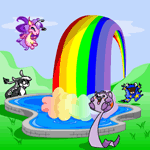
The Neopets Rainbow Pool is located in Neopia central where you will have to bring your Neopet and a paint brush. The Neopets Rainbow Pool will give you the opportunity to paint your Neopet to change its color to the one of your choice, if you have what it takes. When you visit the pool, you’ll be greeted with the message – “Come to the Rainbow Pool and change your Neopet’s colour. To change colour, you will need a magic paintbrush. These are magical items that are given to you in the game at random. They are very, very rare however.”

Where to find the Neopets Rainbow Pool?

The Neopets Rainbow Pool is located in Neopia Central, one of the most accessible and bustling areas in the Neopets world. To visit the Rainbow Pool, simply navigate to the Neopia Central map and click on the icon featuring a colorful pool surrounded by paint brushes. This iconic landmark is hard to miss and serves as a hub for customizing your Neopet’s appearance. You can also access it directly via the “Rainbow Pool” link under the “Explore” menu on the site’s main navigation bar.

https://www.neopets.com/pool/

Painting your Neopet at the Pool

At first, you will have to get a paint brush and you will have to get there. It can be one of your choice, that is usable.

To receive Paint Brushes, you will have to purchase them, to participate in rainbow pool neopetscontests to receive them as prizes, they can be obtained from random events, etc. Some of them are also in the Hidden Tower like the Baby Paint Brush, the Darigan Paint Brush, the Maractite Paint Brush, and the Royal Paint Brush. If you have enough Neopoints, depending on the Paint Brush you’re looking for, you can go to the trading post from where you can trade or to purchase one for yourself. There are some on the Shop Wizard for the lower end ones, and lastly you can snipe them in the auction house, however many people will be trying to do so, which means that you will require some good sniping skills.
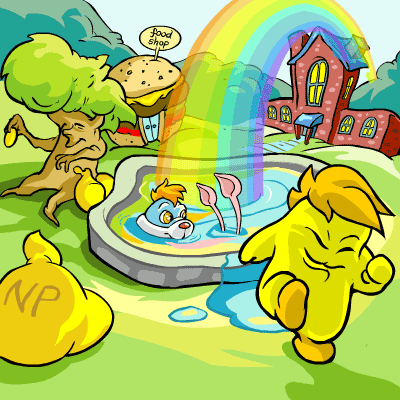
After that, go to the Rainbow Pool and make sure that your Paint Brush is actually in your inventory, from where you will want to click on the pool that is located on the bottom. You will then have to select the Paint Brush that you will want to use.

There will be all of your Neopets on the bottom of the screen andrainbow pool the Paint Brush will be on the top of them. You will see a drop down menu with anarrow on it, click on that arrow for the Neopets you would like to paint and select the Paint Brush. For example if you have a Blue Kacheek that is name BOB, then go find BOB on the bottom of the screen and click on the arrow to look at the drop down menu. From there, if you wanted to paint him Darigan and you have a Darigan Paint Brush in your inventory, you will be able to select Darigan (that will be the color you will want to paint him with), then proceed to submit. You will then see that your Neopets color has changed, and you will be able to enjoy.
Neopets Petpet Puddle

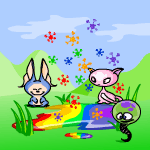
The Rainbow Pool is also home to the Petpet Puddle, where you can paintpetpet puddle your petpets with a petpet paint brush. The link to visit the Petpet Puddle is here.

Similar to the Rainbow Pool, you must have the petpet paint brush in your inventory in order to paint your petpet. Your petpet must also be attached to one of your pets.

When you visit the puddle, you’ll be greeted with a message that states “Right next to the Rainbow Pool is a small puddle… where Neopets bring their Petpets to get painted! To paint a Petpet, you need a) a Petpet, and b) the Petpet paint brush. Understood? Good! 🙂 “.

Neopets Rainbow Pool Colors

Each color comes with its own special look, often tailored to the personality and style of that Neopet species. Whether you’re aiming for the elegant sophistication of a Royal Neopet or the playful charm of a Christmas design, the Rainbow Pool brings your creative vision to life. Some colors, like Pirate or Usuki, even include special accessories, adding an extra layer of customization to your Neopet.

While the Rainbow Pool boasts an impressive selection of Neopets colors, not all are immediately accessible. Certain colors require specific items beyond paint brushes, such as morphing potions, magical plushies, or special lab ray transformations. Additionally, exclusive colors like Chocolate or Stealthy are prized for their rarity and aesthetic appeal. For collectors and customization enthusiasts, the Rainbow Pool serves as a canvas where the possibilities are as endless as your imagination. Whether you’re updating your Neopet’s look for a gallery showcase or creating a standout pet for your account, the Rainbow Pool remains an essential stop for every Neopian.

Baby Paint Brush

baby

600,000 NPs

Biscuit Paint Brush

biscuit

195,000 NPs

Blue Paint Brush

blue

65,000 NPs

Brown Paint Brush

brown

700,000 NPs

Camouflage Paint Brush

camouflage

300,000 NPs

Candy Paint Brush

candy

4,000,000 NPs

Checkered Paint Brush

checkered

72,000 NPs

Christmas Paint Brush

christmas

50,000 NPs

Cloud Paint Brush

cloud

150,000 NPs

Darigan Paint Brush

darigan

1,350,000 NPs

Dimensional Paint Brush

dimensional

1,200,000 NPs

Disco Fever Paint Brush

disco

380,000 NPs

Electric Blue Paint Brush

electric

500,000 NPs

Eventide Paint Brush

eventide

1,100,000 NPs


Faerie Paint Brush

faerie

2,400,000 NPs

Fire, Fire, Your Pants On Fire Paint Brush

fire

505,000 NPs

Get Off My Lawn Paint Brush

elderlyboy

1,900,000 NPs

Ghost Paint Brush

ghost

200,000 NPs

Glowing Paint Brush

glowing

60,000 NPs

Golden Paint Brush

gold

400,000 NPs

Green Paint Brush

green

58,000 NPs

Grey Paint Brush

grey

2,000,000 NPs

Halloween Paint Brush

halloween

2,300,000 NPs

Invisible Paint Brush

invisible

1,200,000 NPs

Lost Desert Paint Brush

desert

3,200,000 NPs

Maractite Paint Brush

maractite

3,000,000 NPs

Maraquan Paint Brush

maraquan

4,300,000 NPs

Marble Paint Brush

marble

980,000 NPs

Mystery Island Paint Brush

island

1,100,000 NPs

Oil Paint Brush

oil paint

3,000,000 NPs

Orange Paint Brush

orange

550,000 NPs

Origami Paint Brush

origami

500,000 NPs

Pastel Paint Brush

pastel

4,800,000 NPs

Pink Paint Brush

pink

1,100,000 NPs

Pirate Paint Brush

pirate

300,000 NPs

Plushie Paint Brush

plushie

2,800,000 NPs

Polka Dot Paint Brush

polka dot

500,000 NPs

Purple Paint Brush

purple

300,000 NPs

Rainbow Paint Brush

rainbow

490,000 NPs

Red Paint Brush

red

60,000 NPs

Relic Paint Brush

relic

310,000 NPs

Royal Paint Brush

royalboy

1,700,000 NPs

Scritchy Sketchy Paint Brush

sketch

58,000 NPs

Shadow Paint Brush

shadow

1,100,000 NPs

Silver Paint Brush

silver

200,000 NPs

Skunk Paint Brush

skunk

550,000 NPs

Snow Paint Brush

snow

45,000 NPs

Speckled Paint Brush

speckled

65,000 NPs

Split Paint Brush

split

68,000 NPs

Spotted Paint Brush

spotted

1,100,000 NPs

Starry Paint Brush

starry

100,000 NPs

Stealth Paint Brush

stealthy

5,500,000 NPs

Steampunk Paint Brush

steampunk

1,400,000 NPs

Strawberry Fields Forever Paint Brush

strawberry

150,000 NPs

Striped Paint Brush

striped

250,000 NPs

Swamp Gas Paint Brush

swamp gas

180,000 NPs

Toy Paint Brush

toy

2,500,000 NPs

Transparent Paint Brush

transparent

3,000,000 NPs

Tyrannian Paint Brush

tyrannian

180,000 NPs

Usuki Paint Brush

usukiboy

1,100,000 NPs

Water Paint Brush

water

1,700,000 NPs

White Paint Brush

white

2,000,000 NPs

Woodland Paint Brush

woodland

2,000,000 NPs

Wraith Paint Brush

wraith

3,000,000 NPs

Yellow Paint Brush

yellow

60,000 NPs

Zombie Paint Brush

zombie

1,100,000 NPs

Faerie Painted Neopets

Faerie Acara
Faerie Acara
Faerie Aisha
Faerie Aisha
Faerie Blumaroo
Faerie Blumaroo
Faerie Bori
Faerie Bori
Faerie Bruce
Faerie Bruce
Faerie Buzz
Faerie Buzz
Faerie Chia
Faerie Chia
Faerie Chomby
Faerie Chomby
Faerie Cybunny
Faerie Cybunny
Faerie Draik
Faerie Draik
Faerie Elephante
Faerie Elephante
Faerie Eyrie
Faerie Eyrie
Faerie Flotsam
Faerie Flotsam
Faerie Gelert
Faerie Gelert
Faerie Gnorbu
Faerie Gnorbu
Faerie Grarrl
Faerie Grarrl
Faerie Grundo
Faerie Grundo
Faerie Hissi
Faerie Hissi
Faerie Ixi
Faerie Ixi
Faerie Jetsam
Faerie Jetsam
Faerie Jubjub
Faerie Jubjub
Faerie Kacheek
Faerie Kacheek
Faerie Kau
Faerie Kau
Faerie Kiko
Faerie Kiko
Faerie Koi
Faerie Koi
Faerie Korbat
Faerie Korbat
Faerie Kougra
Faerie Kougra
Faerie Krawk
Faerie Krawk
Faerie Kyrii
Faerie Kyrii
Faerie Lenny
Faerie Lenny
Faerie Lupe
Faerie Lupe
Faerie Lutari
Faerie Lutari
Faerie Meerca
Faerie Meerca
Faerie Moehog
Faerie Moehog
Faerie Mynci
Faerie Mynci
Faerie Nimmo
Faerie Nimmo
Faerie Ogrin
Faerie Ogrin
Faerie Peophin
Faerie Peophin
Faerie Poogle
Faerie Poogle
Faerie Pteri
Faerie Pteri
Faerie Quiggle
Faerie Quiggle
Faerie Ruki
Faerie Ruki
Faerie Scorchio
Faerie Scorchio
Faerie Shoyru
Faerie Shoyru
Faerie Skeith
Faerie Skeith
Faerie Techo
Faerie Techo
Faerie Tonu
Faerie Tonu
Faerie Tuskaninny
Faerie Tuskaninny
Faerie Uni
Faerie Uni
Faerie Usul
Faerie Usul
Faerie Vandagyre
Faerie Vandagyre
Faerie Wocky
Faerie Wocky
Faerie Xweetok
Faerie Xweetok
Faerie Yurble
Faerie Yurble
Faerie Zafara
Faerie Zafara

Royal Painted Neopets

Royalgirl Acara
Royalgirl Acara
Royalgirl Aisha
Royalgirl Aisha
Royalgirl Blumaroo
Royalgirl Blumaroo
Royalgirl Bori
Royalgirl Bori
Royalgirl Bruce
Royalgirl Bruce
Royalgirl Buzz
Royalgirl Buzz
Royalgirl Chomby
Royalgirl Chomby
Royalgirl Cybunny
Royalgirl Cybunny
Royalgirl Draik
Royalgirl Draik
Royalgirl Elephante
Royalgirl Elephante
Royalgirl Eyrie
Royalgirl Eyrie
Royalgirl Flotsam
Royalgirl Flotsam
Royalgirl Gelert
Royalgirl Gelert
Royalgirl Gnorbu
Royalgirl Gnorbu
Royalgirl Grarrl
Royalgirl Grarrl
Royalgirl Grundo
Royalgirl Grundo
Royalgirl Hissi
Royalgirl Hissi
Royalgirl Ixi
Royalgirl Ixi
Royalgirl Jetsam
Royalgirl Jetsam
Royalgirl Jubjub
Royalgirl Jubjub
Royalgirl Kacheek
Royalgirl Kacheek
Royalgirl Kau
Royalgirl Kau
Royalgirl Kiko
Royalgirl Kiko
Royalgirl Koi
Royalgirl Koi
Royalgirl Korbat
Royalgirl Korbat
Royalgirl Kougra
Royalgirl Kougra
Royalgirl Krawk
Royalgirl Krawk
Royalgirl Kyrii
Royalgirl Kyrii
Royalgirl Lenny
Royalgirl Lenny
Royalgirl Lupe
Royalgirl Lupe
Royalgirl Lutari
Royalgirl Lutari
Royalgirl Meerca
Royalgirl Meerca
Royalgirl Moehog
Royalgirl Moehog
Royalgirl Mynci
Royalgirl Mynci
Royalgirl Nimmo
Royalgirl Nimmo
Royalgirl Peophin
Royalgirl Peophin
Royalgirl Poogle
Royalgirl Poogle
Royalgirl Pteri
Royalgirl Pteri
Royalgirl Quiggle
Royalgirl Quiggle
Royalgirl Ruki
Royalgirl Ruki
Royalgirl Scorchio
Royalgirl Scorchio
Royalgirl Shoyru
Royalgirl Shoyru
Royalgirl Skeith
Royalgirl Skeith
Royalgirl Techo
Royalgirl Techo
Royalgirl Tonu
Royalgirl Tonu
Royalgirl Tuskaninny
Royalgirl Uni
Royalgirl Uni
Royalgirl Usul
Royalgirl Usul
Royalgirl Wocky
Royalgirl Wocky
Royalgirl Xweetok
Royalgirl Xweetok
Royalgirl Yurble
Royalgirl Yurble
Royalgirl Zafara
Royalgirl Zafara

Conclusion

The Neopets Rainbow Pool is a cornerstone of creativity and individuality in Neopia, allowing players to bring their customization dreams to life. Whether you’re painting your Neopet a classic color like red or blue or opting for something rare and extravagant like plushie or faerie, the Rainbow Pool is where the magic happens. With its vibrant aesthetic and straightforward mechanics, it continues to be a beloved feature for collectors and casual players alike.

From its convenient location in Neopia Central to the excitement of using a paint brush, the Rainbow Pool offers endless possibilities for expressing your unique style. It’s not just about colors—it’s about transforming your Neopets into something that represents your vision. Whether you’re saving up for that elusive paint brush or simply browsing the gallery of available colors, the Rainbow Pool is an experience every Neopian should enjoy. Let it be your gateway to making your Neopets truly one-of-a-kind!

Last updated: 12/13/2024

Neopets CSS Snippets

Remember those basic, boring userlookups everyone had back in the day? Yeah, those days are long gone. Now, with a little CSS magic, your userlookup can be a vibrant expression of your Neopian self! Whether you’re a coding newbie or a seasoned CSS sorcerer, this guide will help you unlock a world of customization.

What is a Userlookup?

For those unfamiliar, a userlookup is essentially your Neopets profile page. It’s where you can showcase your pets, trophies, Neopian goals, and basically anything else you want to share with the world.

Why Use CSS?

CSS (Cascading Style Sheets) is a language that dictates how your userlookup looks. Think of it as the interior design of your Neopian home. With CSS, you can:

  • Change fonts and colors: Say goodbye to Times New Roman and embrace the whimsy of Comic Sans or the elegance of Georgia.
  • Rearrange elements: Tired of the standard layout? Move things around, hide sections, and create a unique structure.
  • Add backgrounds and images: Spice things up with a background image of your favorite Neopian land or a pattern that reflects your personality.
  • And so much more! The possibilities are limited only by your imagination (and maybe a little bit by Neopets’ rules, so keep it safe!).

Finding CSS Snippets

The beauty of CSS is that you don’t have to be a coding wizard to use it. Plenty of generous Neopians have created and shared CSS snippets that you can easily copy and paste. A full list is at the bottom of this article.

How to Use CSS Snippets

  1. Find a snippet you like. Browse the resources above and find a design that catches your eye.
  2. Copy the code. Select all the code in the snippet and copy it to your clipboard.
  3. Go to your userlookup. Navigate to your Neopets profile page.
  4. Edit your profile. Click the “Edit User Info” button.
  5. Paste the code. In the “About Me” section, paste the CSS code you copied.
  6. Preview and update. Neopets provides a preview option, so check how your userlookup looks and make any necessary adjustments. Once you’re happy, click “Update Description.”

Important Notes:

  • Neopets has rules. Make sure your CSS doesn’t violate any Neopets terms and conditions. Avoid anything that could be disruptive or offensive.
  • Back up your code. Before making changes, save a copy of your existing code just in case something goes wrong.
  • Experiment and have fun! The best way to learn CSS is by playing around with it. Try different snippets, tweak the code, and see what amazing creations you can come up with.

Beyond Snippets: Learning CSS

If you’re feeling adventurous and want to delve deeper into CSS, there are tons of online resources to help you learn:

  • Codecademy: Offers interactive CSS courses for all skill levels.
  • freeCodeCamp: Provides a comprehensive curriculum with a focus on web development, including CSS.
  • W3Schools: A go-to website for web development tutorials, including a detailed CSS tutorial.

By mastering CSS, you can take your userlookup to the next level and create a truly unique and personalized space in Neopia. So go forth, fellow Neopians, and let your creativity shine!

REMOVING NEOPETS’ WHITE BACKGROUND
REMOVING NEOPETS’ WHITE BACKGROUND BORDER
REMOVING NEOPETS’ WHITE BACKGROUND & BORDER
CHANGING NEOPETS’ WHITE BACKGROUND COLOR
(BLACK)

REPLACING NEOPETS’ WHITE BACKGROUND WITH A PICTURE

CHANGING NEOPETS’ GRAY BACKGROUND COLOR
(BLACK)
REPLACING NEOPETS’ GRAY BACKGROUND WITH A PICTURE
(CREATES A TILED BACKGROUND IN PETPAGES)

FORCING A BACKGROUND TO REPEAT ONLY VERTICALLY

FORCING A BACKGROUND TO REPEAT ONLY HORIZONTALLY

CREATING A NON-REPEATING BACKGROUND IMAGE

POSITIONING A BACKGROUND IMAGE IN NEOPETS’ GRAY BACKGROUND SPACE

(NON REPEATING)


REMOVING ADS ON THE TOP OF THE SITE

REMOVING ADS ON THE BOTTOM OF THE SITE

REMOVING ALL ADS

REMOVING NEOPETS’ HEADER & FOOTER
(FOR SHOPS, SEE SHOP SPECIFIC CODES)
REMOVING SIDEBAR INFORMATION
(FOR SHOPS, SEE SHOP SPECIFIC CODES)


HIDING A PAGE SCROLL
ENABLE SCROLLING WHEN NECESSARY
ENABLE SCROLLING EVEN WHEN UNNECESSARY


CHANGING FONT SIZE, TYPE, & COLOR FOR “WELCOME, GUEST | NP: 2,000 | LOGOUT” IN HEADERS
(TEXT & LINKS SAME COLOR)

CHANGING FONT SIZE, TYPE, & COLOR FOR “WELCOME, GUEST | NP: 2,000 | LOGOUT” IN HEADERS

(TEXT & LINKS DIFFERENT COLORS)
CHANGING FONT SIZE, TYPE, & COLOR FOR NEOPETS’ COPYRIGHT
(TEXT & LINKS SAME COLOR)
(SEE PETPAGE SPECIFIC SECTION FOR PETPAGES)
CHANGING FONT SIZE, TYPE, & COLOR FOR NEOPETS’ COPYRIGHT
(TEXT & LINKS DIFFERENT COLORS)
(SEE PETPAGE SPECIFIC SECTION FOR PETPAGES)

REMOVING NEOPETS’ COPYRIGHT

(SEE PETPAGE SPECIFIC SECTION FOR PETPAGES)
MODIFYING THE NEOPETS CLOCK
(FONT COLOR, SIZE, & TYPE)

REPLACING THE HEADER IMAGE WITH YOUR OWN

(CHANGE HEIGHT AND WIDTH ACCORDINGLY)

REPLACING THE FOOTER IMAGE WITH YOUR OWN

(CHANGE HEIGHT AND WIDTH ACCORDINGLY)
REMOVING NEOPETS’ HEADER
(FOR SHOPS, SEE SHOP SPECIFIC CODES)
REMOVING NEOPETS’ FOOTER
(FOR SHOPS, SEE SHOP SPECIFIC CODES)
REMOVING NEOPETS’ HEADER & FOOTER
(FOR SHOPS, SEE SHOP SPECIFIC CODES)


QUESTION MARK CURSOR
QUESTION MARK CURSOR ON MOUSEOVER
CROSSHAIR CURSOR
CROSSHAIR CURSOR ON MOUSEOVER
CROSSHAIR W/ ARROWS CURSOR
CROSSHAIR W/ ARROWS CURSOR ON MOUSEOVER
WAITING CURSOR
WAITING CURSOR ON MOUSEOVER
TEXT BAR CURSOR
TEXT BAR CURSOR ON MOUSEOVER


BLINKING TEXT
(NOT SUPPORTED BY ALL BROWSERS)
CHANGING FONT COLOR
CHANGING FONT SIZE & TYPE
CHANGING FONT COLOR, SIZE, & TYPE
CHANGING LINE HEIGHT
(INCREASE OR DECREASE DISTANCE OF ONE LINE OF TEXT FROM ANOTHER)

CHANGING LINE HEIGHT

(ALSO FONT COLOR, SIZE, & TYPE)
CHANGING LETTER DISTANCE
(INCREASE OR DECREASE THE DISTANCE BETWEEN LETTERS IN WORDS)
CHANGING LETTER DISTANCE
(ALSO FONT COLOR, SIZE, & TYPE)
(INCREASE OR DECREASE THE DISTANCE BETWEEN LETTERS IN WORDS)
CHANGING WORD DISTANCE
(INCREASE OR DECREASE THE DISTANCE BETWEEN WORDS)
CHANGING WORD DISTANCE
(ALSO FONT COLOR, SIZE, & TYPE)
(INCREASE OR DECREASE THE DISTANCE BETWEEN WORDS)


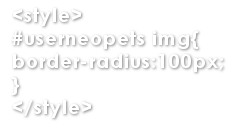
CREATING CIRCULAR IMAGES

ROUNDED IMAGE EDGES

(BUT NOT PERFECTLY CIRCULAR)
CREATING ALTERNATING ROUNDED AND POINTED IMAGE EDGES
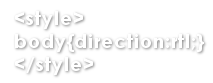
HORIZONTALLY INVERTING A PAGE
(NOT COMPATIBLE WITH MOST BROWSERS)
MAKING CODE BOXES
(REPLACE THE PARENTHESIS WITH GREATER/LESS THAN SIGNS)


REMOVING TROPHY BOX PSEUDO-SCROLL IN CHROME
REMOVING STATS IMAGES
REMOVING TRADES, AUCTIONS, WISHLIST, NEOMAIL, & NEOFRIEND PICTURES AND LINKS FROM USERINFO SECTION
(REPLACE THE PARENTHESIS WITH GREATER/LESS THAN SIGNS)
REMOVING HORIZONTAL GRAY BARS
REMOVING HORIZONTAL GRAY BAR IN USERINFO

REMOVING USERINFO SECTION

(REMOVING THIS SECTION IS NOT RECOMMENDED)

REMOVING COLLECTIONS

REMOVING SHOP & GALLERY

REMOVING NEOPETS

(REMOVING THIS SECTION IS NOT RECOMMENDED)

REMOVING NEOHOME

REMOVING GAMES & TROPHIES

REMOVING HABITARIUM

REMOVING NC MALL INFO

REMOVING “USERLOOKUP: GUEST (?)”

(THIS CODE MAY AFFECT PERSONAL IMAGES; NEOMAIL ME FOR A QUICK FIX)
REMOVING BRODERS FROM STAT BOXES
REMOVING ALL STAT HEADERS FROM USERLOOKUP
(SEE STAT HEADERS SECTION FOR INDIVIDUAL REMOVAL CODES)
REMOVING ALL INFORMATION FROM USERLOOKUP
(REMOVING THIS INFORMATION IS NOT RECOMMENDED)


REMOVING STATS IMAGES
ADJUSTING THE SIZE OF YOUR SHIELD IMAGE

ADJUSTING THE SIZE OF YOUR TRADES, AUCTIONS, WISHLIST, NEOMAIL, & NEOFRIEND IMAGES

ADJUSTING THE SIZE OF YOUR SHOP KEEPER IMAGE
ADJUSTING THE SIZE OF YOUR COLLECTION IMAGES
ADJUSTING THE SIZE OF YOUR NEOPETS’ IMAGES
ADJUSTING THE SIZE OF YOUR TROPHY IMAGES
DASHED IMAGE BORDERS – STAT IMAGES
CHANGING THE COLORS OF YOUR IMAGE BORDERS – STAT IMAGES

CREATING CIRCULAR NEOPET IMAGES


REMOVING STAT HEADERS FROM USERLOOKUP
REMOVING USERINFO HEADER FROM USERLOOKUP
REMOVING COLLECTIONS HEADER FROM USERLOOKUP
REMOVING SHOP & GALLERY HEADER FROM USERLOOKUP
REMOVING NEOPETS’ HEADER FROM USERLOOKUP
REMOVING HABITARIUM HEADER FROM USERLOOKUP
REMOVING NEOHOME HEADER FROM USERLOOKUP
REMOVING TROPHIES HEADER FROM USERLOOKUP

MODIFYING HEADERS

(ALSO FONT COLOR, SIZE, FACE, & BACKGROUND COLOR)

MODIFYING HEADERS WITH NO BACKGROUND COLOR

(ALSO FONT COLOR, SIZE, & FACE)

MODIFYING HEADERS WITH UPPERCASE LETTERS

(ALSO FONT COLOR, SIZE, FACE, & BACKGROUND COLOR)

UNDERLINING HEADERS

(ALSO FONT COLOR, SIZE, FACE, & BACKGROUND COLOR)


REMOVING BORDERS FROM STAT BOXES
ADJUSTING THE SIZE OF YOUR USERINFO BOX

ADJUSTING THE SIZE OF YOUR USERINFO BOX

(NO BORDERS)
ADJUSTING THE SIZE OF YOUR COLLECTIONS BOX

ADJUSTING THE SIZE OF YOUR COLLECTIONS BOX

(NO BORDERS)
ADJUSTING THE SIZE OF YOUR SHOP BOX

ADJUSTING THE SIZE OF YOUR SHOP BOX

(NO BORDERS)
ADJUSTING THE SIZE OF YOUR NEOPETS BOX

ADJUSTING THE SIZE OF YOUR NEOPETS BOX

(NO BORDERS)
ADJUSTING THE SIZE OF YOUR NEOHOME BOX

ADJUSTING THE SIZE OF YOUR NEOHOME BOX

(NO BORDERS)
ADJUSTING THE SIZE OF YOUR TROPHIES BOX

ADJUSTING THE SIZE OF YOUR TROPHIES BOX

(NO BORDERS)
CHANGING YOUR STATS BOXES BACKGROUND COLOR

CHANGING YOUR STATS BOXES BACKGROUND IMAGE

CHANGING YOUR STAT BOXES BORDER COLORS

STAT BOXES WITH DASHED BORDERS


ADJUSTING THE SIZE OF YOUR TROPHY FONT
(FONT FACE ALSO)
MAKING YOUR PETS’ NAMES LOWERCASE

CAPITALIZING YOUR PETS’ NAMES

CAPITALIZING THE FIRST LETTER OF YOUR PETS’ NAMES

CENTERING USERINFO TEXT

MOVING STAT BOXES CLOSER TOGETHER
(SHRINK IMAGES, TEXT, AND REMOVE BORDERS FOR SMALLER WIDTHS)


REMOVING YOUR GUILD LOGO
REMOVING THE POLL BACKGROUND COLOR IN MOZILLA


REMOVING BLACK ‘AD’ BAR

REMOVING GRAY BAND/UPPER PORTION OF HEADERS
(BEST USED WITH THE ‘AD’ BAR REMOVAL CODE)

REMOVING SIDEBAR

(CHANGE FONT COLOR TO THE COLOR OF YOUR BACKGROUND)

REMOVING SIDEBAR WITH LEFT ALIGNMENT FIX

(CHANGE FONT COLOR TO THE COLOR OF YOUR BACKGROUND)

REMOVING HEADER & FOOTER IMAGES

REMOVING ADS


REMOVING THE BANNER AT THE TOP OF THE PAGE

REMOVING THE COPYRIGHT AT THE BOTTOM OF THE PAGE
(IT IS SUGGESTED THAT YOU REPLACE THIS IF REMOVED)


CHANGING THE FONT SIZE, TYPE, & COLOR OF NEOPETS COPYRIGHT
(TEXT & LINKS SAME COLOR)
CHANGING THE FONT SIZE, TYPE, & COLOR OF NEOPETS COPYRIGHT
(TEXT & LINKS DIFFERENT COLORS)


REMOVING ‘OWNER’ AND QUICK PERSONALITY DESCRIPTION INFORMATION

(UPPER BLOCK OF STATISTICS MODULE)
REMOVING ‘NEOMAIL OWNER’ AND ‘VISIT PETS WEB PAGE’ IMAGES
(MAY AFFECT PERSONAL IMAGES; NEOMAIL ME FOR HELP WITH THIS)


REPLACING ‘NEOMAIL OWNER’ & ‘VISIT PETS WEB PAGE’ IMAGES

(MUST USE THE SAME IMAGE TO REPLACE BOTH IMAGES; MAY EXCEED LAYOUT DIMENSIONS)
BORDERING YOUR PETPET IMAGE
CHANGING THE SIZE OF YOUR PET’S IMAGE


CAPITALIZING PET & PETPET NAMES IN NEOPET MODULE
(ALTERNATIVE CODE)

REMOVING “PET NAME THE PET TYPE (?)”

CAPITALIZING ALL LETTERS IN “PET NAME THE PET TYPE (?)”

CAPITALIZING THE FIRST LETTERS IN “PET NAME THE PET TYPE (?)”


ADDING IMAGES
IMAGE POSITIONED TO THE LEFT WITH A TEXT WRAP AROUND IT
IMAGE POSITIONED TO THE RIGHT WITH A TEXT WRAP AROUND IT


ADDING LINKS


ADDING IMAGE LINKS


IMAGE LINK WITH NO BORDER


BASIC CENTERING
PARAGRAPH CENTERING
ALIGNING TEXT TO THE LEFT
ALIGNING TEXT TO THE RIGHT


BOLDING
SLASHING TEXT
(REPLACE THE PARENTHESIS WITH GREATER/LESS THAN SIGNS)
SLASHING TEXT ON PETPAGES
UNDERLINING TEXT
(REPLACE THE PARENTHESIS WITH GREATER/LESS THAN SIGNS)
ITALICIZING TEXT
SUP TEXT
SUB TEXT
FONT COLOR
FONT SIZE


MAKING TEXT APPEAR WHEN YOU HOVER OVER AN IMAGE
BREAKING” OR ADDING TEXT TO A NEW LINE
ADDING BULLET POINTS


Last updated: 10/28/2024

Wraith Resurgence Plot Guide

The Wraith Resurgence plot, which spanned from November 17, 2017, to May 24, 2018, stands as one of the most memorable and gripping storylines in Neopets history. It began with a chilling sense of foreboding when Faerie Queen Fyora, fearing the weakening of the barrier keeping the Wraiths at bay, initiated a season of free Faerie Quests. This cautious action set the stage for an epic adventure that would involve mysterious figures, an ancient curse, and the fate of Neopia itself.

Wraith Resurgence Plot

The Spark of the Wraith Resurgence Plot

Fyora’s initial fears came true when she launched the Faerie Festival, where she introduced Kaia, a gifted student from Shenkuu with an unusual ability to foresee events. After the festival, however, the grounds were vandalized, and the Angry Yurble claimed to have seen Wraiths responsible for the destruction. Despite some skepticism from the Battle Faerie Aethia, Fyora remained resolute, noting the decay that mirrored the Wraiths’ sinister presence.

The Growing Threat of the Wraiths

After a series of mysterious disappearances, including two Neopets, Aiden and Nolan, who vanished in the Haunted Woods, the plot intensified. The Wraiths continued to wreak havoc, with each defeated Wraith revealing more about the forces behind the chaos. Through her unique trances, Kaia helped uncover the identities of the Wraiths, who were revealed to be former Neopets, including a key character named Damon.

As the Wraith threat grew, Fyora’s investigation led her to the Wild Woods, where she was ambushed and incapacitated, leaving Aethia to lead the resistance against the growing darkness. Meanwhile, Kaia pursued a more personal mission to confront Malum, an enigmatic figure tied to Shenkuu, whose presence threatened the safety of Neopia.

The Darkest Faerie’s Return

The plot took a shocking twist when it was revealed that the Darkest Faerie, a long-standing adversary of Neopia, was the mastermind behind the Wraiths’ transformations. Using Reizo, an old friend of Kaia’s who had been cursed and manipulated by the Darkest Faerie, the villain orchestrated a series of attacks to weaken the Faerie resistance and sow chaos across Neopia.

In a climactic battle, Neopians confronted the Darkest Faerie in an effort to thwart her nefarious plans. With the help of the fragments of Jerdana’s Orb, they managed to thwart the release of poisonous gas she intended to spread across Neopia, ultimately freeing Kaia and Reizo from the Darkest Faerie’s malevolent influence.

How Players Could Participate in the Wraith Resurgence Plot

Players had the chance to dive into the Wraith Resurgence plot through a series of interactive challenges, puzzles, and Battledome battles. The plot involved both strategic gameplay and story progression, allowing players to actively engage with the unfolding drama of Neopia’s battle against the Wraiths.

Key Participation Components

  • Battling Wraiths: Players faced off against powerful Wraith enemies, including the Snapjaw Wraith, Deathball Wraith, and Malum. Each battle was tied to specific milestones and achievements, granting exclusive rewards such as Battledome weapons, Neopoint bonuses, and unique avatars.
  • Interactive Puzzles: Players solved Faerie-themed puzzles in the Faeries’ Chest, discovered hidden clues through the Mystic Murmurs achievement, and navigated Fiendish Formations to unlock special plot rewards.
  • Potion Crafting and Healing: At Taelia’s Brewing Centre, players brewed potions to help combat the Wraiths’ curse. The Infirmary allowed them to heal Neopets affected by the Wraith transformations, earning valuable plot rewards.

Final Prizes

At the conclusion of the plot, players received rewards based on their level of participation. These included:

  • Exclusive Avatars: Special avatars that could only be obtained by participating in the plot.
  • Wearable Items: Faerie-themed items and Battledome weapons that were highly sought after.
  • Neopoint Bonuses: Players received Neopoint rewards to aid their Neopian journey.

The Battledome Waves: Key Battles and Rewards

The Battledome played a crucial role in the Wraith Resurgence plot. Players battled through six waves, each featuring a unique Wraith or ally, earning valuable rewards as they progressed.

  • Wave 1: Snapjaw Wraith: This early wave introduced the Snapjaw Wraith, dropping items like Ectoplasm, which were essential for crafting plot-specific items.
  • Wave 2: Deathball Wraith: Defeating the Deathball Wraith unlocked items such as Wraith Fangs and Mysterious Cyan Coffers, a rare treasure that could be unlocked with Golden Keys.
  • Wave 3: Wind Rider Wraith: A challenging encounter that rewarded players with exclusive items and achievements.
  • Wave 4: Hulking Wraith: The Hulking Wraith dropped valuable materials like Wraith Blood, which could be used in potion crafting.
  • Wave 5: Malum: The elusive Malum emerged as a formidable foe, offering Blazing Embers and the chance to face him in future battles.
  • Wave 6: Kaia: In a twist, Kaia became a Battledome challenger, revealing the depth of the Darkest Faerie’s manipulation.

Special Events and Final Showdown

As the plot progressed, players engaged in key challenges such as navigating the Wild Woods, collecting rare stone fragments in the Forgotten Graveyard, and confronting the Darkest Faerie in the ultimate showdown.

  • Mysterious Cyan Coffers: Players could open these rare chests with Golden Keys to discover hidden plot items.
  • Fiendish Formations: A fun and challenging puzzle game that mirrored Wraith movements and unlocked rewards for successful players.

Conclusion: Reliving the Wraith Resurgence

The Wraith Resurgence plot remains one of the most beloved storylines in Neopets history, showcasing a blend of mystery, action, and player interaction. Whether you participated in the plot or are discovering it for the first time, it’s a perfect example of Neopia’s thriving, ever-evolving world. By completing puzzles, battling Wraiths, and uncovering the truth behind the Darkest Faerie’s plot, players experienced one of Neopia’s greatest sagas, one that will live on in the hearts of many.

FAQ:

  • How can I relive the Wraith Resurgence plot? You can explore past events through the Neopets Plot Archives, where you’ll find detailed summaries of the plot and its rewards.
  • What were the main rewards for participating in the Wraith Resurgence? Rewards included exclusive avatars, Battledome items, rare treasures, and Neopoint bonuses.
  • What was the significance of Kaia in the plot? Kaia was central to uncovering the Wraith threat, and her journey revealed hidden aspects of the Darkest Faerie’s influence.
  • Can I still access plot items or rewards from the Wraith Resurgence? Many rewards from the plot, such as special avatars and wearable items, remain available to players who participated during the event.
Last updated: 12/22/2024

Neopets CAPTCHA Controversy: The Pros and Cons of Google’s reCaptcha System

The implementation of Google’s reCaptcha system on Neopets has been one of the most debated topics within the Neopian community. First introduced in 2016, this security feature was designed to combat bot activity on user and pet lookups. However, the introduction of CAPTCHAs sparked mixed reactions from Neopians, with some supporting it as an effective security measure, while others viewed it as an unnecessary inconvenience. In this article, we’ll explore the history of the CAPTCHA on Neopets, the community’s reactions, and its impact on user experience and site security.

Neopets Captcha

What Is the Google reCaptcha and How Does It Work?

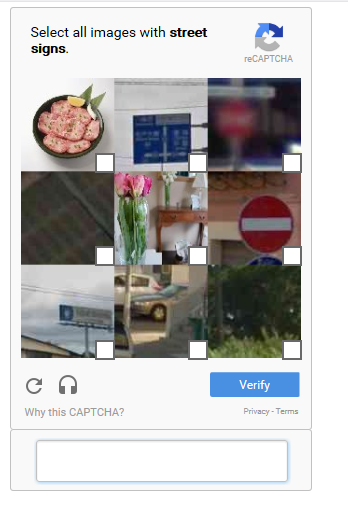
Google’s reCaptcha is a sophisticated system designed to distinguish between human users and automated bots. The reCaptcha’s slogan, “Tough on bots, easy on humans,” reflects its goal of providing a seamless experience for legitimate users while blocking malicious automated activity. Initially, Neopets implemented the “I am not a robot” checkbox that required a simple click to confirm that users were human. However, if you were accessing the site via a VPN/Proxy or attempting to view multiple pages in quick succession, you would be prompted to solve a more complex task, such as selecting images that matched a specific pattern.

Why Did Neopets Introduce reCaptcha on User Lookups?

The primary motivation behind Neopets’ decision to implement reCaptcha was to prevent bots from accessing user and pet lookups. Automated bots would often visit these pages in large numbers, seeking to identify inactive accounts with valuable assets, such as rare pets, avatars, or items. These bots caused significant server strain and, more worryingly, increased the risk of account compromises. Bots could scrape valuable data and target accounts that appeared abandoned or vulnerable.

To mitigate these risks, Neopets chose to add a CAPTCHA system that would require human intervention to access another player’s lookup. While the measure helped reduce bot traffic, it also introduced a new layer of frustration for regular users who simply wanted to view other players’ profiles or check on their pets.

The Controversial Reactions from Neopians on CAPTCHA

Since its reintroduction in 2016, Neopets’ CAPTCHA has garnered significant backlash. While some Neopians appreciate the added security, others have expressed dissatisfaction with the inconvenience it causes. Let’s explore the different viewpoints expressed by the community.

User Frustration: “Too Many Clicks for Simple Tasks”

One common criticism of the CAPTCHA system is that it complicates otherwise simple tasks. For players who frequently visit user lookups or pet pages—especially when checking on their side accounts—reCaptcha can quickly become a frustrating barrier. The process of solving CAPTCHAs, particularly when combined with ad-blocking tools or restrictive browser settings, can turn a quick visit into a lengthy chore. Users who have ad blockers or JavaScript restrictions report that they must disable or adjust their settings just to view a page, which interrupts their experience.

The Security Argument: “Better Safe Than Sorry”

On the other hand, many users support the CAPTCHA system, believing that it helps safeguard their accounts. These players argue that the introduction of reCaptcha was necessary because, without it, accounts were more vulnerable to theft. In particular, after the initial removal of the CAPTCHA system in 2016, several accounts were compromised, which led many to demand its return. Those in favor of the system point out that the CAPTCHA reduces the risk of bot-driven account theft and enhances overall site security.

An Argument for More Privacy Features

Some Neopians feel that the reCaptcha system is a temporary fix that doesn’t address the root cause of account security issues, such as cookie grabbers. These malicious tools are designed to steal users’ login credentials and compromise their accounts, often without triggering CAPTCHA security measures. These users believe that Neopets could have done more to protect players by offering features like private profiles or restricting visibility to certain pages, rather than relying on a CAPTCHA that may only offer limited protection.

The Impact of reCaptcha on Site Performance and Server Load

Beyond the security concerns, another key reason for the implementation of reCaptcha was to alleviate the strain caused by bot traffic. The constant requests from automated bots, scanning user profiles and pet lookups, placed significant load on Neopets’ servers, leading to site lag and slow performance. Many Neopians observed that the reCaptcha system helped reduce server load and, as a result, improved the overall user experience. The reCaptcha system effectively throttled bot traffic, allowing Neopets to function more smoothly for legitimate players.

Alternatives to the CAPTCHA System: Could Neopets Have Done More?

While the reCaptcha system does reduce server load and bot activity, some users argue that it is not the most effective solution. In their opinion, Neopets could have implemented other security measures that do not disrupt the user experience as much. For example, allowing users to set their profiles and pet pages to private would prevent bots from accessing sensitive information. Additionally, restricting account visibility for inactive accounts could have prevented the bots from targeting those who are less likely to notice a breach.

Other suggestions include reducing the visibility of sensitive information, such as avatars, trophies, and pet statuses. By making certain elements of the site less visible or private, Neopets could further deter bots while maintaining a better user experience.

When Was reCaptcha Removed and Reintroduced?

The CAPTCHA system was first introduced on Neopets in 2016, but its implementation underwent significant changes that year due to widespread dissatisfaction. Initially, the reCaptcha was applied to all lookups, including the ability to view your own pet and user pages. This led to complaints from players who found it annoying to navigate the CAPTCHA just to check their own accounts. In response to the backlash, Neopets reverted the change, making the CAPTCHA only necessary when visiting other players’ lookups.

However, just weeks later, the CAPTCHA was reintroduced after a rise in account compromises. Neopets explained that reCaptcha was necessary to secure the site from malicious bots targeting user information. The decision to reintroduce reCaptcha did little to quell community frustration, but it did serve to protect the site’s users from an increasing wave of account thefts.

The Future of Neopets CAPTCHA: Will It Stay or Go?

Given the mixed reception of the reCaptcha system, the future of this feature remains uncertain. Many Neopians believe that Neopets could improve security without resorting to CAPTCHA by implementing alternative measures, such as enhanced privacy settings or more robust methods of identifying and blocking bot activity. At the same time, some players are resigned to the fact that reCaptcha may remain a necessary inconvenience, especially if it helps safeguard accounts and reduces the burden on Neopets’ servers.

Conclusion: Balancing Security and User Experience

In conclusion, Neopets’ reCaptcha system has sparked a great deal of debate. While the added security benefits are undeniable—reducing bot traffic, protecting user data, and preventing account compromises—the inconvenience it causes cannot be overlooked. For some players, the reCaptcha is an acceptable trade-off for the security it provides, while for others, it is a frustrating barrier to enjoying the site.

As Neopets continues to evolve, it remains to be seen whether the CAPTCHA system will stay or if alternative security measures will be introduced. Regardless, it is clear that the need for a balance between site performance, user privacy, and security will continue to shape the future of Neopets.

Last updated: 12/13/2024