Neopets Cooking Pot Recipes

Located on Mystery Island, the Cooking Pot is run by the mystical Jhuidah, a native Island Faerie who oversees this magical pot. With the right combination of ingredients, you can create exclusive items, gain rewards, and even craft unique prizes unavailable elsewhere in Neopia. However, the recipes are often kept secret, making experimentation and community sharing essential for discovering what works.

Neopets Cooking pot

How the Neopets Cooking Pot Works

Using the Cooking Pot is simple but requires a few basic steps:

  1. Gather Your Ingredients: Two to four items are needed for each recipe. These items can range from common foods to rare treasures.
  2. Add to the Pot: Place the items in the Cooking Pot and let Jhuidah work her magic.
  3. Discover the Result: If you’ve combined the right items, you’ll get a brand-new creation! Otherwise, Jhuidah might gift you a random item or send your ingredients back.

Popular Cooking Pot Recipes

Below are some well-known recipes players have shared over the years, giving you a starting point to create special items.

1. Secret Tropical Juice

  • Ingredients: Juppie Fruit + Kau Kau Farm Milk
  • Result: Secret Tropical Juice

This refreshing drink isn’t only tasty but also boosts Neopet happiness.

2. Island Quiggle Plushie

  • Ingredients: 2 Blue Quiggle Plushies
  • Result: Island Quiggle Plushie

This cute plushie is a favorite among collectors.

3. Magic Potion

  • Ingredients: Healing Potion I + Healing Potion II + Healing Potion III
  • Result: Magic Potion

This recipe creates a powerful potion that can help Neopets recover faster in the Battledome.

4. Faerie Pancakes

  • Ingredients: Faerie Toast + Honey Potion
  • Result: Faerie Pancakes

A delightful treat that boosts your Neopet’s mood and feeds them well.


Rare and Unique Recipes

These harder-to-find recipes produce rare items that are highly sought after by Neopians.

1. Fire Faerie Doll

  • Ingredients: Fire Faerie + Faerie Snowball
  • Result: Fire Faerie Doll

A decorative doll that adds a touch of the faeries to your collection.

2. Island Battle Duck

  • Ingredients: Battle Duck + Flotsam Island Potion
  • Result: Island Battle Duck

This unique Battle Duck gives Neopets an extra boost in their fights.

3. Spicy Island Burger

  • Ingredients: Spicy Mustard + Tchea Fruit + Veggie Burger
  • Result: Spicy Island Burger

A filling, spicy meal to keep your Neopet energized.


Experimenting with New Recipes

If you’re up for experimentation, the Cooking Pot is the perfect place to try out combinations. Many Neopians have stumbled upon valuable creations just by mixing random items. Here are some ideas to consider:

  • Pair Items by Theme: Try combining items with a similar theme (like all fruit-based items) to see if it creates a unique food item.
  • Use Rare Ingredients: Occasionally, throwing in a rare item like a bottled faerie can result in a high-value prize.
  • Try Different Quantities: Some recipes require two of the same item, while others need a mix of three or four different items.

Tips for Using the Neopets Cooking Pot

1. Follow Known Recipes First

Sticking to known recipes is a safe bet, especially if you’re new to the Cooking Pot. This way, you won’t risk valuable items on untested combinations.

2. Share Discoveries with the Community

Neopians often share their findings on forums, so if you stumble upon a new recipe, sharing it can help others and might even get you some Neopoints.

3. Use Common Items for Testing

Avoid wasting high-value items on unknown recipes. Test with more common items until you get the hang of it or spot a pattern.

4. Keep Track of Failures

Documenting failed recipes can save you from repeating unfruitful combinations and help other players avoid them as well.


Frequently Asked Questions About the Cooking Pot

Can I create any item in Neopia with the Cooking Pot?
Not every item can be made in the Cooking Pot. Only specific recipes yield unique items.

What happens if I use the wrong recipe?
If you don’t use the correct combination, you may receive a random item in return, or your items might be sent back.

How many items can I use in the Cooking Pot at once?
You can use between two and four items per recipe. The results vary depending on the combination.

Is it true that rare items increase my chances of getting something valuable?
Not always. Rare items might help create special items, but it’s not guaranteed.

Does Jhuidah ever give hints about recipes?
Jhuidah doesn’t give direct hints, but Neopian rumors and player communities often share potential recipes and findings.

Full List of Known Recipes

Here you will find a list of all possible combinations you can make at the Cooking Pot! Mix the required items on the right, to receive the items on the left.

Neopets Cooking Pot Recipes
Toy Recipies

Super Springy Poogle = Springy Toy + Super Blue Poogle Toy
Kau Springy Toy = Yellow Kau Plushie + Springy Shoyru Toy
Soft Quiggle Puzzle = Blue Quiggle Plushie + Wooden Building Blocks
Swirly Kiko Plushie = Green Kiko Squeeze Toy + Jhudora Snowglobe
Cuddly Yoyo = Pink Spinning Top + Neonip Critter
Gumglobe = Snowglobe + Gumball Machine
Uni Bear = Fuzzie Bear + 100% Fake Uni Mask


bargjellysundae-5954265
Combination Recipies

Bargjelly Sundae = Carburnujelly Sandwich + Bargil Surprise
Tropical Pudding = Spotted Pudding with Custard + Scabergy


chebu_grub-6882096
Grub Recipies

Chebu Chebu Grub = Woo Woo Grub + Cheeseburger
Ha Ha Grub = Woo Woo Grub + Ham
Mec Mec Grub = Woo Woo Grub + MechaBerries
Spoc Spoc Grub = Woo Woo Grub + Spotted Pudding with Custard
Wa Wa Grub = Woo Woo Grub + Watermelon Soup


bd_bubfishblast-3986065
Battle Related Recipies

Everlasting Crystal Ball = Everlasting Apple + Jhudora’s Crystal Ball
Faerie Acorn Slingshot = Faerie Acorns + Little Timmy’s Slingshot
Noxious Carrot Blade = Carrotblade + Hubrid’s Noxious Blade
Bubble Blaster = Basic Dryer + Bubble Blower


pets_phubug-4688331
Petpet Recipies

Blooky = Angelpuss + Triffin
ComboBot = Neotrak + Avabot
Foobug = Buzzer + Fungree
Froiler = Bloop + Baby Fireball
Huggy Bear = Cool Purple Teddy Bear + Huggy
Moink = Snorkle + Mongmong
Spoppy = Poppit + Spyder
Ultra Mega Bot 2000 = ComboBot + Ultra Pinceron
Ultra Pinceron = Wheelie + Pinceron


scrambledrainbownegg-9753347
Negg Recipies

Bomatoge = Negg + Sausage
Deviled Negg = Purple Negg + Milk
Ice Chocolate Cake = Ice Negg + Chocolate Cake
Negg Cream Cookie = Scrambled Rainbow Negg + Chocolate Chip Cookie
Negg Stew = Yellow Negg + Blue Negg
Orangetti = Orange Negg + Mummy Spaghetti
Pizapple Surprise = Cheese + Negg
Punegg = Purple Negg + Chocolate Ice cream
Rainbow Vanilla Negg = Rainbow Negg + Vanilla Milkshake
Ranegg = Rainbow Negg + Chocolate Ice cream
Scrambled Rainbow Negg = Rainbow Vanilla Negg + Cinnamon Swirl
Sliced Neggs = Orange Negg + Purple Negg
Yenegg = Yellow Negg + Chocolate Ice Cream
tiki_bluegreen-4309436
Sand Sculptures

Angular Sand Sculpture = Black Bottle of Sand + Green Bottle of Sand
Bottle Shape Sand Sculpture = Red Bottle of Sand + Blue Bottle of Sand
Curvy Sand Sculpture = Black Bottle of Sand + Green Bottle of Sand
Heart Shaped Sand Sculpture = Black Bottle of Sand Sand + Red Bottle of Sand
Swirly Sand Sculpture = Green Bottle of Sand + Red Bottle of Sand
Triangular Sand Sculpture = Black Bottle of Sand + Blue Bottle of Sand


Modern Sand Sculpture = Bottle of Purple Sand + Bottle of Blue Sand
Rainbow Sand Sculpture = Rainbow Sand + Invisible Sand
Regal Sand Sculpture = Bottle of Purple Sand + Glowing Sand
Spiral Sand Sculpture = Bottle of Purple Sand + Bottle of Orange Sand

combo_food_3-2020458

Food Recipies
Apple Onion Rings = Green Apple + Onion Rings
Asparagus = Magic Potion + Sunflower Seeds
Baked Fish = Lemon and Lime Fish Pop + Organic Carrot
Banana Grub = Organic Bananas + Wriggling Grub
Barga Burger= Bargusaurus Steak + Prime Veggie Burger
Bargil Surprise = Bargella Root + Dargil Meat
Cabbage Sorbet = Vein Cabbage + Mud n Mayo Dip
Cakecoffee = Chocopie + Cofee
Carrotberry Smash = Organic Carrot + Blueberry Snowpuff
Cheese Cookies = Vegan Cheese + Neo Crackers
Cheesy Butter = Buttered Jacket Potato + Cheese
Cherry NeoCola = Can of NeoCola + Cherries
Chickayo = Chicken + Mud n Mayo Dip
Chicken Bread Bowl = Orange Chicken + Neowaiian Bread
Chicken Roll = Spicy Wings + Hot Cakes
Cho Sticks = Spironut + Cheese
Chokito Wrap = Sausage and Cheese Roll + Chocolate Neodrops
Chocoberry Pizza = Choco-Strawberry Muffin + Pizza
Chocolate Asparagus = Chocolates + Asparagus
Cone Dog = Cone-Shaped Watermelon + Chili Cheese Dog
Corn Crunchies = Popcorn + Kau Kau Farm Milk
Cup of Hot Borovan = Hot Chocolate + Asparagus
Deliwich = Turkey Deli Slices + Bread
Deluxe Chocolate Chia = White Chocolate Chia + Chocolate Chia Truffle
Deluxe Organic Salad = Organic Red Grapes + Flowers
Dung Cake = Dung + Snow Cake
Ergy Brocolli = Ergy Fruit + Broccoli
Fundus Fruit = Fungi Fruit + Strong Berry
Fungi Pizza = Pizza + Fungi Fruit
Frosted Donut = Doughnutfruit + Snowberries
Fruit Loaf = Banan + Bread
Fruity Seafood Delight = Boiled Sea Serpent + Strawmelon Jam Burger
Gummy Parcel = Gummy Star + Black Eyed Peas
Grundo Sub = Grundo Stix + Fresh Baguette
Ham and Cheese Sandwich = grilled cheese + Ham
Hot Chocolate = Hot Soup + Chocolate Milkshake
Hot Fish = Fish Pop + Cornupepper
Iced Hamwich = Milky Moo Ice Lolly + Green Ham
Jelly Donut Smoothie = Donut Fruit + Ice Cream Jelly Large
Kracudonut = Kraku Berry + Donut
Matoast = Stale Bread + Baby Tomatos
Meatball Broth = Snowghetti and Meatball + Hot Soup
Meat Stars = Pork Snout + Lime Starfish
Mecha Bread = Mecha Berries + Bread
Mecha Donut = Mecha Berries + Sugar Donut
Mecha Grapes = Mecha Berries + Grapes
Mecha Tiger Jam and Toast = Mechaberries + Tiger Squash + Bread
Muntando Fruit = Teal Juppie + Kraku Berries
Pizapple Surprise = Cheese + Green Apple
Plum Cheese Sandwich = Plum + Grilled Cheese
Plum Crunch Cereal = Neo Crunch Cereal + Plum
Purple Icewich = Purple Juppie + Snow Sandwich
Roast Gargamon = Roast Gargapple + Salmon Steak
Sausage Wrap = Sausage + Bread
Scabergy = Scabu + Ergyfruit
Seawich = Peachbread + Tut Trout
Solid Toast = Mechabread + Grapes
Spiced Melon = Combomelon Plant + Spiced Apple Pie
Spotted BerryBurger: Spotted Hot Dog + Bluehamberry Burger
Sticky Stacks = Golden Juppie + Hot Cakes
Strawnella Shake = Strawberry Chia Pop + Vanilla Milkshake
Stuffed Eel = Pickled Eel + Honey Blossom
Stuffed Surprise = Almost Gummy Rat (Strawberry) + Chewing Dung
Sweet Ham and Fruit = Muntando Fruit + Joint of Ham
Swirly Juice: Swirly Pop Plant + Watermelon Juice
Thorn Cookies = Thornberry + Chocolate Chip Cookie
Thorn Cream Cone = Thornberry + Toffee Ice Cream
Twice Veggie = Green Cabbage + Leek
Veggie Chicken = Asparagus + Chicken
Watermelon Juice: Cone Shaped Watermelon + Juicee
Watermelon Soup = Juicy Melon + Bottle of Water

Last updated: 12/15/2024

Neopets Bad Pets

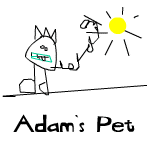
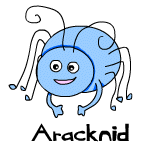
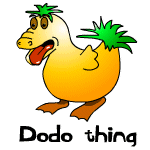
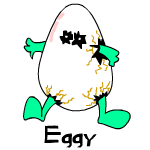
Welcome to the whimsical world of Bad Neopets, where we celebrate the quirky, the odd, and the hilariously imperfect creations that remind us all that beauty is in the eye of the beholder. This page is dedicated to artists and Neopets fans who have ever felt discouraged or simply had a bad day; it shows that there’s always room for laughter and creativity, even in imperfection.

bad neopets

What Are Bad Neopets?

Bad Neopets are those charmingly misfit characters that didn’t quite make the cut in the realm of aesthetic perfection. They serve as a humorous reminder that everyone has off days, whether you’re a professional artist or just starting out. The collection of these peculiar pets offers a light-hearted take on creativity and the artistic process.

The Humor Behind Bad Neopets

The concept of Bad Neopets is rooted in the idea that not every creation can be a masterpiece. Artists often face criticism or struggle with their work, and these quirky pets reflect that experience. They’re a testament to the fact that:

  • Everyone has to start somewhere. Even the greatest artists have produced work that didn’t resonate with others.
  • Creativity is subjective. What one person sees as “bad,” another may find endearing or amusing.

Meet the Bad Neopets

While each Bad Neopet has its own unique charm, they all share a few common traits:

  • Unique Designs: These pets often feature unusual colors, awkward shapes, or odd proportions that make them stand out in the Neopian world.
  • Comical Features: Many Bad Neopets have exaggerated facial expressions, quirky accessories, or unconventional poses that add to their charm.
  • Playful Personalities: Each Bad Neopet comes with a fun backstory that highlights its personality, often making light of its less-than-perfect appearance.

Why Bad Neopets Matter

  • Inspiration for Artists: For aspiring artists, Bad Neopets serve as a reminder that it’s okay to experiment and produce imperfect work. Creativity isn’t always about perfection; it’s about expression and having fun.
  • Building Community: Bad Neopets contribute to the whimsical lore of Neopia and foster a sense of community among players who appreciate the humor in these unique characters.
  • Encouragement: They offer a message of hope to anyone who has ever felt disheartened by their artistic endeavors. There’s always a place for your creations, no matter how “bad” they may seem.

Embracing the Badness

Whether you’re a seasoned artist or a casual player, Bad Neopets encourage everyone to embrace the whimsical side of creativity. Here are a few ways you can celebrate the Bad Neopet spirit:

  • Create Your Own: Why not design your own Bad Neopet? Let your imagination run wild and see where it takes you!
  • Share Your Art: Post your quirky creations in Neopets forums or social media. You might inspire others to embrace their artistic flaws.
  • Laugh Along: Engage with the Neopets community by sharing your favorite Bad Neopets and their hilarious backstories.
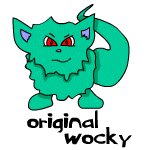
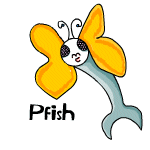
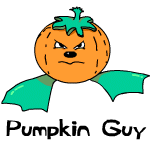
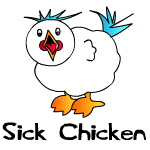
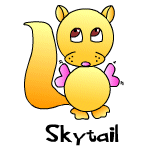
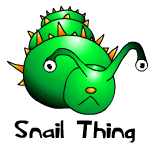
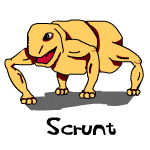
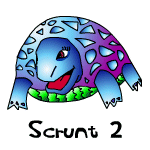
adamspet-9985531 aracknid-1718595 dodothing-4821694
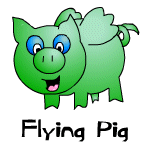
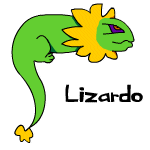
eggy-5491805 flyingpig-5342735 lizardo-7938326
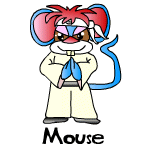
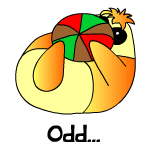
mouse-1615437 odd-1429002 originalwocky-4498589
pfish-4776634 pumpkinguy-6736912 sickchicken-2971373
skytail-7290367 snailthing-8627393 scrunt-1097406
scrunt2-1325011

Last updated: 12/15/2024

Neopets Petpetpets

Petpetpets in Neopets are an incredibly unique and quirky aspect of gameplay that adds a fun layer of charm and intrigue. Introduced on June 11, 2003, the same day as the Petpet Protection League, these little bug-like creatures can attach themselves to Petpets, providing both entertainment and a bit of challenge for Neopians who want to collect or manage them. In this comprehensive guide, we’ll cover everything there is to know about Petpetpets, from their origins and types to the mechanics of attaching, obtaining, and enjoying these miniature critters.

petpetpet


Introduction to Petpetpets

Petpetpets are tiny insect-like creatures that live on Petpets, similar to fleas or mites. While they don’t affect gameplay in a major way, they add an amusing, collectible element to Petpet management in Neopets. Originally, the first two Petpetpets released were the Mootix and the Breebly, both of which have since become iconic. These creatures are distinct from Petpets and bring their own little quirks, requiring careful management to ensure they don’t disappear or become food for hungry Neopets!


How Petpetpets Are Obtained

Obtaining a Petpetpet is no simple feat. Unlike most items or Petpets, which can be bought or earned through quests, Petpetpets typically appear as Random Events. Occasionally, a Petpet will bring one to its owner, and when this happens, it appears in the player’s inventory, ready for attachment to a Petpet.

petpetpets

Alternative Methods to Acquire Petpetpets

Though Random Events are the main way to obtain Petpetpets, they can also be bought from other players in shops, auctions, or trades. However, due to their high rarity and limited availability, they often command hefty prices.


List of All Petpetpets

There are numerous Petpetpets in Neopia, each with its own unique attributes, rarity, and quirks. Here is an extensive list of the known Petpetpets, along with their descriptions and approximate prices:


Aboogala

Blechy

Breebly

Bumbluz

Cooty

Ditrey

Dragonfly
Nymph

Draphly

Flankin

Fleaf

Glack

Glyme

Greevix

Grumblebug

Itchi

Jermite

Jiggybug

Lady Blurg

Larnikin

Lightmite

Moach

Moffit

Mootix

Moquot

Mozito

Pinchit

Rainblug

Scoach

Scriblet

Skidget

Skritch

Skuffler

Snailien

Springabee

Squippit

Strale

Unidentified
Petpetpet

unknown

unknown

Veespa

Vernax

Wormoeba

Zytch

This list goes on, with Petpetpets varying widely in price, availability, and the types of Petpets they tend to favor. Some Petpetpets are tailored for specific types of Petpets, such as aquatic Petpets, making them unique and somewhat specialized additions to the game.


Attaching Petpetpets to Your Petpet

Attaching a Petpetpet to a Petpet is no easy task and can be one of the trickiest parts of managing them in Neopets. Here are the essential steps and tips for successfully attaching a Petpetpet:

petpetpet neopets

Step-by-Step Guide to Attaching Petpetpets

  1. Ensure the Right Petpet is Active
    To attach a Petpetpet, make sure the Petpet is active on the Neopet you want to attach the Petpetpet to. Only an active Petpet will be able to have a Petpetpet attached.
  2. Prepare Your Inventory
    Have the Petpetpet in your inventory, along with about 40-49 other items, ideally junk items like omelettes or cheap trinkets. This protects the Petpetpet from being stolen by the Pant Devil or other mischievous characters in Random Events.
  3. Refresh and Wait
    Refresh your inventory screen periodically. Some users find success in attaching Petpetpets by continuously refreshing for minutes or even hours, while others report that doing other activities on the site helps.
  4. Patience is Key
    Attaching a Petpetpet can take time, and it’s best to have patience. Holding down the F5 key is not recommended, as it could lead to being flagged for automated behavior.

Risks of Attaching Petpetpets

Be careful if you have a Skeith or Grarrl as your Neopet, as they may eat the Petpetpet! The same goes for any event where Random Events might steal or “dust” your inventory items. Keeping an eye on your Petpet and refreshing in a safe, measured way is the best strategy.


Popular and Rare Petpetpets

Petpetpets vary greatly in terms of popularity and rarity, with some commanding high prices in player shops and auctions. Here’s a look at some of the most sought-after Petpetpets:

  • Mootix: This highly coveted Petpetpet is a fan favorite and tends to be priced at over 500,000 NP due to its popularity.
  • Jermite: Known for its love of long-haired Petpets, the Jermite is another valuable Petpetpet with prices ranging around 400,000 NP.
  • Bumbluz: With its distinct blue color, the Bumbluz is both rare and highly desired, valued at around 300,000 NP.

These rare Petpetpets often come with higher price tags and greater difficulty in finding, but they offer an unmatched level of prestige for Neopians who manage to obtain and attach them.

neopets petpetpet


Frequently Asked Questions (FAQ)

Q1: Can I find Petpetpets in the Shop Wizard?

A1: No, you won’t be able to find Petpetpets priced over 100,000 NP in the Shop Wizard due to rarity limitations. Look for them in trades or auctions instead.

Q2: Why does my Petpetpet keep disappearing?

A2: Random Events, such as the Pant Devil, can take Petpetpets, or they can be accidentally eaten by Grarrls and Skeiths. Keep a close watch and protect your inventory!

Q3: Can I attach multiple Petpetpets to the same Petpet?

A3: No, only one Petpetpet can be attached to a Petpet at a time.


The World of Petpetpet Collecting

For collectors, Petpetpets represent a fun and quirky element of the game, as they are both rare and difficult to obtain. Many Neopians strive to acquire and attach all the different types, despite the challenges of finding and attaching them. It’s not uncommon for players to spend hours refreshing or saving up Neopoints to buy these small bugs, making them a badge of dedication and patience.


Fun Facts and Tidbits About Petpetpets

  • History and Origins: Petpetpets were introduced alongside the Petpet Protection League, adding to the lore and fun of Neopian Petpets.
  • Variety in Appearances: From cute to creepy, Petpetpets come in all shapes and sizes, each with unique descriptions and behaviors.

petpetpets neopets


Tips for Managing Petpetpets

Since they can easily disappear, here are some tips to help you manage and protect your Petpetpets:

  1. Use a Junk Inventory Buffer: Keep inexpensive items to safeguard against inventory-random events.
  2. Avoid Dangerous Pets: Skeiths and Grarrls are notorious for eating Petpetpets.
  3. Check Regularly: Frequent visits to the Quick Reference page can help you keep track of your Petpetpet’s status.

Conclusion

Petpetpets add a layer of joy and whimsy to Neopets, giving Petpet owners a fun way to customize and care for their virtual pets. Although challenging to acquire and attach, the satisfaction of seeing a rare Petpetpet proudly displayed on a Petpet makes it all worthwhile. With patience, a bit of luck, and these tips, you too can dive into the world of Petpetpets and explore all the fun they bring to Neopia!

https://neopets-cheats.com/wp-content/uploads/2024/11/skidget_ppp_squirm.gif

Last updated: 12/14/2024

Neopets Secret Hidden Links

In the whimsical world of Neopets, secret links add an extra layer of excitement and surprise. These links can lead to hidden games, special items, or exclusive rewards that are not readily visible in the game interface. Discovering these links can enhance your Neopian adventure and provide unique opportunities to collect prizes or earn Neopoints (NP).

Neopets Secret Links

What Are Secret Links or Hidden Links in Neopets?

Secret Links are hidden hyperlinks within the Neopets website that can lead you to various surprises, including:

  • Access to special events or activities.
  • Exclusive items or prizes that are not available through regular gameplay.
  • Bonus Neopoints or additional rewards that can aid in your Neopian journey.

These links are often shared within the Neopian community, making it essential to stay connected with fellow players to uncover them.

How to Find Secret Links

Finding secret links requires a combination of exploration, knowledge of the Neopets community, and sometimes a bit of luck. Here are some strategies to help you discover them:

  1. Community Forums and Neoboards:
    • Engage with fellow Neopians on the Neoboards. Players often share secret links they’ve found or discuss strategies to uncover new ones.
    • Look for threads dedicated to secret links or hidden treasures.
  2. Official Neopets News and Updates:
    • Keep an eye on the Neopets official news announcements. Occasionally, they reveal secret links during events or promotions.
    • Follow Neopets on social media platforms for hints or direct links shared by the developers.
  3. Exploration:
    • Thoroughly explore all the different pages on the Neopets site. Sometimes, secret links are hidden in less frequented areas, such as old site pages, FAQs, or within item descriptions.
    • Check the Neopian Times and other user-generated content for articles about secret links and hidden treasures.
  4. User-Created Resources:
    • Utilize websites, blogs, or guides created by the Neopets community. Many players document their discoveries, providing a treasure trove of information on secret links.
    • Search for recent updates or lists of known secret links that players have compiled.

Tips for Maximizing Your Experience

Once you’ve found a secret link, here are some tips to maximize the benefits:

  • Act Quickly: Many secret links are time-sensitive or available for a limited duration. If you come across one, be sure to click on it as soon as possible.
  • Share and Collaborate: Share any secret links you discover with your friends and the Neopian community. The more information is shared, the better everyone’s chances of benefiting from these hidden gems.
  • Be Cautious: While many secret links lead to exciting rewards, always exercise caution. Be aware of any links that could lead to phishing or scams. Stick to reputable sources and community-shared links.
  • Participate in Events: Some secret links may only be available during special events or themed promotions. Participating in these activities increases your chances of discovering unique links.

Unlisted Locations

Here is a list of neopets secret links not found directly on the site! Have fun.

Games

Old Parts of Neo

Neopet’s Old Votes

Last updated: 12/13/2024

Neopets Guilds: Creating, Managing, and Growing Your Guild

Neopets Guilds are a fantastic way to build a community and make lasting connections with other Neopians. Whether you’re starting a guild for your favorite pet species, a specific game, or a shared interest, creating a guild is one of the most exciting ways to enhance your Neopets experience. Here’s a step-by-step guide to getting started, managing, and growing your guild.

Neopets Guilds

1. Getting to the Create a Guild Page

The first step to creating your very own guild is navigating to the Create a Guild page. Here’s how you do it:

  1. Press the “Shops” Button: Look at the yellow bar on the left side of the page. Click the Shops button to access the shops section.
  2. Find the Guild Icon: On the Shops page, locate a small icon that represents guilds. It’s a brown building with a blue roof, located between the hammer icon and the yellow house icon. Click on it.
  3. Go to the Guilds Index: You’ll now be on the guilds index page, where you can browse and explore existing guilds. At the top of the page, you’ll see a bar with several links. Click on Create New in bold black letters, marked by a yellow star (nova) next to it.

2. Creating Your Guild – Functions and Tips

Once you’ve reached the Create a Guild page, you’ll need to fill in important details about your guild. Here’s a breakdown of the essential functions and tips for getting started:

Guilds

Guild Neighborhood

The Guild Neighborhood determines the general theme or focus of your guild. While the neighborhood doesn’t dramatically impact your guild’s success, it can help players understand what your guild is about. Choose a neighborhood that best describes your guild’s focus, but don’t stress too much—this is a minor decision.

Name

Choose a Guild Name that reflects the identity of your guild. If your preferred name is already taken, consider replacing spaces with periods, changing some words to synonyms, or using capitalization creatively. Unique, memorable names tend to attract more members, so try to come up with something original.

Guild Description

In the Guild Description section, provide a brief explanation of your guild. Keep it concise and to the point. A short sentence or two about what your guild is all about will suffice. For example, if your guild is focused on a specific aspect of Neopets like avatars or battling, say so briefly. The description can be edited later if you decide to change it.

Guild Welcome Message

This is where you can customize what new members see when they first visit your guild. You can add your guild’s code, a layout, or even a personal message. Use this space wisely—it’s the first impression potential members will have of your guild.

Private Guilds

If you’re looking for a more intimate guild, consider making your guild private. This means only members who have been invited or approved can join. You can change this setting at any time, so don’t worry if you’re unsure initially.

Guild Colors

The Guild Colors option allows you to customize your guild’s aesthetic by adjusting background, text, and border colors. There are preset color schemes, but you can create your own combination if you prefer. The Preview button helps you see how your colors will look before finalizing your choices.

Guild Hierarchy

Define the roles within your guild, such as owner, co-owner, monitor, etc. These titles can be customized based on the structure you want for your guild. You can also change these titles at any time.

3. Using the Guild Functions (Administrator)

Once your guild is created, it’s time to dive into the Admin Functions. The guild toolbar at the bottom of your guild page will present you with several options:

Guild Layout

This option is divided into three sections:

  • Guild Hierarchy: Adjust member roles within the guild (already discussed).
  • Guild Preferences: Modify layout settings, the welcome message, privacy, color schemes, and description.
  • Guild Keywords: Add up to five keywords that will help people find your guild when searching. Ensure these keywords are relevant and prioritize the most important ones to increase visibility in search results. Private guilds cannot use this feature.

Guild Logo

To add a guild logo, create an image (100×100 pixels, .jpg or .gif format) and upload it through the Guild Logo option. A distinctive logo helps your guild stand out and gives it a professional look.

guilds neopets

Guild Poll

Polls are a great way to engage your guild members. You can create polls to ask your members questions and get their feedback. You’ll need to choose where the poll will appear, write the question, add answer options, and activate it.

Guild Members

This option lets you manage your members, see who’s active, and monitor their activity within the guild. You can also delete or suspend members if needed.

Guild Council

Use the Guild Council option to manage member promotions and applications for council positions. You can promote trusted members to higher ranks or assign responsibilities as your guild grows.

Guild Board

The Guild Board lets you moderate and manage the messages posted by members. You can delete inappropriate messages, ban users, or remove messages by date.

Guild Log

This logs all actions taken within your guild, including the person who took the action and the date. You can view this log for transparency or delete items as necessary.

Quit Leadership

If you wish to step down from leadership, you can use this option to transfer control to the next person in line, typically the second in command. After transferring leadership, you can remain a normal member or leave the guild altogether.

Deleting Your Guild

If you decide to delete your guild, be cautious—this action is permanent. Make sure you want to take this step before clicking the delete button.

4. Using the Guild Functions (Member)

As a regular member, you’ll have access to several features, though not as many as the administrators:

Home

Take you to the main page of your guild, where you can see updates and news.

Messages

Access the Guild Board to communicate with fellow guild members. This is where you’ll find discussions, events, and other important updates.

Calendar

View and set events within your guild, helping you and other members keep track of upcoming activities.

Members

See a list of all members, their post activity, and their join date. You can also check if they’re active in the guild.

Invite

If you have administrative permissions, use this function to invite new members to join your guild by sending a Neomail.

Link

This section provides a URL to your guild, which you can share with others to invite them directly to your guild page.

5. Making a Guild Logo

Your guild’s logo is one of the first things people will notice. Here’s how to make and upload a logo:

  1. Use a design program like Adobe Photoshop, Microsoft Paint, or GIMP to create a logo that’s 100×100 pixels in size. Save it as a .jpg or .gif file.
  2. Go to the Guild Poll section in your administrator functions, browse your computer for the logo file, and click Upload Guild Logo.

6. How to Get Members to Join

A great guild is one that attracts members. Here’s how you can get people to join your guild:

  1. Post Banners in your shop or Neopets lookup.
  2. Advertise on the Guild Message Board to share information about your guild. Just remember to avoid spamming.
  3. Invite Members directly using the invite option if you’re an admin.

7. Create a Guild Layout

Customize your guild’s appearance by designing a unique layout. You can use a premade layout or create your own by coding it yourself. Once the layout is ready, simply paste the code into the Guild Welcome Message section, and save it.

8. Create a Poll

To engage your members, you can create polls to gather feedback or opinions:
  1. Choose where the poll will be displayed (e.g., sidebar).
  2. Write the poll question and provide up to five answers.
  3. Click Create Poll and update it to activate.

9. Making Your Guild Successful & Legal

To keep your guild popular and engaging, here are some tips:

neopets guilds
  • Host fun contests, but avoid anything involving Neopoints (NP), as that’s against the rules.
  • Use guild websites for additional resources or activities.
  • Encourage avatar lending, create active guild boards, and share shop links to help members with various Neopian needs.

10. Keep Your Guild Legal, Fair, and Popular

Neopets Guild
  • Avoid NP contests, which could lead to penalties.
  • Be clear about the rules and the reasons behind any demotions or actions.
  • Be original—unique guilds attract more members.
  • Most importantly, have fun with your guild and foster a positive environment for all members.
Last updated: 12/13/2024