Neopets Imperial Exam

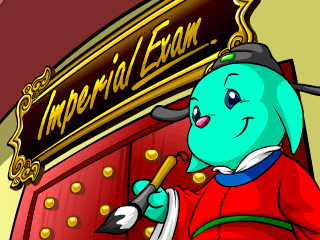
Neopets Imperial Exam is a game where you need to read words and tell the students whether they spelled them correctly or not. If you’re lucky enough to get a high score, Imperial Exam can reward you with this shiny trophy.

Neopets Imperial Exam

How to Play Imperial Exam

In this game, you control a Kacheek admitting students to a testing hall. Each student will have a speech bubble when they approach you, and you need to decide whether they spelled a word or if they messed up. Press the up key to admit a student into the hall (if they spelled a word correctly), and the down key to refuse students (if they misspelled).

There are five levels in Imperial Exam. In each level, you start off with 70 seconds on a timer. If the timer reaches 0 before you complete the level, you lose the game.

Level One: You must let ten students into the hall to complete the level.

Level Two: You must let twenty students into the hall to complete the level.

Level Three: You must let thirty students into the hall to complete the level.

Level Four: You must let thirty-five students into the hall to complete the level.

Level Five: You must let forty students into the hall to complete the level.

If a student spells a word correctly, you press the up key to let them into the hall, and you will gain five points. If you press the down key to turn them away, you won’t lose any lives, but you won’t get any points – in fact, you lose five points for every genius that you refuse to let in.

If a student spells a word incorrectly, you press the down key to turn them away, and you will gain five points. If you press the up key instead, you will lose a life (and you only have three lives, throughout the whole game).

Imperial Exam High Score

So to complete the game, you have to let in 135 students. This gives you 675 points in total. The problem is that to get a score that’s likely to get a trophy, you need to have a score of at least 1200. All of your other points need to come from refusing students that spell incorrectly. Because you can’t control how many bad spellers you get in a game, you just have to hope that you get a lucky game with lots of bad students.

Imperial Exam

Spelling

Imperial Exam can be played in almost a dozen different languages, but because I’m not familiar with any language besides English, that’s the one I’ll be talking about.

Once you’ve chosen your language, you can choose between three different difficulty levels. I suggest Basic, because it’s the easiest, and you don’t get any kind of bonus for picking a harder difficulty level.

Only four types of spelling changes can exist in wrong words compared to their correct spellings:

-A letter can be removed (knowledge is misspelled as knoledge)

-A letter can be added (even is misspelled as evven)

-A letter can be changed (galaxy is misspelled as galaxi)

-Two letters can switch places (their is misspelled as thier)

Imperial Exam Word List

Just for your convenience, I decided to place here a list of all of the words that you will find when playing in Basic mode (in English). Each word has only one misspelling, so those are listed too. If you’re not a spelling expert, you could study this list a bit before playing to get a feel for what the misspellings look like.

Correct Wrong
action actoin
also aslo
actually actualy
beginner begginer
between betweeen
chief cheif
concern consern
definite definit
develop develope
error erorr
even evven
further futher
forehead forhead
galaxy galaxi
guard gaurd
happen hapen
hero heroe
interest intrest
imagine immagine
jump junp
knowledge knoledge
library libary
little littel
lively livley
myself mysef
market markit
night nihgt
notice notise
numb nubm
occur ocurr
oxygen oxigen
place palce
piece peice
quick quikc
really raelly
record recrod
shadow shaddow
sneeze sneese
these theese
their thier
unused unsed
until untill
usually usualy
value valeu
without withuot
worry woory
working wokring
yellow yelow
yawn yawwn
zero zerro

Neopets Imperial Exam Cheats

-You can play in Basic mode, and still receive just as many points as you would if you were playing on harder modes. That’s good, because the misspellings in the harder modes are much more difficult to distinguish.

Last updated: 12/22/2024

Neopets Usuki Frenzy

Ever dreamed of rushing through your house to gather your favorite toys before an exciting trip? If not, now’s your chance to dive into the chaotic and thrilling world of Usuki Frenzy, a classic Neopets action game released on August 21, 2007. Join Lucie, an enthusiastic Usuki collector, as she scrambles to gather her prized Usuki Sets before heading to the highly anticipated Usuki Convention.

Usuki Frenzy

With only three minutes on the clock, Lucie’s house becomes a whirlwind of activity. Your mission? Help her locate all the items on her list across ten rooms while avoiding mistakes and racing against time. If you succeed, not only will Lucie make it to the convention on time, but you might also snag a coveted Usuki Frenzy trophy!

How to Play Usuki Frenzy

Game Objective
In Usuki Frenzy, you guide Lucie, a Cybunny, through her house to collect specific Usuki Sets and Usuki Dolls listed on the left side of the screen. Your goal is to pick up every listed item before time runs out, completing three increasingly challenging levels.

Usuki Frenzy Guide

Here’s how it works:

  1. Use the arrow keys (up, down, left, and right) to navigate Lucie through each room.
  2. Walk over an item to pick it up. If it matches the list, it will appear in full color on the left side of your screen.
  3. If you pick up an incorrect item, a warning message will appear. You must return it to one of the four red bookcases (located in the pink bedroom, blue bedroom, living room, and dining room) before continuing.

The game has a total time limit of three minutes, which does not reset between levels. This means time management is crucial as you progress through each stage.

Usuki Frenzy Levels

The game features three levels, each increasing in difficulty:

  • Level 1: Collect 4 Usuki Sets.
  • Level 2: Collect 7 Usuki Sets.
  • Level 3: Collect 10 Usuki Sets.

The number of items increases with each level, but the total time remains fixed. Any remaining time from one level carries over to the next, so finishing earlier gives you more time to tackle the harder stages.


Scoring System in Usuki Frenzy

Scoring is straightforward but requires strategy to maximize points:

  • Correct Item: +15 points for each Usuki Set.
  • Usuki Dolls: +16 points for each doll collected (optional but adds extra points).
  • Time Bonus: At the end of each level, your remaining time is halved and added to your score. For example, if you finish a level with 72 seconds left, you earn a 36-point bonus.

Memorizing item locations is critical for high scores since items always spawn in the same rooms. Use this predictability to optimize your path and minimize wasted time.


All Usuki Sets and Dolls

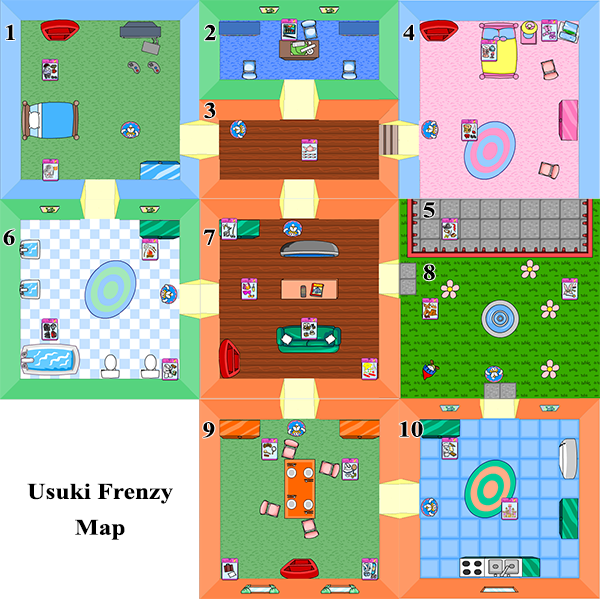
There are 24 unique Usuki Sets and three collectible Usuki Dolls in the game. Below is the complete list and their locations:

Usuki Sets

  1. Snowy Valley Usuki Set
  2. Time For Tennis Usuki Set
  3. Tyrannian Usuki Set
  4. Usuki Bakery Set
  5. Usuki Beach Accessories
  6. Usuki Bedtime Clothing
  7. Usuki Clown Set
  8. Usuki Faerie Play Set
  9. Usuki Marshmallow Set
  10. Usuki Poetry Set
  11. Usuki Queen Set
  12. Usuki Scuba Diving Play Set
  13. Usuki Snowy Sweetheart Set
  14. Usuki Sushi Play Set
  15. Usuki Tea Set
  16. Usuki Travel Set
  17. Winter Love Usuki Set
  18. Winter Woolies Usuki Set
  19. Usuki Space Set
  20. Black Belt Usuki Set
  21. Fancy Usuki Sandcastle Set
  22. Fire Faerie Usuki Set
  23. Pirate Usuki Play Set
  24. Retro Usuki Hair Set

Usuki Dolls

  1. Magical Hair Usuki: Found in the living room (level 2) and dining room (level 3).
  2. Hula Girl Usuki: Appears in the kitchen on level 3.
  3. Ballerina Usuki (Hidden): Found by pressing the spacebar while standing in front of the blue computer in Lucie’s room.

Room-by-Room Item Locations

Here’s a breakdown of all rooms and their corresponding items for easy reference:

Usuki Frenzy neopets
  • Blue Bedroom: Usuki Space Set, Usuki Pirate Set
  • Pink Bedroom: Usuki Snowy Sweetheart Set, Winter Love Usuki Set, Usuki Bedtime Clothing, Ballerina Usuki (Hidden Doll)
  • Office: Usuki Sushi Play Set
  • Bathroom: Black Belt Usuki Set, Usuki Marshmallow Set, Usuki Scuba Diving Play Set
  • Hallway: Usuki Tea Set
  • Living Room: Tyrannian Usuki Set, Usuki Beach Accessories, Usuki Clown Set, Winter Woolies Usuki Set, Magical Hair Usuki (Doll)
  • Dining Room: Retro Usuki Hair Set, Time for Tennis Usuki Set, Usuki Travel Set, Snowy Valley Usuki Set, Magical Hair Usuki (Doll)
  • Kitchen: Fancy Usuki Sandcastle Set, Usuki Bakery Set, Hula Girl Usuki (Doll)
  • Garden: Fire Faerie Usuki Set, Usuki Queen Set, Usuki Faerie Play Set
  • Balcony: Pirate Usuki Set

Pro Tips for Usuki Frenzy

  1. Diagonal Movement: Lucie moves faster when you press two arrow keys simultaneously, allowing diagonal movement. It can be tricky to control but is invaluable for saving time.
  2. Memorize Locations: Since items spawn in the same location every game, learning their placements will help you navigate efficiently.
  3. Avoid Mistakes: Picking up incorrect items slows you down, as they must be returned to a red bookcase. Be cautious when entering rooms, especially ones with cluttered entrances like the garden.
  4. Restart Strategically: If your initial item list requires excessive backtracking, consider restarting the game for a more favorable layout.

Hidden Secrets in Usuki Frenzy

The Ballerina Usuki Doll is the game’s only hidden item. To collect it, stand in front of the blue computer in Lucie’s room and press the spacebar. Sometimes, pressing the up arrow while doing this helps. This trick works once per game and can be done at any level. Pro players recommend grabbing the doll when near the pink bedroom for better score optimization.

884_1-2194712

Conclusion: How to Win at Usuki Frenzy

Winning at Usuki Frenzy requires a mix of memorization, speed, and precision. By learning item locations, utilizing diagonal movement, and avoiding unnecessary mistakes, you can achieve a high score and even a trophy.

With these tips and a bit of practice, you’ll help Lucie pack her favorite toys in record time and make it to the Usuki Convention without a hitch. Now, grab your keyboard and start your Usuki adventure—those shiny trophies are waiting!

Last updated: 12/15/2024

Neopets Hungry Skeith

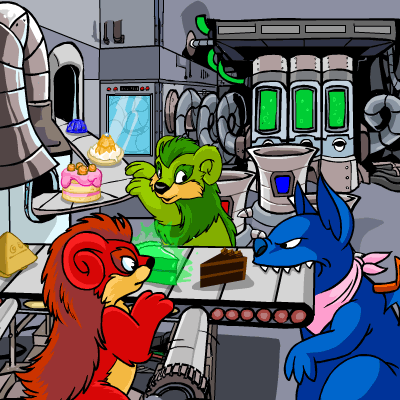
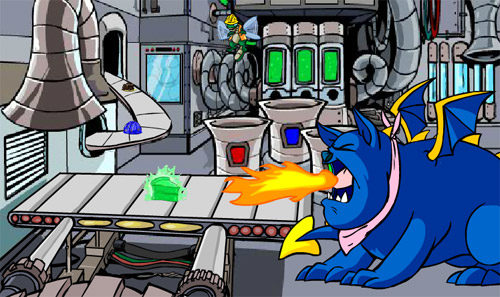
Hungry Skeith (previously called ‘Jelly Processing Plant’) is a Neopets game where you take on the position of a Buzz who works to get rid of the bad food from a conveyor belt which is being used to feed a large Skeith. The game concept is simple and the game play is easy. Through playing Hungry Skeith, you’ll be able to earn a good sum of Neopoints quite easily, as well as an avatar.

Neopets Hungry Skeith: How To Play

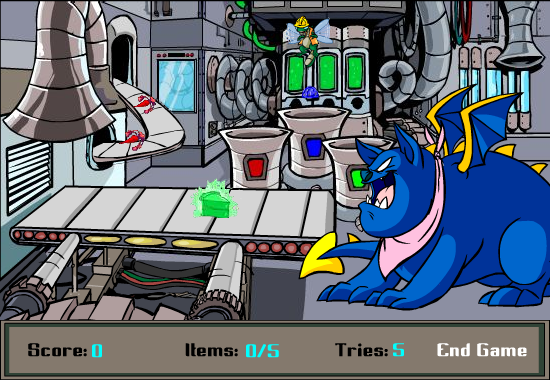
The aim of the game is to move the Buzz figure across the conveyor belt in order to pick up the three differing types of food which the Skeith prefers not to eat, and then to put them into the waste bin barrel in the background of the screen. The waste bin barrel that you dispose the food into must match the colour of the food (for example, blue foods must go into the blue bin, and so on). There are three colours of bin and three colours of food: red, blue, and green.

Hungry Skeith

Neopets Hungry Skeith: Game Controls

There are five keys that you use in the the game Hungry Skeith, which are all keyboard controls. You use the space bar as well as the four arrow keys (down key, up key, left key and right key).

The left arrow key and the right arrow key are used to move the Buzz from one side of the conveyor belt to the other. You can use the space bar here to select a food item or to put it back onto the belt. The up arrow key and the down arrow key is used to move the Buzz backwards and forwards, from the belt to the waste bin barrels in the background and back again.

This can be a little confusing when you start playing the game, as you can get confused unless you’re used to the button combination and if you’re not comfortable with the game. Therefore, practice this to begin with, so that once you can advance to the further levels, you are very comfortable with the button combination and can move your fingers easily to move the Buzz back and forth without thinking too much about it.

At the start of the game, you will begin in the middle of the conveyor belt, where you can move left and right as necessary. Pressing the up arrow key will move you straight into the background so you will be shown right above the barrels, meaning no confusion about where you are on the screen.

Once you’re in this position, you just need to tap the left and right arrow keys in order to move back and forth between each barrel in one movement. You then use the space bar key to put whatever food you’re carrying into the basket.

If you’re over the red barrel (on the leftmost side of the barrels) and you press the left arrow key, your Buzz will be placed above the beginning of the food conveyor belt.

While you are in this position, you can’t pick up any food that is coming down the belt. However, you can put any food you’re carrying onto this belt in order to allow it to move back to the main queue of foods to be fed to the Skeith.

If you’re in this position, or indeed above any of the barrels, and you tap the down arrow key once, you will be returned to over the top of the front conveyor belt, but you’ll be at the end of the belt right next to the Skeith.

This may take some time to get used to but once you invest some time and patience, you’ll find it won’t be too hard at all to master these controls successfully.

Hungry Skeith

Neopets Hungry Skeith: Scoring Points

In Hungry Skeith, you are not awarded for the foods the Skeith eats, but conversely for the foods you take away from him. You’ll recognise these because they are the same ‘nuclear’ colour as the front of the barrel. There will be the red pepper, the blue jelly, and the green pie. Again, you are not awarded any points for letting the Skeith anything else (all of which are easy to identify, because they are more neutral colours, like brown, white etc.); you are only awarded points for taking away the red, blue and green foods and depositing them correctly in the waste bins.

For depositing the red food, you will get 3 points. For depositing the blue food, you’ll get 5 points. Finally, for the green food, you’ll get 8 points.

You will lose a life in the following situations:

  • You fail to pick up the red/blue/green food, and it reaches the end of the belt and goes into the mouth of the Skeith.
  • You put the food into the wrong coloured barrel. For example, you put a green food item into the blue barrel.
  • You put a food item into the waste bin that you should have left for the Skeith to eat.

If the red lobster reaches the Skeith, it will give him heartburn and he will start to breathe fire. If the blue jelly reaches the Skeith, he will get indisgestion. If the green pie reaches the Skeith, green bubbles will begin coming out of the Skeith!

4-8289710

Neopets Hungry Skeith: Game Play

In Level 1, you have to take five ‘bad’ foods (blue / green / red) off of the belt and put them into the appropriate waste basket.

In each level following from this, the number of foods you have to deposit into the waste barrels grows by 5 (e.g. 10 foods in level 2, 15 foods in level 3 etc.) and the conveyor belt goes faster.

Neopets Hungry Skeith Cheats

  • The belt will be going slowly in the first levels, so the best approach here is to concentrate on getting the blue jellies and the green pies into the waste barrels, as these give you the most points. Here’s where dropping food onto the top conveyor belt comes in handy! If a red pepper appears on the bottom belt, get the Buzz to pick it up and put it onto the top food belt instead. Through following this method you’ll be able to maximise the score you can get for the initial 2 or 3 levels, before it gets too fast to do this. Although it seems fiddly and not worthy of your attention to begin with, it could distinguish you from getting the avatar score.
  • Try to stay positioned near the front of the conveyor belt if possible. Therefore if you are slow in getting an item to the waste bin, you have a chance to grab it again or to follow it up later on the conveyor belt.
  • If your sole purpose of playing is to get the avatar, then the first point at which you could get the 1001 points needed to get the avatar will be between level 7 if you only get green pies, and level 15 if you only get red peppers. Therefore, it should be an average between these two levels, often around 10-12 depending on how lucky you are.
  • Being in the middle of the front conveyor belt is the position you want to start the next level at. Usefully, you will start every level in the same position at which you ended the prior level. Therefore, it’s great to get accustomed to positioning yourself over the top of the front conveyor belt as soon as you’ve dropped anything into the barrel. This isn’t important in the first few levels, but once you get into the latter levels, where the speed is much faster, you’ll realise how useful this is to return to this position.

Neopets Hungry Skeith Avatars

In order to get the Hungry Skeith avatar, you need to get over 1000 points.

s-95-5521846

Last updated: 12/18/2024

Neopets Gadgadsgame

Gadgadsgame is a Neopets game based around the festival of fruit, Gadgadsbogen, that is celebrated on Mystery Island. The game involves grouping similar kinds of fruit on the screen, and then exploding them using a fruit bomb. The game style is similar to Tetris, where fruits are falling down the screen in sets and they must be rearranged in order to crreate the best combinations. To successfully master this game, you’ll need to have a good eye for puzzles and shapes, the patience to wait out for bigger combinations rather than going for small wins, and a quick reaction speed as you proceed further through the game.

Neopets Gadgadsgame Controls

The controls are easy to master, and you’ll recognise many of them from playing Tetris!

To rotate the string of fruit (depending on how you want it to line up to the other strings of fruit and where you want it to fit into the screen), use the up arrow key or the space bar key. This will rotate the string of fruit around so you can slot them in according to patterns you’re trying to make.

To move the string of fruit to the left or to the right of the screen, use the left arrow key and the right arrow key.

To accelerate the fall of the current string so that it lands at the bottom faster, use the down arrow key. This will speed it up, but be careful not to speed it up too fast!

Neopets Gadgadsgame Game Play

In Gadgadsgame, there are no transitions between levels or rounds. The play advances at you continue through the game, moving through levels seamlessly, and the further you get the more you will get different types of fruit. The play will also speed up as you continue, with the strings of fruits falling faster. As a result, strategy is needed in order to place the fruits suitably so that you can continue the game for a long time and amass a high score.

At the start of the game, the fruits fall slowly in groups of three, and with three different types of fruit to begin with. It is necessary to carefully analyse where you will place the fruits, as these will become fixed in this position and cannot be changed until they’re wiped off the screen with a fruit bomb. The more fruits you have grouped together on the screen, the more points you will get when you use a fruit bomb to explode them, so choose wisely!

The further you get through the levels, the more types of fruits you will encounter; there is one type available at level 4, and another type available at level 6.

You’ll notice quickly that if you get a group of four together in a square (2 x 2) it will change the four fruits into a giant fruit.

The end of the game does not happen when a fruit touches the top of the screen (when the whole column is filled). The end of the game only happens when the fourth column is completely filled (this is the column from which the fruit fall).

As you proceed through the game, not only will the fruit strings fall faster, but several fruits will often be randomly dropped without any warning, and this random event will occur more and more frequently.

Once you place your 18th cluster in the first level, you wll proceed on to the second level. After this, you’ll move up a level for every 20 clusters you place.

Fruits

The types of fruits you will encounter are as follows:

Level Appearance Type
1 Gadgadsgame Blobbule
1 Gadgadsgame neopets Stramberry
1 gad_fruit4-4237728 Plumberry
4 gad_fruit1-2060885 Gruish Melon
6 gadgad_fruit4_2003-8277422 Lemwart

Neopets Gadgadsgame Scoring

Points will be awarded to your score when fruits and combinations of fruits are exploded off of the screen. You receive 1 point for every fruit removed.

The best way to get the most points is to group fruits. These must be grouped into a perfect square in order to be considered a group. You will know you have a group because it turns into a larger version of the same fruit. For example, a 2 x 2 group, a 3 x 3 group etc. all count as groups, but this won’t count if you do a 6 x 1 (two strings on top of each other). The larger fruit is, the more points you get (the points are figured out by the cubic measurement, i.e. 5 x 5 groups can be calculated by 5 * 5 * 5).

The points are awarded as follows:

  • For exploding 1 x 1 groups (a single normal fruit), you get 1 point.
  • For exploding 2 x 2 groups, you get 8 points.
  • For exploding 3 x 3 groups, you get 27 points.
  • For exploding 4 x 4 groups, you get 64 points.
  • For exploding 5 x 5 groups, you get 125 points.
  • For exploding 6 x 6 groups, you get 216 points.
  • For exploding 7 x 7 groups, you get 343 points.
  • For exploding 8 x 8 groups, you get 512 points.
  • For exploding 9 x 9 groups, you get 729 points.

Neopets Gadgadsgame Power ups

There are three different types of powerups that are available. These are fruit bombs, twirly fruit potions, and fruit elixirs. These appear randomly during the game, not based on any amount of points you have or on any combinations you make.

  • Fruit Bomb: This powerup explodes the fruit it touches, as well as any fruits that are touching it of the same colour (i.e. that are connected in a chain).
  • Twirly Fruit Potion: This potion removes all of the fruits on screen of whatever colour it lands on. (If it isn’t touching a colour, for example it lands in an empty space on the bottom of the screen, it removes the colour that is closest to it)
  • Fruit Elixir: This elixir, upon landing on a fruit, will turn all fruits of that colour into a different colour. For example, if it lands on a orange fruit, it may turn it to blue or to another colour. The same rule applies if it lands on the bottom of the screen in an empty place; it will change the colour of the fruit that is closest to it.

Neopets Gadgadsgame Strategy

  • One strategy that is recommended is to focus on a particularly colour of berry by pushing them all onto one side in order to form a very large fruit bomb. Although this can certainly get a rather large number of points at once and in a single bomb, this method is difficult and does not always work. It is better, instead, to attempt to have as many fruits of the same colour as you can on the screen. You can do this by using the Fruit Elixirs to change other colours until they turn into the one you’re trying to collect. Be careful, however, that you don’t get greedy and to bomb the colour when the best time comes. Aim for fewer points and to continue playing, rather than getting a large amount of points then having run out of space and therefore having to quit the game.
  • A way of assisting this strategy is to start off by looking at what colour is most common on the board. Once you’ve started to stack your colours appropriately and can see what one is most common, then aim at changing the other colours to match this most common colour.
  • Strategy number 2 keeps in mind that only filling up the fourth column means the end of the game. This is a quick method that takes into account that sometimes it is possible to get to a good level and even score an avatar just by holding down the accelerating ‘down’ key and moving the fruit onto the left or right hand side, while keeping away from the fourth column. However, this is quite a simplistic approach, and it is still good to consider carefully where you will place the fruit bombs in this strategy, while always trying to get rid of the largest group of fruit clusters. Although this is a much easier and faster way to play the game, which normally achieves surprisingly similar, if not better, scores than meticulously planning where to place each piece, if you’re aiming for a good high store beyond the score of the avatar, it is best to avoid holding down the ‘down’ key for this entire time. Instead, the best idea is to incorporate both the first and second strategy, by avoiding the pivotal fourth column but thinking more carefully through your placement and where best to place the fruit bombs.

Neopets Gadgadsgame Cheats and Tips

  • Hold the down arrow to speed up the fruits’ fall in earlier levels
  • Use the Fruit Elixirs to transform colours you aren’t collecting into the one that you are
  • Bomb collections of fruits before they threaten to fill the fourth column
  • Use Twirly Fruit Potions where possible to keep on top of your stacked fruit
  • Always avoid having too many fruits situated in the middle of the game. If the middle (and the fourth column) gets too high it will be difficult to move the fruit groups accordingly which makes it difficult to work with.
  • Sometimes, because of the ways the fruits are placed, you’ll find you’ll have isolated sections of fruit which you can’t reach with bombs. You can use one of the special items to get rid of these groups. The same should be done if you have any random scattered fruits. This is because you want the screen as neat and clean as you possibly can, and ‘one or two’ fruits that are out of place will quickly change to much more.
  • One good tip to try and get the 1000 points that you’ll need for the avatar is to follow a strategic layout where you fill most of the screen (say row 3 to the end) with types of two colours, and then pile up the remaining colours in the first two columns. For example, in a 4 colour game, you could pile the Guish Melon (blue and orange) and the Blobbule (blue) berries into columns 1 and 2, and the rest of the screen could be taken up by the Plumberry (purple) and the Stramberry (orange). Although at first this may look very messy and uncoordinated, with practice you can use potions heavily to your advantage to make very massive fruit cluster. For example, if a potion fell onto a Stramberry that was completed connected between all the lines, then you would suddenly have not a mess of orange and purple fruits, but a solid block of Stramberries which could make 6×6 in width and height. If this doesn’t happen the first time, wait and try again on the next one. When you start to practice and focus on making fruit clusters above everything else, and seeing the ways you can pile up berries around these accordingly, you will start earning mega points.

Neopets Gadgadsgame Avatars and Trophies

In order to get the Gadgadsgame avatar you will need to earn at least 1000 points. Through accomplishing the above goals and following these strategies, with practice and patience you can easily earn the avatar.

Last updated: 12/15/2024

Neopets The Buzzer Game

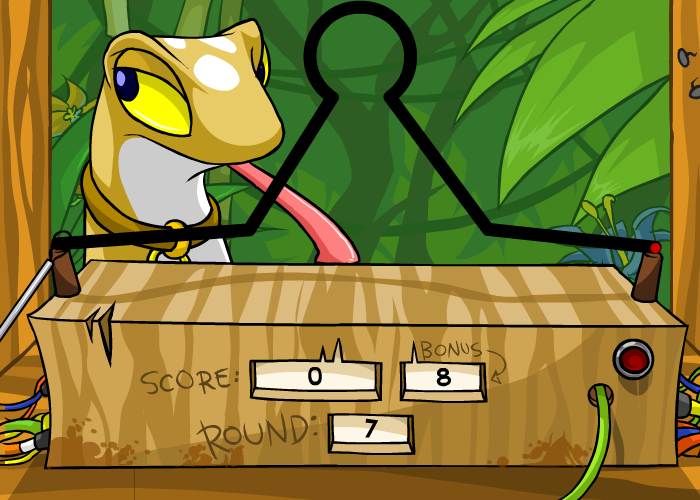
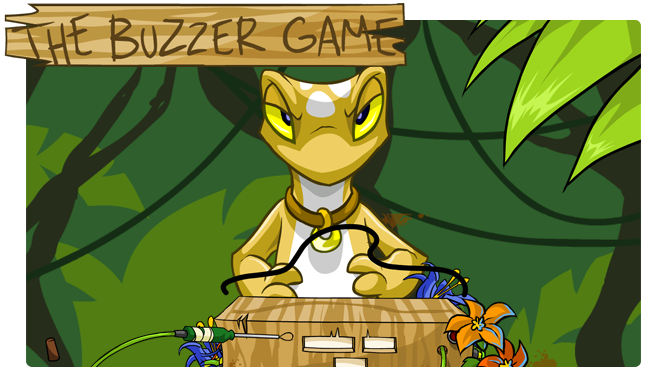
The Buzzer Game is a Neopets game which is not based on speed or puzzle solving; instead, it is based on concentration. It is based on the fairground game of leading a hoop from one end of a wire to the other end without knocking into it. In The Buzzer Game, the Techo who leads the game tries to distract you and to get your hoop to touch the wire. Therefore, you will not only need to master the skill of focus, but you’ll also need to be very patient and willing to try over and over again. If you manage to get a high enough score, you may be able to achieve an avatar or even a trophy.
neopets Buzzer Game

Neopets The Buzzer Game Instructions

In this game you will need to guide the hoop from one side of the wire to the other side. To do this successfully, you are not allowed to touch the wire. If you do this, a buzzer noise will be sounded, and you will lose a life and be required to start the level again. There are only three levels in the game, and no opportunity to win any more; therefore, once you lose all your lives, it’s game over.

You are free to have as much time as you like to complete the level, and will not be penalised for taking a long time. However, you have the opportunity to earn some bonus points if you complete the level in less than 30 seconds. The amount of points depends on how quickly you complete it in under 30 seconds; you will be awarded 1 point for every second that is left on the bonus clock (e.g. if you complete the level in 14 seconds, you will get 16 bonus points).

You can track your bonus points on the ‘console’, which will show your current score, how far you are from the end of the game, and the ‘bonus’ number. These will help you to know how many risks you can afford to take and to guess where is best to take chances or use your lives.

Neopets The Buzzer Game Controls

The controls for this game are very easy. All you will need to use in The Buzzer Game is your mouse. To start the level, just click on the green circle that is on the left hand side of the wire, and your hoop will begin. This is the only time you need to click during the game play, as after this you can guide your mouse cursor in order to lead the hoop across the screen. Once your hoop passes over the red circle at the right hand side of the wire and successfully avoids touching the wire, the level finishes. There is no need to hold down the mouse button.

Neopets The Buzzer Game Obstacles

The Buzzer GameAs with any game, there are a number of obstacles you will need surpass in order to complete the levels and to get a high score. You will not encounter any of these until you’ve finished level 2. From the start of level 3, you’ll start to encounter obstacles for the rest of the levels. However, unlike other predetermined games on Neopets, there is no way of predicting when your next obstacle come!

One type of distraction is random noises through the course of the level, which try to scare you or to make you lose your focus.

Additionally, objects such as fruits may fall down in the background from the top of the game, at randomly timed moments – be aware that this might happen, as this can easily make you move your mouse accidentally!

The Techo will also try to throw you off from completing each level. He may try and do this through a variety of distracting ways. For example, he may make faces through the game, as well as sticking out his tongue at you. His eyes may also turn red at random points.

These distractions coupled together may make for some difficult levels, but once you know what to look out for, you should be fine in avoiding them for the most part. The distractions also increase in frequency as you go through the game, so ignore them as best as you can.

If you find the distractions are starting to get on your nerves or unsettle you, take a few deep breaths and stop for a moment, and then continue the game; it’s better to do this than to keep losing lives because you’re getting annoyed.

Neopets The Buzzer Game Scoring High Points

You will get points for completing every level of The Buzzer Game. These start from 20 points per level on levels 1, 2 and 3, and steadily increase up to level 15 where you will get 40 points. There are a couple levels, such as level 10 and level 13, where you will get more points and less points respectively than the otherwise increasing score (level 10 in particular you get a whooping 50 points).

The only other way of scoring points in the game is to finish a level in under 30 seconds, therefore receiving bonus points for that level. This is 1 point for every second of game time left remaining on your 30 seconds bonus starting clock.

These are the only two ways of winning points; you don’t get any points for finishing the game with more than 1 life remaining.

If you manage to complete the entire game, you will be guaranteed to receive an avatar by the end of the game. The avatar is awarded when you receive 300 points. Therefore, even if you receive no bonus points throughout the game for completing a level in less than 30 seconds, you can get the avatar by level 11. Of course, you can also get the avatar much sooner than this if you win some bonus points, particularly through the easier early levels!

The above table shows the points you will get for the end of each level, as well as the cumulative running total of game points received. This does not take into account bonus points.

Level Points Received Total Game Points
1 20 20
2 20 40
3 20 60
4 25 85
5 25 110
6 25 135
7 30 165
8 30 195
9 30 225
10 50 275
11 30 305 (Avatar received by this point)
12 30 335
13 20 355
14 30 385
15 40 425

The Buzzer Game neopets

Neopets The Buzzer Game Strategy

As long as you play this game carefully and know a couple of extra tips to make your game play easier, it is not difficult to get a good score in this game and to get the avatar. The following strategy is easy to follow and by becoming a master of it you can ensure success in this game.

Firstly, it is strongly advisable to play each level at slowly as possible. Unless you’re going for a high score and you need as many bonus points as possible, and therefore would need to master both concentration and speed, you don’t need to worry about completing the level quickly. Take your time and proceed through the level slowly and patiently. It is better doing it this way than unnecessarily losing lives by chasing bonuses, particularly when your biggest bonus is found in completing the level to begin with.

Secondly, before starting the game, hit the Ctrl key on your keyboard before playing level 1. Another option is to type the cheat code ‘cheese‘ when you begin play. Doing this will make your mouse cursor appear on the screen, in the centre of the hoop. It will then stay there for the remainder of the game, even as you progress through the levels. As a result, instead of guessing where your mouse cursor is on the screen and trying to guide the hoop based on this estimation alone, you can track where your mouse is placed the entire time. This makes it much easier to guide the hoop along the wire without any jerky mouse movements! Just be sure to keep the point of the mouse cursor (the top of it) at the centre of the wire while you move it, and you should have no problem at all.

Neopets Buzzer Game Cheats

The Buzzer Game is one Neopets game that has a lot of very useful cheats and exploits you can use to complete the game easily. Follow these, and you’ll be sure to get the points for the avatar!

  • Although many of the distractions require patience and nerve to get through them, there’s one you can eliminate straight away! This is random noises – all you have to do is mute your computer. There’s no time in The Buzzer Game where you need noises in a way that will help you, and muting it will help eliminate one sensory distraction and allow you to focus on moving the hoop accurately. Another annoying noise is the bonus noise counting down, which will of course happen on every level and will worry you, so eliminate this in order to have a more relaxing game play experience.
  • This may go without saying, but make sure you use a good pointing device during this game. Tracking pads on laptops are likely to be less easy to control than a mouse. Experiment and find what works best for you.
  • A way to make sure you’re in the middle of the wire, if you’re not using any other tips from this page, is to try as best as possible to make a semi circle between both sides of the circle (i.e. the wire splits the circle in half). As it’s a 2D game, it’s very hard to tell if you’re placed in the middle of the wire or not, so this will help.
  • It is advisable to use the highest game resolution, zoomed as much as possible without losing the full screen, so that you can see the wire as closely as possible and so you can focus your mouse pointer on it if you’ve used the cheat code below. Other than making the resolution as large as possible (both computer and on the game), you can zoom it in whilst in game as well. Click in the white area around the game in order to active the web page browser, rather than the game. Then hold down your Ctrl key and press + (hold down the Apple key on your keyboard on Apple computers) to zoom into the page. Zoom in as far as you can in order to see both the edges of the screen whilst you play, and the wire will be much larger.
  • Use the code ‘cheese’ typed during the game or press the Ctrl key on your keyboard at the start of the game to show the cursor. A sound will be made when this is activated. This will allow you to guide the hoop across the screen so you can see exactly where your mouse is positioned, rather than guessing where it is. For more detail see the strategy above.
  • There is another brilliant way to trace your way to the end of the level – but it only works if you’re playing the game on a Windows computer. Start the first level of The Buzzer Game. Click with your mouse on the green dot, but don’t move your mouse any further. Press the Windows start menu key, which is the key on your keyboard with the wavy Windows logo which is on most normal keyboards and laptop keyboards providing the computer was set up with Windows. Press it a second time (to remove the Windows start menu). Now, hold down your mouse left button and you will find you can trace your path over the wire’s shadow. As you’ll be able to see, this is pretty much a straight line, and is therefore much easier to trace. Follow this to the right hand side of the screen, and then let go of your mouse, and you’ll have finished the level. This is a very easy way of completing the levels quickly and easily, and you’ll even be able to achieve the bonus time points using this.
  • If you start a level and get stuck with the mouse, right click the screen to start the level again without losing any lives.
  • Here’s a little trick to make it less easy for the buzzer to go off. Click on the green dot to start the level as usual. Now, click on it with the right mouse button. Finally, click again and hold the left mouse button. You’ll find the game is easier to play as the buzzer won’t go off unless you go very off course, meaning you can be more flexible about finishing the level.
  • In order to skip a level for whatever reason, type the cheat code ‘salamander’ at any point. You can use this as many times as you like!
  • When you get to level 13, there’s a way of avoiding the large loop. When you come to the intersection on this level, just keep guiding the hoop over the wire to the right.
  • If you have Windows XP, you can go to Start > Control Panel > Accessibility Options > Mouse > Check the ‘Enable ”Mousekeys” box’. By doing this, if you have Number Lock on on your keyboard, you can move the mouse with the number keypad – a much easier way to do it. This depends on whether you have number keypad on your keyboard or not, as well as your version of Windows. The number keypad with have arrows on the numbers so you can see how you’re meant to move them (with the number ‘5’ being the right click mouse button). There may be ways of doing this on other versions of Windows, so look up how you can enable Mousekeys on something similar on your computer.
  • If you want to try playing it ‘the real way’, try using a graphics tablet to control the pointer; however, this is normally much harder than the normal way.
  • A very simple tip – be aware of how much space you have on your desk! Make sure when you start the level you have enough room to move your mouse across the desk during the entire level, as it is very hard to change your mouse position once you’ve started the level.
  • A nice little quirk / glitch is that, if you wait for the bonus time to tick down and hit ‘0’ and then you lose a life, your bonus points will reset to 30 – but stays there! Remember, you only have three lives in The Buzzer Game, so you can only do this twice during an entire game.
  • There’s a little Easter Egg hidden in the game which you might see during play. If you leave your cursor alone for a short time, the Phantom Orange Shirt Guy can be seen in the background of the screen!
  • Another little quirk is that if you click on the Salamander’s left eye at the start menu of the game, it will make a noise.

Neopets The Buzzer Game Avatar and Trophy

techobuzz-6807198In order to get The Buzzer Game avatar, you need to get 800 points total. As mentioned, this can be received if you get past level 11 on the game, and earlier if you manage to receive some bonus points during the course of the game before this level.

Conclusion

This is not the most relaxing of games you can choose to play, so give yourself plenty of patience when you’re playing this game – it’s not one to play when you’re stressed or annoyed! If you play it the traditional way, with no cheats or game play (even the Neopets approved and built in cheats) then be prepared to take an extra long time on this game. However, if you want the avatar as fast as possible and if you even want to aim for a trophy, then master these cheats, tips and strategies so you can complete this game as quickly and efficiently as possible. Good luck and don’t forget to turn off the sound!

Last updated: 12/15/2024