Faerieland Employment Agency

Every Neopet deserves a job, and the Faerieland Employment Agency is the place to find it! Beyond providing a reliable way to earn Neopoints, the Employment Agency gives your Neopets a sense of purpose, helping them stay engaged while they work. But be warned—sometimes the cost of acquiring the items needed for a job will exceed the reward you get for completing it. Success with the Faerieland Employment Agency requires knowing which jobs to pick, the best items to target, and strategies for completing jobs quickly.

Faerieland Employment Agency

Take it from Borgarigmus the Lupe: “Once, I bought four Rubber Ducks for 30 NP each and was paid 550 NP in return!” However, he also shares, “I once bought four Grass Pies for 8,000 NP and only got 2,500 NP back!” This guide will cover everything you need to know about the Faerieland Employment Agency—from the types of jobs available to the advanced strategies that can maximize your Neopoint earnings.


How Does the Faerieland Employment Agency Work?

The Faerieland Employment Agency is a Neopets feature where users can find jobs for their pets, helping them earn Neopoints through item-fetching tasks. The jobs are split into two types: Basic Jobs, which require no special coupons, and Super Jobs, which need job coupons. Each job will ask you to retrieve a specific item (or multiple items) from Neopia, giving you a limited time to complete the task. The faster you complete it, the higher your reward.

The Goal of Employment Agency Jobs

The objective is straightforward: retrieve the requested items as quickly as possible, ideally spending less Neopoints than the reward. Keep in mind that many Neopians are competing for these jobs, so speed is essential. Each job refreshes every ten minutes, so if you miss one, you’ll soon get another chance. With persistence and a good strategy, the Faerieland Employment Agency can be a consistent source of Neopoints.


Preparing for Your First Job at the Employment Agency

To maximize your efficiency at the Employment Agency, it’s essential to set up your workspace correctly. Here’s a step-by-step guide to get you started:

  1. Open Necessary Windows
    Open one window for the Faerieland Employment Agency, one for the Shop Wizard, and one for your inventory. This setup allows you to quickly switch between the pages you’ll need while searching for items and returning to complete the job.
  2. Withdraw Neopoints
    Take out at least 20,000 Neopoints from your bank account before beginning your session. Having enough funds available ensures that you won’t need to pause your job search to make a withdrawal.
  3. Make Your Desired Pet Active
    Ensure that the Neopet you want to complete jobs is set as your active pet. Only active pets can take on jobs at the Employment Agency.
  4. Close Unnecessary Tabs and Programs
    Close all other windows, instant messengers, and distractions. Each second counts when competing for jobs, and minimizing interruptions will improve your chances.

Navigating the Status Page

The Status Page in the Employment Agency is your main source of information. This page provides details about your Neopet’s current job, their employment history, and important stats related to job performance. Here’s a breakdown of what each part of the Status Page shows:

  1. Job History
    You can see the total number of jobs your Neopet has completed, as well as any failed attempts. This gives a quick overview of your Neopet’s experience at the agency.
  2. Current Rank
    As your Neopet completes more jobs, their rank will increase. Higher ranks can sometimes result in more lucrative job offers. Here’s a list of ranks based on the number of jobs completed (list incomplete):
  3. Resumé
    Your Neopet’s resumé shows all previously completed jobs. Each entry includes details about the job, the time taken to complete it, and the reward received. Be aware that this record clears automatically after a month.
  4. Active Job
    If your Neopet currently has an active job, you’ll find details about the item required, the time left to complete the job, and the potential reward. Completing a job before time runs out maximizes your Neopoint reward.

Types of Jobs: Basic Jobs and Super Jobs

There are two categories of jobs at the Faerieland Employment Agency, each with its own advantages and challenges. Let’s explore both in detail.

Neopets Employment Agency

Basic Jobs: Accessible and Competitive

Basic Jobs do not require a job coupon and are available to all Neopians, making them very competitive. These jobs refresh every ten minutes, so you have plenty of opportunities to participate. However, because hundreds of players might be vying for the same job, success often depends on speed and timing.

Basic Job Refresh Times:

  • 0:00:00 NST
  • 0:10:00 NST
  • 0:20:00 NST
    (and so on)

Tips for Basic Jobs

  1. Target Cheaper Items
    Look for items that are inexpensive, such as grooming supplies, birthday cards, or souvenirs. These items often appear in Basic Jobs and can usually be obtained quickly at low prices.
  2. Choose Off-Peak Times
    Attempt jobs during late-night Neopian Standard Time (NST) hours, as fewer players will be competing. This can give you a better chance at securing a job.
  3. Use Efficient Navigation
    Scroll down to the middle or end of the job page before selecting an item. Many players target items at the top of the list, so choosing one further down may increase your chances.

Super Jobs: Higher Rewards, Higher Risks

Super Jobs offer potentially higher Neopoint rewards but require a job coupon to access. Coupons come in various colors, each indicating the difficulty and reward level of the associated job. However, these jobs are often not worth the cost of the coupon, as the Neopoint reward may not cover your expenses.

Types of Job Coupons

  • Green Job Coupon (lowest)
  • Blue Job Coupon
  • Red Job Coupon
  • Silver Job Coupon
  • Gold Job Coupon
  • Purple Job Coupon
    (and so forth)

When you use a coupon for a Super Job, it will be downgraded by one level. For instance, a Gold Job Coupon becomes a Silver Coupon after use.


Strategies for Success at the Employment Agency

Succeeding at the Faerieland Employment Agency takes strategy and practice. Here are some effective tips for maximizing Neopoints and minimizing losses:

Choose Profitable Items Quickly

  1. Go for Bulk Listings
    When buying items from the Shop Wizard, look for shops with multiple listings of the required item. This can save you time and ensure you complete the job faster.
  2. Hold the ‘End’ Key
    Hold down the ‘End’ key on your keyboard to quickly scroll to the bottom of the page. This saves time when navigating the job listings and lets you reach items that are often overlooked by other players.

Know When to Skip a Job

  1. Avoid Expensive Items
    If a job requires a high-cost item, it’s often better to skip it and wait for another job. You may end up spending more than you earn if the item is rare or in high demand.
  2. Use the “Abandon Job” Option
    If you realize that completing a job isn’t feasible, use the “Abandon Job” button to forfeit without it counting as a failure. This allows you to avoid wasting time and Neopoints on unprofitable tasks.

Earning Neopoints and Advancing in Rank

As you complete jobs, your Neopet’s rank will increase, possibly leading to more lucrative job offers over time. High-ranking Neopians on the leaderboard dedicate substantial time and resources to the Employment Agency, but reaching the top ranks requires significant commitment. Here are some steps to steadily improve your Neopet’s rank:

Faerieland Employment Agency

  1. Consistently Complete Jobs
    Regularly completing jobs, even small ones, adds to your total job count, which improves your rank over time.
  2. Optimize Speed for Bonuses
    Completing jobs quickly not only raises your rank but also increases your Neopoint rewards. Every second you save can contribute to a higher payout.

Frequently Asked Questions

How often do Basic Jobs refresh?
Basic Jobs refresh every ten minutes, at intervals of 0, 10, 20, 30, 40, and 50 minutes past the hour (NST).

Are Super Jobs worth it?
Generally, Super Jobs are not worth the investment due to the high cost of job coupons. However, if you happen to acquire a coupon cheaply, completing a Super Job could provide a decent payout.

Can I use any pet for jobs?
Yes, but only the active pet will be able to accept jobs. Make sure to set the desired pet as active before starting.


This guide should help you approach the Faerieland Employment Agency with confidence, maximizing your Neopoints while minimizing risks. With the right strategies, your Neopet can enjoy a lucrative career at the Employment Agency!

Last updated: 12/15/2024

Neopets Petpetpets

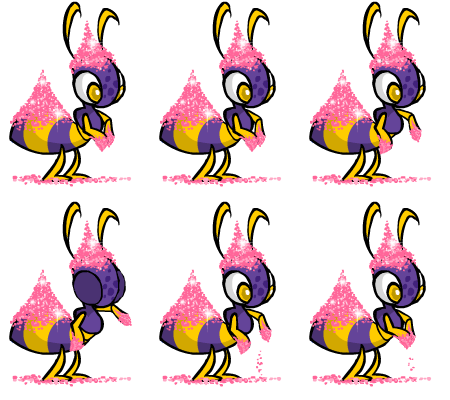
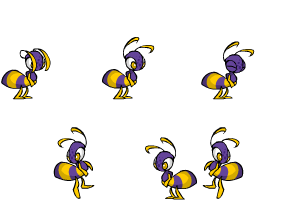
Petpetpets in Neopets are an incredibly unique and quirky aspect of gameplay that adds a fun layer of charm and intrigue. Introduced on June 11, 2003, the same day as the Petpet Protection League, these little bug-like creatures can attach themselves to Petpets, providing both entertainment and a bit of challenge for Neopians who want to collect or manage them. In this comprehensive guide, we’ll cover everything there is to know about Petpetpets, from their origins and types to the mechanics of attaching, obtaining, and enjoying these miniature critters.

petpetpet


Introduction to Petpetpets

Petpetpets are tiny insect-like creatures that live on Petpets, similar to fleas or mites. While they don’t affect gameplay in a major way, they add an amusing, collectible element to Petpet management in Neopets. Originally, the first two Petpetpets released were the Mootix and the Breebly, both of which have since become iconic. These creatures are distinct from Petpets and bring their own little quirks, requiring careful management to ensure they don’t disappear or become food for hungry Neopets!


How Petpetpets Are Obtained

Obtaining a Petpetpet is no simple feat. Unlike most items or Petpets, which can be bought or earned through quests, Petpetpets typically appear as Random Events. Occasionally, a Petpet will bring one to its owner, and when this happens, it appears in the player’s inventory, ready for attachment to a Petpet.

petpetpets

Alternative Methods to Acquire Petpetpets

Though Random Events are the main way to obtain Petpetpets, they can also be bought from other players in shops, auctions, or trades. However, due to their high rarity and limited availability, they often command hefty prices.


List of All Petpetpets

There are numerous Petpetpets in Neopia, each with its own unique attributes, rarity, and quirks. Here is an extensive list of the known Petpetpets, along with their descriptions and approximate prices:


Aboogala

Blechy

Breebly

Bumbluz

Cooty

Ditrey

Dragonfly
Nymph

Draphly

Flankin

Fleaf

Glack

Glyme

Greevix

Grumblebug

Itchi

Jermite

Jiggybug

Lady Blurg

Larnikin

Lightmite

Moach

Moffit

Mootix

Moquot

Mozito

Pinchit

Rainblug

Scoach

Scriblet

Skidget

Skritch

Skuffler

Snailien

Springabee

Squippit

Strale

Unidentified
Petpetpet

unknown

unknown

Veespa

Vernax

Wormoeba

Zytch

This list goes on, with Petpetpets varying widely in price, availability, and the types of Petpets they tend to favor. Some Petpetpets are tailored for specific types of Petpets, such as aquatic Petpets, making them unique and somewhat specialized additions to the game.


Attaching Petpetpets to Your Petpet

Attaching a Petpetpet to a Petpet is no easy task and can be one of the trickiest parts of managing them in Neopets. Here are the essential steps and tips for successfully attaching a Petpetpet:

petpetpet neopets

Step-by-Step Guide to Attaching Petpetpets

  1. Ensure the Right Petpet is Active
    To attach a Petpetpet, make sure the Petpet is active on the Neopet you want to attach the Petpetpet to. Only an active Petpet will be able to have a Petpetpet attached.
  2. Prepare Your Inventory
    Have the Petpetpet in your inventory, along with about 40-49 other items, ideally junk items like omelettes or cheap trinkets. This protects the Petpetpet from being stolen by the Pant Devil or other mischievous characters in Random Events.
  3. Refresh and Wait
    Refresh your inventory screen periodically. Some users find success in attaching Petpetpets by continuously refreshing for minutes or even hours, while others report that doing other activities on the site helps.
  4. Patience is Key
    Attaching a Petpetpet can take time, and it’s best to have patience. Holding down the F5 key is not recommended, as it could lead to being flagged for automated behavior.

Risks of Attaching Petpetpets

Be careful if you have a Skeith or Grarrl as your Neopet, as they may eat the Petpetpet! The same goes for any event where Random Events might steal or “dust” your inventory items. Keeping an eye on your Petpet and refreshing in a safe, measured way is the best strategy.


Popular and Rare Petpetpets

Petpetpets vary greatly in terms of popularity and rarity, with some commanding high prices in player shops and auctions. Here’s a look at some of the most sought-after Petpetpets:

  • Mootix: This highly coveted Petpetpet is a fan favorite and tends to be priced at over 500,000 NP due to its popularity.
  • Jermite: Known for its love of long-haired Petpets, the Jermite is another valuable Petpetpet with prices ranging around 400,000 NP.
  • Bumbluz: With its distinct blue color, the Bumbluz is both rare and highly desired, valued at around 300,000 NP.

These rare Petpetpets often come with higher price tags and greater difficulty in finding, but they offer an unmatched level of prestige for Neopians who manage to obtain and attach them.

neopets petpetpet


Frequently Asked Questions (FAQ)

Q1: Can I find Petpetpets in the Shop Wizard?

A1: No, you won’t be able to find Petpetpets priced over 100,000 NP in the Shop Wizard due to rarity limitations. Look for them in trades or auctions instead.

Q2: Why does my Petpetpet keep disappearing?

A2: Random Events, such as the Pant Devil, can take Petpetpets, or they can be accidentally eaten by Grarrls and Skeiths. Keep a close watch and protect your inventory!

Q3: Can I attach multiple Petpetpets to the same Petpet?

A3: No, only one Petpetpet can be attached to a Petpet at a time.


The World of Petpetpet Collecting

For collectors, Petpetpets represent a fun and quirky element of the game, as they are both rare and difficult to obtain. Many Neopians strive to acquire and attach all the different types, despite the challenges of finding and attaching them. It’s not uncommon for players to spend hours refreshing or saving up Neopoints to buy these small bugs, making them a badge of dedication and patience.


Fun Facts and Tidbits About Petpetpets

  • History and Origins: Petpetpets were introduced alongside the Petpet Protection League, adding to the lore and fun of Neopian Petpets.
  • Variety in Appearances: From cute to creepy, Petpetpets come in all shapes and sizes, each with unique descriptions and behaviors.

petpetpets neopets


Tips for Managing Petpetpets

Since they can easily disappear, here are some tips to help you manage and protect your Petpetpets:

  1. Use a Junk Inventory Buffer: Keep inexpensive items to safeguard against inventory-random events.
  2. Avoid Dangerous Pets: Skeiths and Grarrls are notorious for eating Petpetpets.
  3. Check Regularly: Frequent visits to the Quick Reference page can help you keep track of your Petpetpet’s status.

Conclusion

Petpetpets add a layer of joy and whimsy to Neopets, giving Petpet owners a fun way to customize and care for their virtual pets. Although challenging to acquire and attach, the satisfaction of seeing a rare Petpetpet proudly displayed on a Petpet makes it all worthwhile. With patience, a bit of luck, and these tips, you too can dive into the world of Petpetpets and explore all the fun they bring to Neopia!

https://neopets-cheats.com/wp-content/uploads/2024/11/skidget_ppp_squirm.gif

Last updated: 12/14/2024

Neopets Secret Hidden Links

In the whimsical world of Neopets, secret links add an extra layer of excitement and surprise. These links can lead to hidden games, special items, or exclusive rewards that are not readily visible in the game interface. Discovering these links can enhance your Neopian adventure and provide unique opportunities to collect prizes or earn Neopoints (NP).

Neopets Secret Links

What Are Secret Links or Hidden Links in Neopets?

Secret Links are hidden hyperlinks within the Neopets website that can lead you to various surprises, including:

  • Access to special events or activities.
  • Exclusive items or prizes that are not available through regular gameplay.
  • Bonus Neopoints or additional rewards that can aid in your Neopian journey.

These links are often shared within the Neopian community, making it essential to stay connected with fellow players to uncover them.

How to Find Secret Links

Finding secret links requires a combination of exploration, knowledge of the Neopets community, and sometimes a bit of luck. Here are some strategies to help you discover them:

  1. Community Forums and Neoboards:
    • Engage with fellow Neopians on the Neoboards. Players often share secret links they’ve found or discuss strategies to uncover new ones.
    • Look for threads dedicated to secret links or hidden treasures.
  2. Official Neopets News and Updates:
    • Keep an eye on the Neopets official news announcements. Occasionally, they reveal secret links during events or promotions.
    • Follow Neopets on social media platforms for hints or direct links shared by the developers.
  3. Exploration:
    • Thoroughly explore all the different pages on the Neopets site. Sometimes, secret links are hidden in less frequented areas, such as old site pages, FAQs, or within item descriptions.
    • Check the Neopian Times and other user-generated content for articles about secret links and hidden treasures.
  4. User-Created Resources:
    • Utilize websites, blogs, or guides created by the Neopets community. Many players document their discoveries, providing a treasure trove of information on secret links.
    • Search for recent updates or lists of known secret links that players have compiled.

Tips for Maximizing Your Experience

Once you’ve found a secret link, here are some tips to maximize the benefits:

  • Act Quickly: Many secret links are time-sensitive or available for a limited duration. If you come across one, be sure to click on it as soon as possible.
  • Share and Collaborate: Share any secret links you discover with your friends and the Neopian community. The more information is shared, the better everyone’s chances of benefiting from these hidden gems.
  • Be Cautious: While many secret links lead to exciting rewards, always exercise caution. Be aware of any links that could lead to phishing or scams. Stick to reputable sources and community-shared links.
  • Participate in Events: Some secret links may only be available during special events or themed promotions. Participating in these activities increases your chances of discovering unique links.

Unlisted Locations

Here is a list of neopets secret links not found directly on the site! Have fun.

Games

Old Parts of Neo

Neopet’s Old Votes

Last updated: 12/13/2024

Neopets Guilds: Creating, Managing, and Growing Your Guild

Neopets Guilds are a fantastic way to build a community and make lasting connections with other Neopians. Whether you’re starting a guild for your favorite pet species, a specific game, or a shared interest, creating a guild is one of the most exciting ways to enhance your Neopets experience. Here’s a step-by-step guide to getting started, managing, and growing your guild.

Neopets Guilds

1. Getting to the Create a Guild Page

The first step to creating your very own guild is navigating to the Create a Guild page. Here’s how you do it:

  1. Press the “Shops” Button: Look at the yellow bar on the left side of the page. Click the Shops button to access the shops section.
  2. Find the Guild Icon: On the Shops page, locate a small icon that represents guilds. It’s a brown building with a blue roof, located between the hammer icon and the yellow house icon. Click on it.
  3. Go to the Guilds Index: You’ll now be on the guilds index page, where you can browse and explore existing guilds. At the top of the page, you’ll see a bar with several links. Click on Create New in bold black letters, marked by a yellow star (nova) next to it.

2. Creating Your Guild – Functions and Tips

Once you’ve reached the Create a Guild page, you’ll need to fill in important details about your guild. Here’s a breakdown of the essential functions and tips for getting started:

Guilds

Guild Neighborhood

The Guild Neighborhood determines the general theme or focus of your guild. While the neighborhood doesn’t dramatically impact your guild’s success, it can help players understand what your guild is about. Choose a neighborhood that best describes your guild’s focus, but don’t stress too much—this is a minor decision.

Name

Choose a Guild Name that reflects the identity of your guild. If your preferred name is already taken, consider replacing spaces with periods, changing some words to synonyms, or using capitalization creatively. Unique, memorable names tend to attract more members, so try to come up with something original.

Guild Description

In the Guild Description section, provide a brief explanation of your guild. Keep it concise and to the point. A short sentence or two about what your guild is all about will suffice. For example, if your guild is focused on a specific aspect of Neopets like avatars or battling, say so briefly. The description can be edited later if you decide to change it.

Guild Welcome Message

This is where you can customize what new members see when they first visit your guild. You can add your guild’s code, a layout, or even a personal message. Use this space wisely—it’s the first impression potential members will have of your guild.

Private Guilds

If you’re looking for a more intimate guild, consider making your guild private. This means only members who have been invited or approved can join. You can change this setting at any time, so don’t worry if you’re unsure initially.

Guild Colors

The Guild Colors option allows you to customize your guild’s aesthetic by adjusting background, text, and border colors. There are preset color schemes, but you can create your own combination if you prefer. The Preview button helps you see how your colors will look before finalizing your choices.

Guild Hierarchy

Define the roles within your guild, such as owner, co-owner, monitor, etc. These titles can be customized based on the structure you want for your guild. You can also change these titles at any time.

3. Using the Guild Functions (Administrator)

Once your guild is created, it’s time to dive into the Admin Functions. The guild toolbar at the bottom of your guild page will present you with several options:

Guild Layout

This option is divided into three sections:

  • Guild Hierarchy: Adjust member roles within the guild (already discussed).
  • Guild Preferences: Modify layout settings, the welcome message, privacy, color schemes, and description.
  • Guild Keywords: Add up to five keywords that will help people find your guild when searching. Ensure these keywords are relevant and prioritize the most important ones to increase visibility in search results. Private guilds cannot use this feature.

Guild Logo

To add a guild logo, create an image (100×100 pixels, .jpg or .gif format) and upload it through the Guild Logo option. A distinctive logo helps your guild stand out and gives it a professional look.

guilds neopets

Guild Poll

Polls are a great way to engage your guild members. You can create polls to ask your members questions and get their feedback. You’ll need to choose where the poll will appear, write the question, add answer options, and activate it.

Guild Members

This option lets you manage your members, see who’s active, and monitor their activity within the guild. You can also delete or suspend members if needed.

Guild Council

Use the Guild Council option to manage member promotions and applications for council positions. You can promote trusted members to higher ranks or assign responsibilities as your guild grows.

Guild Board

The Guild Board lets you moderate and manage the messages posted by members. You can delete inappropriate messages, ban users, or remove messages by date.

Guild Log

This logs all actions taken within your guild, including the person who took the action and the date. You can view this log for transparency or delete items as necessary.

Quit Leadership

If you wish to step down from leadership, you can use this option to transfer control to the next person in line, typically the second in command. After transferring leadership, you can remain a normal member or leave the guild altogether.

Deleting Your Guild

If you decide to delete your guild, be cautious—this action is permanent. Make sure you want to take this step before clicking the delete button.

4. Using the Guild Functions (Member)

As a regular member, you’ll have access to several features, though not as many as the administrators:

Home

Take you to the main page of your guild, where you can see updates and news.

Messages

Access the Guild Board to communicate with fellow guild members. This is where you’ll find discussions, events, and other important updates.

Calendar

View and set events within your guild, helping you and other members keep track of upcoming activities.

Members

See a list of all members, their post activity, and their join date. You can also check if they’re active in the guild.

Invite

If you have administrative permissions, use this function to invite new members to join your guild by sending a Neomail.

Link

This section provides a URL to your guild, which you can share with others to invite them directly to your guild page.

5. Making a Guild Logo

Your guild’s logo is one of the first things people will notice. Here’s how to make and upload a logo:

  1. Use a design program like Adobe Photoshop, Microsoft Paint, or GIMP to create a logo that’s 100×100 pixels in size. Save it as a .jpg or .gif file.
  2. Go to the Guild Poll section in your administrator functions, browse your computer for the logo file, and click Upload Guild Logo.

6. How to Get Members to Join

A great guild is one that attracts members. Here’s how you can get people to join your guild:

  1. Post Banners in your shop or Neopets lookup.
  2. Advertise on the Guild Message Board to share information about your guild. Just remember to avoid spamming.
  3. Invite Members directly using the invite option if you’re an admin.

7. Create a Guild Layout

Customize your guild’s appearance by designing a unique layout. You can use a premade layout or create your own by coding it yourself. Once the layout is ready, simply paste the code into the Guild Welcome Message section, and save it.

8. Create a Poll

To engage your members, you can create polls to gather feedback or opinions:

  1. Choose where the poll will be displayed (e.g., sidebar).
  2. Write the poll question and provide up to five answers.
  3. Click Create Poll and update it to activate.

9. Making Your Guild Successful & Legal

To keep your guild popular and engaging, here are some tips:

neopets guilds
  • Host fun contests, but avoid anything involving Neopoints (NP), as that’s against the rules.
  • Use guild websites for additional resources or activities.
  • Encourage avatar lending, create active guild boards, and share shop links to help members with various Neopian needs.

10. Keep Your Guild Legal, Fair, and Popular

Neopets Guild
  • Avoid NP contests, which could lead to penalties.
  • Be clear about the rules and the reasons behind any demotions or actions.
  • Be original—unique guilds attract more members.
  • Most importantly, have fun with your guild and foster a positive environment for all members.
Last updated: 12/13/2024

Neopets Faeries

Faeries are an integral part of the Neopets universe, known for their enchanting abilities and vibrant personalities. These magical beings not only play pivotal roles in quests and games but also enrich the lore of Neopia. In this guide, we will explore the various types of faeries, their unique characteristics, the quests they offer, and tips on how to interact with them effectively.

What is a Faerie?

Faeries are mystical creatures that inhabit the world of Neopia. They are known for their ethereal beauty, magical powers, and distinct personalities. Each faerie belongs to a specific category based on their elemental powers, such as Light, Dark, Water, Fire, and others. These faeries often serve as helpers or guides to Neopians, providing assistance in various forms, including quests, items, and magical transformations.

Types of Faeries

The faeries of Neopia come in various types, each with its own distinct characteristics and abilities. Here’s a breakdown of some of the most well-known faeries:

1. Light Faerie

Light Faeries radiate positivity and brightness. They often grant Neopians blessings or boosts to their pets’ stats. They are known for their helpful nature and are frequently involved in quests that enhance a player’s journey.

2. Dark Faerie

Dark Faeries are enigmatic and mysterious. They wield powerful magic but often have mischievous intentions. Encountering a Dark Faerie can lead to unexpected twists in quests, as they may demand sacrifices or tests of loyalty.

3. Water Faerie

The Water Faerie is gentle and nurturing, often associated with healing and restoration. She is known for her quests that often involve collecting items related to the sea or helping aquatic Neopets.

4. Fire Faerie

The Fire Faerie embodies passion and intensity. She often grants powerful items or abilities but can also pose challenges that require clever problem-solving and resourcefulness.

5. Earth Faerie

Earth Faeries are grounded and wise, often found in nature-related quests. They typically focus on themes of growth, sustainability, and caring for the environment.

6. Air Faerie

Air Faeries are whimsical and free-spirited. They can often be found granting speed or agility enhancements and are known for their playful nature.

7. Marble Faerie

The Marble Faerie is known for her connection to the beautiful and rare Marble Neopets. She provides special quests that involve collecting unique items or trading for rare resources.

8. Space Faerie

The Space Faerie is one of the more powerful faeries, often associated with the mysteries of the universe. She can grant cosmic powers or aid in quests that involve celestial themes.

Faerie Quests

Faeries are known for offering quests to Neopians. These quests can vary widely in terms of requirements and rewards. Here’s what you need to know about engaging with faerie quests:

Quest Mechanics

  1. Starting a Quest: You can initiate a quest by visiting the respective faerie’s location. Each faerie has her own unique quest, and you may need to meet specific criteria to receive one.
  2. Quest Requirements: Quests may involve collecting certain items, completing mini-games, or achieving specific goals within a time limit. It’s essential to read the faerie’s instructions carefully.
  3. Rewards: Upon successful completion of a quest, you can earn a variety of rewards, including Neopoints, items, or stat boosts for your Neopets. Some quests may also unlock new abilities or features.

Notable Faerie Quests

  • The Water Faerie’s Quest: This quest often requires you to gather specific water-related items, such as seashells or fish. Completing this quest can lead to rare potions or stat boosts for your Neopets.
  • The Fire Faerie’s Challenge: In this quest, players might be asked to complete a challenging mini-game or collect rare fiery items. Success can yield powerful items that enhance your Neopet’s abilities.
  • The Dark Faerie’s Trickery: This quest can be tricky, often involving tests of character or sacrifices. Players must be cautious, as failing the quest can lead to undesirable outcomes.

Faerie Fountains and Other Locations

Faeries inhabit various locations throughout Neopia, each associated with different themes and activities. Here are some of the key locations where you can find faeries:

Faerie Fountain

The Faerie Fountain is a mystical place where players can receive blessings from Water Faeries. Players can collect healing potions and other beneficial items here.

Faerieland

Faerieland is the realm of faeries, filled with enchanting sights and sounds. This area is home to many faeries and offers various activities, including games and quests.

The Hidden Tower

The Hidden Tower is run by the famous faerie, the Faerieland ruler. It offers powerful items and rare finds, accessible only after completing certain quests.

Interacting with Faeries

Engaging with faeries can significantly enhance your Neopets experience. Here are some tips on how to maximize your interactions:

  1. Know the Faeries: Familiarize yourself with the different faeries and their specialties. This knowledge will help you choose which quests to pursue based on your goals.
  2. Collect Items: Many faerie quests require specific items, so it’s beneficial to keep a collection of common quest items on hand to save time.
  3. Complete Quests Regularly: Regularly engaging with faerie quests can yield valuable rewards and boost your Neopets’ stats. Aim to complete quests whenever you can.
  4. Be Prepared for Challenges: Some faerie quests can be tricky or involve time constraints. Be ready for challenges and prepare your Neopets accordingly.

The Importance of Faeries in Neopia

Faeries play a significant role in the lore and gameplay of Neopets. Their enchanting presence adds depth to the world, making it feel magical and alive. Here are a few reasons why faeries are crucial in Neopia:

  • Quest Mechanics: Faeries introduce engaging quests that encourage exploration and interaction with the game world.
  • Character Development: By completing faerie quests, players can enhance their Neopets’ abilities and stats, contributing to their growth and development.
  • Community Engagement: Faeries often act as community figures, bringing players together through challenges and cooperative quests.

Old Faerie Artwork


Oldest Newest
uberfirefaerie-3002349 Neopets Faeries
uberlightfaerie-4419108 Neopets Faeries
uberearthfaerie-5562695 Neopets Faerie
uberairfaerie-3873207 Neopet Faeries
uberwaterfaerie-5968668 Faerie Neopets
uberdarkfaerie-6167514 Faeries
faeriequeen-5741132
Faerie
Last updated: 12/14/2024