Neopets Trading Post

The Neopets Trading Post is one of the most valuable tools in Neopia, especially when you’re dealing with items worth more than 100,000 Neopoints or searching for something elusive. This guide will walk you through everything you need to know, from navigating to the Trading Post to mastering the art of trades.

Neopets Trading Post


Trading Post Location: Where to Begin

Accessing the Trading Post

There are two primary ways to access the Trading Post:

  1. Via the Navigation Bar:
    • Click on Shops from the main navigation bar on the left.
    • This will take you to Neopia Central’s “Shops & Auctions” page. Look at the navigation bar for Neopia Central, and you’ll see an icon resembling Jhuidah’s head (between the Bank and the Money Tree). Clicking this icon will bring you directly to the Trading Post.
  2. Via the Mystery Island Map:
    • Click on Explore in the left-hand navigation bar and select Mystery Island.
    • On the Mystery Island map, locate and click on the Trading Post to enter.

Browsing Trading Post Lots: Finding What You Need

Once at the Trading Post, you’ll want to search for specific items or trades. Here’s how to effectively browse:

Trading Post Neopets

Search Options

Click on Browse Lots and use the search bar. Let’s say you’re searching for a Baby Paint Brush. There are two main ways to narrow your search:

  • Search Type:
    • Identical to My Phrase” will show trades containing an exact match (e.g., Baby Paint Brush).
    • Containing My Phrase” will display trades with related items (e.g., any type of Paint Brush).
    • Username” allows you to find lots from a specific Neopian’s account.
    • Lot Number” lets you view a specific trade by entering its unique number.
  • Sort Options:
    • Choose to display results by Newest, Random, or Oldest. Selecting “Newest” is often the best strategy since these trades are more recent and less likely to have already been bid on or canceled.

Making an Offer on Trades: Let’s Make a Deal

Step-by-Step Process

  1. Research the Price: Before bidding, check multiple lots to determine the average price of the item. Reviewing at least 20 trades is a good benchmark to avoid overpaying.
  2. Decide Your Strategy:
    • If you need the item immediately, offer slightly above the asking price to secure the trade quickly.
    • If you’re comfortable negotiating, bid slightly below the asking price and wait for a response.
  3. Place Your Bid: You must offer at least one item from your inventory when making a trade, even if you’re bidding pure Neopoints. For example, if the trade asks for “100k pure,” you can add a junk item (like a stick) and 100,000 Neopoints to meet the requirement.

Important Notes

  • Competing Offers: Other users may be bidding on the same item, so your offer may not be accepted.
  • Rejected Offers: If your offer is rejected, the item you bid will be returned to your inventory, and any Neopoints offered will be added back to your on-hand total.

Offers You’ve Made: Tracking Your Bids

To keep track of your bids, use the Offers You’ve Made section. Here, you can view all the trades you’ve bid on, including:

  • The items included in the lot.
  • The details of your offer.
  • The status of your offer (pending, accepted, or rejected).

If you’ve bid on multiple lots for the same item, be sure to cancel any unwanted offers once one is accepted. To do this, click Cancel This Offer to have your items and Neopoints returned.


Creating a Trade: Listing Your Own Items

How to Create a Trade

  1. Ensure the items you wish to trade are in your inventory.
  2. Go to the Trading Post and select Create a Trade.
  3. Choose up to 10 items to include in your lot (this is the maximum per trade).
  4. In the “Wishlist” section, specify what you’re seeking. For example:
    • “Looking for 50k pure or a codestone of equal value.”
  5. Click “Submit.” Your trade will remain active for two weeks unless canceled or accepted.

Cancelling Trades

If you change your mind, you can cancel a trade by selecting Cancel This Lot on your trade page. However, note that trades cannot be canceled within the first 15 minutes of being created.


Understanding the Icons: Trade Notifications

Here’s what the different icons in the Trading Post mean:

  1. Envelope Icon: Someone has made an offer on your lot.
  2. Checkmark Icon: Your bid on a lot was accepted.
  3. Cross Icon: An offer you made was rejected, or a user canceled their offer on one of your lots.

The Lingo: Common Trading Terms

  • 54k: Refers to 54,000 Neopoints. The abbreviation “k” is often used in trading.
  • Pure: Indicates that the trader wants Neopoints only, not items.
  • 54k + Items: The trader is asking for 54,000 Neopoints plus additional items.
  • NFT: Not for Trade. The item is listed but not available for trading.
  • ETS: Easy to Sell. Refers to items that are in high demand and easy to resell.
  • Junk Item: A low-value item added to meet the requirement of bidding at least one item.

Trading Post Tips and Strategies

When to Use the Trading Post

The Trading Post is ideal for:

  • Items worth over 100,000 Neopoints.
  • Bundles of multiple items (e.g., codestones, dubloons).
  • Rare or unbuyable items not found in user shops.

Maximizing Success

  • Be Specific in Your Wishlist: A clear and concise wishlist increases the likelihood of receiving appropriate offers.
  • Price Check Thoroughly: Use tools like the Shop Wizard or Jellyneo’s Item Database to estimate an item’s value.
  • Timing Matters: Post trades during peak hours when more users are online for better visibility.

Common Trading Post FAQs

How Do I Know If My Offer Was Accepted?

You’ll receive a notification when your bid is accepted. The item will then appear in your inventory.

Can I Offer Pure Neopoints Only?

No, you must include at least one item in your bid. However, you can use a junk item if the trade is primarily for Neopoints.

What Happens If My Trade Expires?

If no offers are accepted within two weeks, the trade will automatically cancel, and your items will return to your inventory.

Can I Edit a Trade After Posting It?

No, but you can cancel the trade and create a new one.


Now that you’re armed with all the knowledge to navigate the Trading Post, happy trading! Whether you’re buying, selling, or just exploring, the Trading Post is a cornerstone of the Neopian economy.


Last updated: 12/15/2024

Neopets TDMBGPOP

In the whimsical world of Neopia, there are countless characters and items, but few evoke as much intrigue and curiosity as the Discarded Magical Blue Grundo Plushie of Prosperity. Affectionately known as TDMBGPOP, this little plushie has captured the hearts of Neopians since its debut during the Guildmaster’s Dinner Logic Puzzle in 2004. With its lonely expression and mysterious backstory, TDMBGPOP remains a topic of speculation and fascination. This guide explores the origins, theories, and hidden locations of this beloved plushie.

TDMBGPOP neopets

What is the TDMBGPOP?

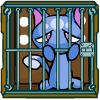
The Discarded Magical Blue Grundo Plushie of Prosperity is a charming, yet melancholic, little plushie that appears to have been forgotten on a cloud in Faerieland. It possesses a unique expression that seems to convey loneliness, which is enough to elicit sympathy from anyone who encounters it. Upon visiting, players may notice the plushie makes one of two facial expressions: a bewildered “0_o” or a simple “…”. These subtle responses add to the plushie’s mystique, hinting at a deeper story that players have yet to uncover.

The Mystery Behind TDMBGPOP

When TDMBGPOP first emerged during the Guildmaster’s Dinner, players speculated about its purpose. Many assumed it would play a significant role in the plot, potentially leading to new quests or storylines. However, after the plot concluded, TDMBGPOP’s role faded into obscurity, giving rise to numerous theories regarding its true significance.

One prevailing theory suggests that the plushie’s existence is a commentary on the whimsical yet often cruel nature of Neopian lore, as it is deliberately left alone and forgotten. While many theories have circulated over the years, none have definitively answered the plushie’s purpose. Instead, it remains a whimsical enigma, reflecting the imaginative spirit of Neopia.

Where Can You Find TDMBGPOP (Discarded Magical Blue Grundo Plushie of Prosperity)?

Despite its endearing nature, the Discarded Magical Blue Grundo Plushie of Prosperity can be quite elusive. Here’s where to look for it:

  1. Location: TDMBGPOP resides on a lonely cloud situated above Jhudora’s Cloud in Faerieland.
  2. Spotting the Plushie: Players need to be observant to find this plushie. Look for a small blue dot on the cloud—specifically, it’s located on the left side of the image, more towards the center. The dot is tiny and can be easily overlooked.
  3. Interaction: To interact with TDMBGPOP, hover your mouse over the blue dot and click when close enough. This will reveal the sad little plushie, allowing you to engage with its story.

TDMBGPOP Avatar

The Grundo – Discarded Plushie avatar is a coveted item among Neopets enthusiasts, offering a unique addition to any avatar collection. To acquire this avatar, players must interact with the Discarded Magical Blue Grundo Plushie of Prosperity (TDMBGPOP), a hidden feature located in Faerieland. Accessing the plushie involves clicking on a specific, unmarked spot on the Faerieland map, situated near the Wheel of Excitement. Once found, players can “talk” to the plushie once per day, leading to various random outcomes.

The process of obtaining the avatar is entirely random and may require multiple visits to the plushie. Each interaction can result in different events, such as changes in your active Neopet’s mood or hunger levels, small Neopoint rewards, or receiving exclusive plushie items. Among these potential outcomes, there’s a chance that the Grundo – Discarded Plushie avatar will be awarded. It’s important to note that there are no specific actions or conditions that increase the likelihood of receiving the avatar; persistence and daily visits are key.

Some players speculate that visiting the plushie during the Winter Starlight Celebration might enhance the chances of obtaining the avatar, but this theory remains unconfirmed. Therefore, the most reliable strategy is to consistently visit the TDMBGPOP daily. Given the random nature of this event, patience is essential, as it may take numerous attempts before the avatar is granted.

In summary, acquiring the Grundo – Discarded Plushie avatar involves daily interactions with the Discarded Magical Blue Grundo Plushie of Prosperity in Faerieland. While the process is random and may require persistence, the unique avatar serves as a rewarding addition for dedicated Neopets players.

Theories and Speculations

Over the years, Neopians have concocted numerous theories regarding TDMBGPOP’s role in the greater Neopian narrative. Here are some of the more notable ones:

  • The Abandoned Plushie Theory: Some players believe that TDMBGPOP represents the forgotten items in Neopia, echoing the sentiment that many players overlook or discard items.
  • A Symbol of Hope: Others suggest that the plushie’s forlorn state serves as a reminder to embrace hope and kindness, particularly in a world that can sometimes seem harsh and unfair.
  • An Inside Joke by TNT: A more lighthearted theory posits that the plushie was created by TNT (The Neopets Team) as a tongue-in-cheek reference to their penchant for leaving mysteries unresolved, effectively driving players “up the wall” with curiosity.

Community Engagement

The Neopian community has embraced TDMBGPOP, often sharing their encounters and theories on various Neopian forums and boards. Players frequently discuss their emotional responses to the plushie, highlighting the connection many feel to this seemingly insignificant character. Fan art and stories have emerged, celebrating TDMBGPOP’s charm and mystery.

Conclusion

The Discarded Magical Blue Grundo Plushie of Prosperity stands out as one of Neopia’s most intriguing enigmas. Its presence sparks curiosity and speculation, encouraging players to engage with the world in a deeper way. While the plushie’s ultimate purpose remains elusive, its impact on the Neopian community is undeniable. Whether you stumble upon TDMBGPOP by chance or seek it out intentionally, this little plushie serves as a reminder of the magic and mystery that define the world of Neopets.

Last updated: 12/13/2024

Neopets Kadoatery

Neopets KadoateryThe Kadoatery is one of Neopia’s most iconic and challenging features, offering an opportunity to engage in a fast-paced game of feeding crying Kadoaties. These demanding little Petpets are temporarily housed at the Kadoatery when their owners are away or simply need a break. However, their high-maintenance nature ensures they’ll cry for food until someone feeds them.

If you’ve ever aspired to become a master Kadoatie feeder and earn the elusive avatar and trophies, this guide will walk you through every detail, from understanding the mechanics to perfecting your feeding strategy.


What Is the Kadoatery?

The Kadoatery is a building located in the Neopian Plaza where up to 16 Kadoaties can be placed at any given time. Each Kadoatie cries out for a specific item, and your task is to feed it the exact item it requests. Success rewards you with feeds that count toward trophies, an avatar, and, for many Neopians, a sense of accomplishment.

Feeding Kadoaties isn’t just about speed; it’s about strategy, preparation, and knowledge of how the system works. Let’s break down each component.


Feeding a Kadoatie: Step-by-Step Guide

Feeding a Kadoatie requires both quick reflexes and the right items in your inventory. Follow these steps to successfully feed a Kadoatie:

  1. Select the Kadoatie to Feed
    Click on the picture of the Kadoatie that you wish to feed. This will display the item it wants.
  2. Have the Item Ready in Your Inventory
    You must already have the requested item in your inventory when attempting to feed the Kadoatie. If you don’t have it, you’ll need to acquire it quickly (see the section below on finding items).
  3. Feed the Kadoatie
    Click the “Feed” button once you have the item in your inventory. If you’re fast enough, the Kadoatie will stop crying, and you’ll earn credit for the feed.

Kadoatie Food Lists

What Kadoaties Will Ask For

Kadoaties will only request items with a rarity of 95 or below. They pull items from specific item categories, including:

  • Brightvale Food
  • Faerie Food
  • Healthy Food
  • Hot Dogs
  • Pizza
  • Spooky Food
  • Snow Food
  • Tyrannian Food

Tip: The requested items are often moderately priced, but occasionally Kadoaties will ask for rarer items like Draik Eggs or other high-value goods. Be prepared for these!

What Kadoaties Will NOT Ask For

Certain categories are off-limits for Kadoaties. They won’t request items with rarities of 99 or higher, and they’ll avoid specialty foods from the following shops:

  • Bakery (e.g., Baked Goods)
  • Chocolate Factory (e.g., Candy)
  • Super Smoothies (e.g., Smoothies)
  • Slushie Shop (e.g., Slushies)
  • Kelp (e.g., Gourmet Food from the underwater restaurant)

Understanding Kadoatery Times

The timing of Kadoatery restocks is one of the most critical aspects of feeding Kadoaties. Knowing when the Kadoaties will restock is key to maximizing your chances of getting a successful feed. This section will delve into how Kadoatery times work, how to predict restocks, and what you need to prepare for the timing intricacies.

How Kadoatery Restocks Work

The Kadoatery restocks on a consistent schedule, but there are nuances that make it challenging for beginners. New Kadoaties will appear at precise intervals, commonly referred to as “restocks.” Here’s what you need to know:

  • Restock Timing: The Kadoatery restocks on exact minutes, such as 12:35:00 or 6:52:00. It will never restock at random seconds, like 12:35:42. This precise timing allows experienced feeders to prepare in advance.
  • Restock Frequency: The average interval for restocks is every 28-32 minutes, though this can sometimes extend to as much as 90 minutes. If you’ve been waiting a while without a restock, don’t worry—it’s just delayed.

Mini-Restock Events

In addition to the standard restocks, there are also mini-restocks. Mini-restocks occur when a few Kadoaties remain unfed from the previous round, typically because they’re requesting rare or expensive items.

  • Mini-Restock Timing: These tend to happen shortly after the main restock but are unpredictable. Keeping an eye on the Kadoatery or the Neoboards for updates is essential.
  • How to Spot Mini-Restocks: If only a handful of Kadoaties are crying after the restock, you might be witnessing a mini-restock.

Using the Neoboards for Timing

The Games Forum on the Neoboards is an invaluable resource for keeping track of Kadoatery times. Experienced feeders often post the exact minute of the last restock and estimate when the next one will occur.

  • Abbreviations to Look For:
    • Main: The main Kadoatery restock.
    • Mini: A smaller restock after the main one.
    • GLF: “Good Luck, Feeders,” often posted just before a predicted restock.

Preparing for Restocks

Timing is only one part of the equation. Being prepared when the restock occurs is just as important:

  1. Refresh with Care: Refreshing the Kadoatery too frequently can lead to being temporarily blocked by the site. Space out your refreshes every few seconds leading up to the predicted time.
  2. Quick Reactions: As soon as a restock occurs, scan the crying Kadoaties and their requests. Time is of the essence!
  3. Browser Speed: Using a fast browser like Mozilla Firefox or Google Chrome can help reduce delays when refreshing or switching tabs.

Time Zones and Planning

Neopets runs on Neopian Standard Time (NST), which is the same as Pacific Time (UTC -8 or UTC -7 during Daylight Saving Time). It’s essential to convert NST to your local time zone to avoid missing restocks. Many feeders set alarms to coincide with predicted restock times.

Developing a Routine

Over time, you’ll develop an instinct for Kadoatery restocks. By practicing your timing, staying informed on the Neoboards, and preparing in advance, you’ll soon find yourself feeding Kadoaties with ease. Whether you’re aiming for your first feed or working toward that coveted avatar, understanding Kadoatery times is a skill that will serve you well.


How to Acquire Items for Kadoaties

The most critical skill in Kadoatie feeding is acquiring the requested item quickly. Here’s how to do it:

Using the Main Shops

If the requested item is available in the main Neopian shops, you can search for it using the shop wizard or manually browse the shop it’s likely to be stocked in. Be aware that popular items may sell out quickly.

Using the Shop Wizard

  • Copy the exact name of the requested item.
  • Paste it into the Shop Wizard search bar.
  • Buy the item directly from the shop.

Note: While the Shop Wizard is convenient, it can be slower for users with laggy computers or when encountering shops with heavy images or music.

Trading for Rare Items

If a Kadoatie requests a rare item like a Draik Egg or an expensive gourmet food, you may need to acquire it through the Trading Post or Auctions. This process is slower and less reliable but necessary for some requests.


Kadoatery Restocks

The Kadoatery restocks (or “replenishes”) every 28-35 minutes, with some variability. New Kadoaties will appear, each requesting a specific item. To maximize your chances of feeding a Kadoatie, it’s important to understand the restock mechanics:

  1. Main Restocks
    • Occur at exact minutes, such as 12:35:00 or 6:52:00.
    • Announced in Neopets forums by experienced feeders.
  2. Mini Restocks
    • Occur when only some Kadoaties are fed in a previous restock.
    • These can happen at irregular times and are harder to predict.

Tip: Join the Games or Kadoatery forums on the Neoboards for updates on upcoming restocks.


Kadoatery Prizes and Rewards

The main motivation for feeding Kadoaties is the reward system. Here’s what you can earn:

  • Trophies:
    • Bronze: 1-9 feeds.
    • Silver: 10-24 feeds.
    • Gold: 25+ feeds.
  • Avatar:
    Feed 75 Kadoaties to unlock the “Kadoatery – Mew!” avatar.
Prize Number of Feeds
trophy3-1724491
1-9 Feeds
trophy2-1306393
10-24 Feeds
Kadoatery Neopets Trophy
25-74 Feeds
Kadoatery Avatar
75+ Feeds

Tips for Success

  1. Keep Your Inventory Light
    Maintain fewer than 50 items in your inventory to ensure faster navigation.
  2. Bookmark the Kadoatery
    Save the Kadoatery page in your browser for quick access.
  3. Use Browser Tabs
    Keep multiple tabs open: one for the Kadoatery and another for the Shop Wizard or Trading Post.
  4. Join a Community
    Collaborate with other feeders on the Neoboards to share restock times and tips.
  5. Be Persistent
    It may take several attempts to feed your first Kadoatie. Practice makes perfect!

Common Kadoatery Terms

If you’re new to the community, you might encounter some unfamiliar jargon. Here’s a glossary to help:

  • CF: Congratulations Feeders (posted after a restock ends).
  • GLF: Good Luck Feeders (posted before a restock).
  • HN: Had Nothing (couldn’t feed any Kadoaties during a restock).
  • Main: The primary restock time.
  • Mini: A smaller restock that occurs between main restocks.

Conclusion

Feeding Kadoaties is one of Neopia’s most rewarding challenges, combining strategy, speed, and community collaboration. While it may seem daunting at first, mastering the Kadoatery is a badge of honor for dedicated Neopians. Whether you’re chasing a trophy, the avatar, or simply want to join the ranks of skilled feeders, this guide provides everything you need to succeed.

Now, it’s time to dive in and start feeding those Kadoaties. Good luck, and may your inventory always have the perfect item!

Last updated: 12/15/2024

Neopets Neohome

Ah, neohomes. A very cute little place to keep your pets and furniture! But neohomes can be a bit complicated if you’re not sure how to “work them”. First things first, do you have to have one? It is not required that you own one by any standards. They are just a nice little thing to make this whole “neoworld” a bit more “realistic”. If you’re good enough, you can even win a trophy!

NEHOME
Go to Pet Central and click on “NeoHome”.

BUILDING A NEHOME

NEHOMEThere are so many things to know about neohomes. But to start off, how do you even create one?

  • Go to Pet Central.
  • Click on “NeoHomes” section (should be a picture near the top of the page).
  • Go to Add/Remove Rooms or Gardens.
  • Now apply for the land you want. This cannot be changed no matter what. Once you apply for that land, it’s stuck with you forever, so pick wisely!
  • Wait until they finish building it. Should take between a couple of hours to a couple of days.
  • Now you can create the rooms you want and put the furniture in (read more into this guide for more information on how to do that).
  • Click View Rooms or Gardens to move the furniture around and view your neohomes!

IN-DEPTH NEHOME INFORMATION

Picking your land and rooms can be easy. To build the land, you must pick it when you first create your neohome. To pick the room, you must build them after your land has been built. You click on the land and a pop-up will appear. You can then pick the type of room you want and which direction it faces out of. The land you picked cannot be changed, ever. But the room you pick can be (you’d have to remove the room and rebuild a new one).

ground7_1-1335955 Neopia Central: 1,000np
ground1_1-2927256 Mystery Island: 2,500np
ground5_1-2274713 Tyrannia: 3,500np
ground2_1-2241720 Spooky Woods: 5,000np
ground6_1-8869131 Lost Desert: 7,500np
ground7_1-1335955 Meridell: 8,000np
ground9_1-7556634 Roo Island: 10,000np
ground8_1-3856777 Brightvale: 15,000np
ground4_1-8185007 Faerieland: 25,000np

EXTENTION NEOHOME OPTIONS

Once you build a couple of rooms (the more you build, the more extensions will show), you will be able to build “extensions” options onto your neohome. There are 6 different options.

NEHOME NEOEPTS neopets neohome lighting6-4349702

BUYING FURNITURE

There are several places you can buy furniture from! We have found a list of places you can find some from and placed it here for you as a resource.Faerie Furniture
Neopian Furniture
Shop Wizard
Spooky Furniture
Tyrannian Furniture

ROOMS

There are several different types of rooms to pick from: Cardboard, Straw, Twigs, Bamboo, Wood, Chocolate, Stone, Jelly, Brick, White Chocolate, Marble, Silver, Cloud, Gold, and Transparishield.

card_123-4591908 stra_123-6608585 twig_123-6016928 bamb_123-6556078 wood_123-6442544 choc_123-8429551 ston_123-1048501 jell_123-1558853 whit_123-2036972 marb_123-3855443 silv_123-7010879 clou_123-9752283 gold_123-3061645 tran_123-2966415

NEOHOME TROPHY

If you think you have a grand neohome, why not enter it into the NeoHome Spotlight? If you win, you can win a spiffy trophy (as seen below). To win this, you have to have a unique neohome and spent a lot of time on it. Good luck!

348_1-9997973
Last updated: 12/15/2024

Neopets Neodeck – Collectable Cards

In the colorful universe of Neopia, Neodecks have become a beloved pastime for many Neopians. But what exactly are Neodecks? How do they work? And why should you care about collecting Neocards? This guide will provide you with all the essential information about Neodecks, the different types of Neocards, and how you can enhance your collection and gameplay experience.

neodeck neopets

What are Neocards?

Neocards are collectible cards that you can store in your Neodeck. Each card features a unique Neopian character or creature, often accompanied by specific traits and abilities. The process of collecting these cards is straightforward yet incredibly rewarding, making it a popular feature among Neopets fans.

Key Features of Neocards:

  • Variety: Neocards come in various rarities and species, making each card unique and adding an element of excitement to the collection process.
  • No Cost: Previously, Neocards had a cost associated with them, but now they are free to collect, making it easier than ever to start your collection.
  • Limitless Collection: There is no cap on the number of Neocards you can add to your Neodeck, allowing you to amass as many as you can find.

How to Add Neocards to Your Neodeck

Incorporating Neocards into your Neodeck is a simple and enjoyable process. Here’s how to do it:

  1. Access Your Inventory: Navigate to your inventory where all your items, including Neocards, are stored.
  2. Select Your Neocard: Click on the Neocard you wish to add to your Neodeck.
  3. Use the Pop-Up Menu: Wait for the pop-up menu to appear. From this menu, select the option labeled “Put in Neodeck.”
  4. Completion: After selecting the option, your Neocard will automatically be added to your Neodeck. It’s as simple as that!

Understanding the Neodeck

The Neodeck serves as your personal album for displaying the Neocards you’ve collected. When you view your Neodeck or that of other Neopians, you’ll notice various sections that help you manage and track your cards.

Sections of the Neodeck:

  1. My Album: This section provides a visual representation of the Neocards you own and highlights which cards you still need to collect to complete your deck. It’s a great way to keep track of your progress.
  2. My Cards: Here, you can view a detailed list of all the Neocards currently in your Neodeck. You’ll be able to see how many of each card you have and can easily remove cards if needed. When you remove a card, it goes back to your inventory.
  3. My Deck: This area allows you to name your Neodeck and write a brief description. The name you choose will be displayed on your lookup page, and you can change it anytime to reflect your current theme or collection focus.
  4. All Cards: In this section, you can find a complete list of all available Neopets Collectable Cards. It’s a handy checklist to print out, allowing you to tick off the cards you have collected. Some cards may be more challenging to find, adding an extra layer of challenge to your collecting endeavors.
  5. Rarity List: To assist you in identifying rare cards, this feature color-codes the cards based on their rarity. The rarer the card, the more challenging it is to find. Rare cards often possess greater powers and abilities than their common counterparts, making them valuable additions to your collection.

Collecting Neocards: Tips and Strategies

Collecting Neocards can be a fun yet competitive endeavor. Here are some tips to help you maximize your collecting experience:

1. Know Your Rarities

Understanding the rarity of Neocards is crucial to building a valuable collection. Focus on acquiring rare cards as they not only enhance your deck’s strength but are also more sought after by other collectors.

2. Trade with Other Players

Don’t hesitate to trade cards with fellow Neopians. This is an excellent way to obtain cards you may be missing while giving away duplicates you no longer need.

3. Participate in Events

Keep an eye on Neopets events and promotions that might offer exclusive Neocards or bonuses for collecting. These events can provide great opportunities to expand your collection.

4. Utilize the Shop Wizard

The Shop Wizard can help you find cards at competitive prices. Always check this tool to make sure you’re not overpaying for a Neocard.

5. Stay Organized

Regularly review your Neodeck to ensure you’re aware of which cards you have and which you need. An organized collection can save you time and effort in your quest to complete your Neodeck.

Conclusion

Neodecks and Neocards offer a fantastic way to engage with the world of Neopets. Whether you’re a casual collector or a dedicated enthusiast, understanding how to effectively manage and grow your collection can enhance your gaming experience. Dive into the world of Neocards today, and enjoy the thrill of collecting as you build your ultimate Neodeck. Happy collecting!

Last updated: 12/15/2024