Neopets Sophie’s Stew

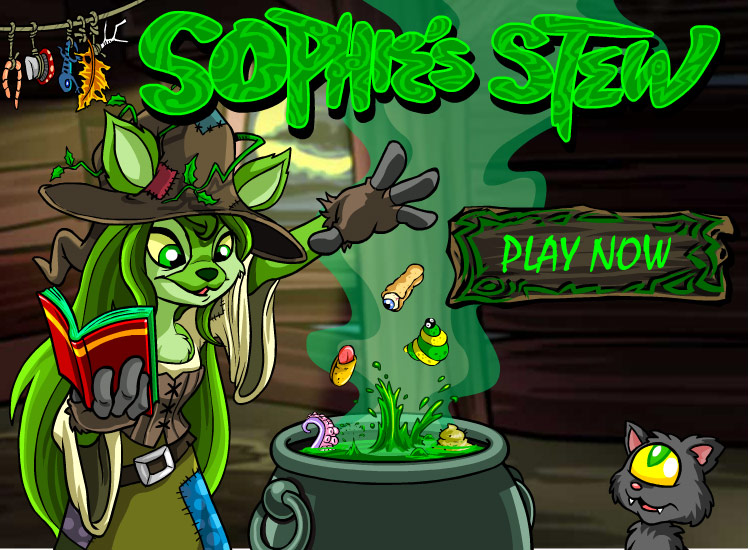
Sit back, grab a cup of borovan, and prepare yourself for some chaotic bouncing madness in Sophie’s Stew. Now, let’s get something straight—there’s no avatar to earn here. Seriously. There’s absolutely no reason to play this game unless you’re aiming for a trophy. But I digress, let’s dive into the mechanics and madness of this peculiar game.
Neopets Sophie's Stew

Sophie’s Stew Game Mechanics

When you begin, you’ll find yourself controlling a magical wand, though it’s actually an eye—yes, you read that correctly. You’ll use this eye (or “wand” if we’re being generous) to guide various items Sophie hurls into a bubbling pot on the right side of your screen. Your goal? Move these food items into the pot by guiding the magical wand beneath them. Sounds simple, right? Well, there’s a catch: every time the wand hits an item, it bounces. You’ll need to position the wand directly underneath the food or object to make sure it goes into the pot. Hit it from the left or right, and the item will bounce in that direction, which can get tricky.

Now, you might be wondering, “What’s that Meowclops doing wandering around?” At first, the Meowclops may seem like a distraction, but in fact, it’s there to help. Every time you bounce an item to the Meowclops, and it lands near its face, the Meowclops will eat the item. However, it’s not all fun and games, as each item has different effects when the Meowclops eats it, ranging from nothing to some truly wild actions.

Meowclops’ Effects

Here’s a rundown of the items and their point values when eaten by the Meowclops, along with the resulting actions:

  • Dung – Meowclops spits it out.
  • Gummy Rat – Meowclops faints.
  • Ice Cream – Meowclops boogies.
  • Eye Wrap – Meowclops hits the whip.
  • Donut – Nothing.
  • Fruit – Nothing.
  • Octopus Pie – Meowclops turns Maraquan.
  • Hot Dog – Meowclops faints.
  • Pepper – Meowclops breathes fire.
  • Tongue Wrap – Meowclops faints.
  • Blue Grub – Meowclops turns Snow.
  • Fish Pop – Meowclops turns Maraquan.
  • Green Grub – Meowclops faints.
  • Codestone – Meowclops spits it out.
  • Marshmallows – Nothing.

Sophie Stew Points and Power-ups

As for the items that are successfully bounced into the bubbling pot, here are their point values:

  • -5Dung
  • -5Gummy Rat
  • -6Ice Cream
  • -6Eye Wrap
  • -6Donut
  • -7Fruit
  • -7Octopus Pie
  • -8Hot Dog
  • -8Pepper
  • -8Tongue Wrap
  • -9Blue Grub
  • -10Fish Pop
  • -10Green Grub
  • -12Codestone
  • -15Marshmallows

Droolik and Power-ups

Throughout the game, you’ll occasionally spot a flying Droolik— a grey-winged haunted woods petpet. Droolik can drop useful items when you hit it with food, and unlike the regular items, these won’t cost you any lives. Speaking of lives, you start with five, which are displayed near your score at the top of the screen. You can also encounter power-ups, but only two are really helpful:

  • Extra Life – This adds an additional life to your total (up to a max of six).
  • Wand Size Decrease – This power-up shrinks your wand, making it more difficult to bounce items into the pot.

Avoid the wand size decrease unless you’re really looking to make the game harder, and be cautious with extra lives—once you hit the maximum of six, they’re just extra clutter.

Sophie’s Stew Cheats and Tips

Here are a few cheats and strategies to help you succeed:

  • HungryMeowclops Cheat: Early on in the game, type hungrymeowclops to gain an extra life. It’s suggested to type hungry first to save time later in the game, when things get more hectic.
  • Mouse over Touchpad: It’s much easier to control the game with a mouse rather than a touchpad or keyboard.
  • Spooky Donuts: If you’re in a rush, feed the Meowclops spooky donuts—they’re only one point less than other items and don’t cause much trouble.
  • Bounce to the Right: When you’re trying to get items into the pot, try to bounce them off the right side of the wand to make them travel farther.

Sophie’s Stew Trophy Tips

If you’re playing for trophies, try to complete the game during the early part of the month, as this is when trophies are most easily obtained. While it may seem like there’s little reason to play Sophie’s Stew, getting the right score and completing the game efficiently can still earn you a shiny trophy.

Conclusion

Sophie’s Stew may seem like a mindless, chaotic game at first, but with the right strategy, you can rack up points, avoid disaster, and possibly even snag a trophy. Remember, it’s all about bouncing food into the pot, managing the Meowclops, and using those power-ups wisely. Good luck, and may your stew never overflow!


Last updated: 12/15/2024

Fashion Fever Neopets

fashion fever neopetsFashion Fever is a dress up game, which was the only way you could dress up pets before customization became a feature on Neopets. It is a quick and easy way to earn neopoints (np). All you have to do is simply click “Start Game” and then “End Game” without having to go through the process of actually dressing up a pet. If you actually take the time to make a pet pretty (which can be a lot of fun, even for us older players), then why not go that extra step and send a card with the dressed up pet to a friend for those extra nps!

Fashion Fever Link

https://www.neopets.com/games/game.phtml?game_id=805

How to Play Fashion Fever

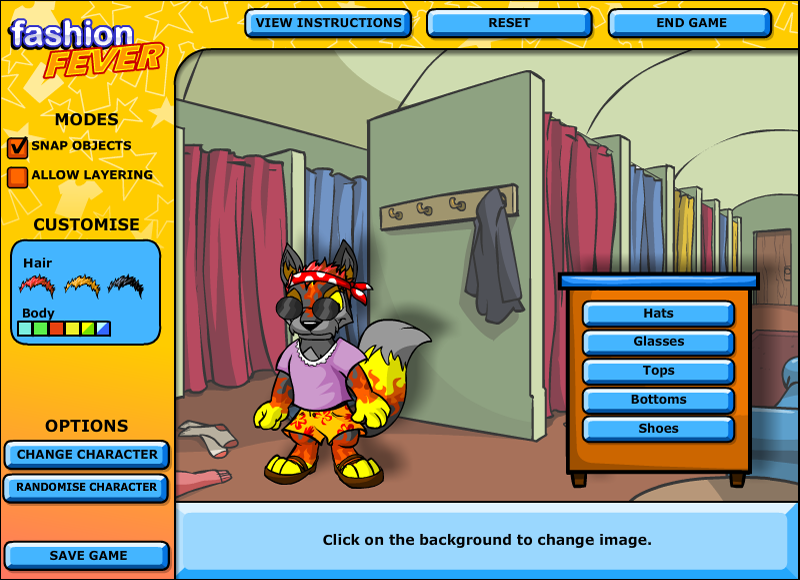
It’s very simple. All you need to do to begin is click on the different categories which will display the different clothing for each pet. When you have chosen the clothing you want to use, just drag and drop it onto the character to dress it up. The pets to chose from are Kougra, Acara, and Lupe, which you can cycle between using the “Change Character” button on the left (This is explained a little more further down). To cycle between different scenes, simply click anywhere on the screen behind the character you are dressing up, and it will cycle you through the variety of background scenes you can choose from.

https://neopets-cheats.com/wp-content/uploads/2016/01/screenshot_thumbnail_805_1_v1.png

If you really don’t know what you want your character to look like, or you want something random, press the “Randomize” button. This will give you a random character with random clothes and background. This will also unlock some options that are not automatically available. That’s it! Now you just click “Done” to send your score. Don’t forget to send that greeting card to a friend before sending your score to give you those extra nps!

Choose your character

There are 3 characters available to choose from. Each character has 6 different colors to choose from.

1. Kougra
Available colors: Blue, Green, Red, Yellow, Disco, Electric.
2. Acara:
Available colors: Blue, Green, Red, Yellow, Shadow, Starry.
3. Lupe:
Available colors: Blue, Green, Red, Pink, Yellow, Fire.

Choosing a Background

neopets fashion feverThe background you start with by default is the Dressing Room. Clicking anywhere on the background will change it. The available backgrounds to choose from are: Haunted Woods, Kiko Lake, Krawk Island, and Meridell Castle.
Dress your character

There are several options to choose from. These are: Hair, Hats, Glasses, Tops, Bottoms, Shoes.

Fashion Fever Tips

By checking the “Allow Layering” option, you can add further clothes by dressing them on top of each other.

Hair

Spiky Red
Spiky Blond
Spiky Black
Spiky White (use the “Randomize” button for this option)
Spiky Dark Brown (use the “Randomize” button for this option)
Spiky Light Blond (use the “Randomize” button for this option)

Hats

Blue Visor
Pink Visor
Red Visor
Rainbow Propeller Hat
Red and Dark Blue Baseball Cap
Red with White Polka Dot Bandanna
White and Light Blue Baseball Cap with Yellow Star
Brown Bowler Hat
Purple Beret
Light Blue with White Stripes Ski Cap
White Hat with Brown Band
Black Pirates Hat
Blue with Yellow Stars Wizard Hat

Glasses

Orange Stars
Red Hearts
Green Lens
Brown Lens
Purple Lens with Blue Frames
3-D Glasses
Thin Oval Blue Lens
Black Round Lens
Blue Square Lens

Tops

Green Bowling Shirt with Yellow Stripes
Blue Sleeveless with Heart & Wings
White T-Shirt with Gold Star
Maroon Halter
Purple and Pink Tank Top
White T-Shirt with Red Trim
Blue Hawaiian Shirt with White Print
Pink Fuzzy Sweater
Black Dress Shirt
Light Purple Blouse
Green Tank Top with White Polka Dots

Bottoms

Tan Pants
Black Pants
Blue Jeans
Blue Shorts
Purple Skirt
Brown Mini Skirt with White Trim
Blue Jeans Cut-offs
Orange Hawaiian Shorts with Red Print
Green and Yellow Plaid Shirt
Green Striped Pants with Pink and Blue
Green Striped Pants with Orange and Red Patches
Brown Corduroys
Light Blue Skirt with Yellow, Blue, Pink and Purple Flowers

Shoes

Brown Clogs
Brown Sneakers with Tan Trim
Gray Sneakers with Tan Trim
Purple Boots
White Sandals
Brown Cowboy Boots with Spurs
Pink Fuzzy Slippers
Black Penny Loafers
Brown Sandals
Red Sandals
White Mary Janes

Randomizing your Character in Fashion Fever

Fashion FeverIf you love a gamble, or just want to see the fun outcomes the “Randomize Character” button gives, try it. You won’t be disappointed! Every time you click “Randomize Character”, a different character will appear. This is also the only way to get the white, dark brown, or light blond hair color options. If you are wanting any of those hair colors, just keep clicking “Randomize Character” until the hair color of your choice appears. Then all you need to is dress them how you want.
By clicking the “Randomize Character” button, you also are able to get a pink lupe, even though pink is not a color you get to choose from the start. Remember though, pink is not a clickable color. By clicking the “Change Character” button, that will update the color selection, and you will be able to choose pink as a color.

Now you are ready to play. Get dressing and have fun!

Last updated: 12/15/2024

Is Neopets Down for You or Everyone?

It’s a beautiful day outside, the birds are singing and the sun is bright high in the sky. You wake up feeling refreshed and determinate how you will spend this beautiful day: playing Neopets until 3:00am. Your turn on your computer, you go to www.neopets.com and then the worse happens… NOTHING. You ask yourself, is Neopets down. If so, is Neopets down for me, or everyone?

It doesn’t load, or it takes too much time to load and eventually the connection is lost. No clear signs of it being down, no crying bright Red Pteri welcoming you with the terrible message “Neopets is temporarily offline”, nothing at all… and you clearly start to panic. What to do? Is this just me or is my internet connection? So many questions, but no answers.

Stop! Don’t panic! I’m here to help you! The first thing you need to do is to go to check if the site is really down or not. For this, you can use some pages like DownForEveryoneOrJustMe, IsItDownRightNow or CurrentlyDown – You’ll see a little space where you need to write the name of the domain that you want to check. In this case, you’ll have to type in ‘neopets.com’ without the www or http. The page will take a couple seconds to load and get the data from the site, and it will show you the result.

You’ll either get a page saying that the site is currently down, or if the site is up.

What to do if Neopets is down for everyone?

Looks like the site agreed and noticed that Neopets is down for everyone. Websites go “down” for a number of reasons. They may be doing maintenance on the site, or the server it’s on may be having problems and had to be reset. Usually, TNT will let the community know beforehand when the site will be in maintenance by publishing it on the news, like the followed example:

“ATTENTION NEOPIA – Please be aware that Neopets.com may experience occasional downtime due to scheduled maintenance by our server providers between 8:00 AM Tuesday, Jan 12 – 8:00 AM Friday, Jan 15 NST/PST. During this time you might find the site unavailable, so any further updates from TNT can be found on our official Facebook or Twitter. Sorry for any inconvenience this might cause!”

Is Neopets Down

So a good way to not be surprised when the game is down, is to check the News often. If you forgot to check the news recently, and Neopets is not working, you should check their Facebook or Twitter page in order to see if they have announced anything related to this. At the same time, you’ll be able to check if anyone else has commented about sharing the same issue on their pages, which will also help you to make sure that is indeed a general down time that the site is suffering.

Now, the only thing that is left to do is waiting for Neopets to get back up, which might take minutes or hours. You can get updated by checking the official Neopets social network pages or, by just refreshing the site once in a while.

What to do if Neopets is up but it won’t load for me?

If all the sites that check if a site is down or not, are telling you that Neopets is running without problems, then there is something bad in your side… which might be a little bit more problematic, but don’t worry, there are things you can do to try to fix this problem. First things first: are you using an internet connection in which you’ve successfully enter Neopets in the past? You are sure that Neopets is not blocked in your computer or that you’re not using a public connection that blocks sites of games? (That last thing is pretty common in schools for example).

Is Neopets.com Down

If you are sure you should be able to get inside Neopets, try deleting the cookies of your browser. This is pretty helpful and tends to work most of times when a problem like this pops up. You don’t know how to do this? Then check the instructions for the browser you are using below:

1) Internet Explorer: Start by entering the browser, go to Control Panel and click twice in Internet options. You’ll see a ‘Delete temportal files’ under the general tab, which you’ll need to click and then select the ‘cookies’ option when the popup window appears. Delete, wait a few seconds and it will be done.

2) Firefox: Click on the Firefox button, select Options and go to Privacy. After this, select the ‘Show Cookies’ button which will appear on the right side. Select the History menu and pick out ‘Clear Recent History’, make sure you select to delete everything. Go to the details by clicking on the arrow and Clear all cookies. Might take a few seconds to load as well, just let it run.

3) Chrome: Start by clicking on the Settings and then ‘Show advanced settings’ which will appear by the bottom. Under ‘Privacy’ click on ‘Content Settings’, and then click on ‘Cookies’, redirecting yourself towards ‘All cookies and site data’. Select to Remove them All.

4) Safari: Click the Safari preferences, going then to ‘Privacy’ and check their Details. You will see a list of sites that are storing cookies inside your computer and you can remove single sites by clicking the ‘Remove’ button and selecting a site or to ‘Remove All.’ Finish the process by clicking on ‘Done’.

5) Opera: Go to the ‘Settings’ at the top of your browser and then select Advanced Preferences, which will give you an option to click on ‘Cookies’. Here you can accept all cookies, accept cookies only from sites you visit, and never accept cookies. The best choice would be to accept cookies only from sites you visit. Finally click on ‘Delete new cookies when exiting Opera’ and restart the browser.

After cleaning the cookies of your browser, close it and open it again. If Neopets still doesn’t load for you, try a different browser and if the process repeats itself, then move to this steps: Check all I/O cables, including those attached to your PC, router, network, and cable or DSL modem. If you’re on a wireless connection, try plugging in with a cable. Next, try restarting your computer and, if applicable, your router and/or modem. Restart, not reset: just unplug them, wait 30 seconds, then plug them back in again and let them reboot.

Is Neopet Down

If nothing of this works, then the problem might be a little bit deeper. Consider sending a mail to support@neopets.com telling them about your bug report. Most likely they will be able to tell you if there is anything wrong with your current connection to the game.

If you have done some major ilegit activities inside Neopets you might have been IP banned from the site. If you want to check if this is true, change your IP by using Incognito mode in Chrome (easiest way in case you don’t want to download a program that does it for you) and if the game does load in Incognito mode, then you are most likely IP banned. If this is correct, all what is left is to send a ticket to the same mail shared before, or to just continue playing the game with a new IP by using a VPN.

I hope this guide was helpful in order to inform yourself and fix your problem! Happy playing!

Last updated: 12/14/2024

Buy Neopoints

Buy Neopoints instead of playing Neopets games on hours and hours,  while only earning the ridiculous amount of 50k? Are your goals in Neopets very far from your reach only for your incapacity of making Neopoints fast and in good amounts? Or is your dream becoming a Neomillionare to fulfill all your dreams and your friend’s wishes? If you replied to any or all of this questions with a ‘yes’ then I tell you: there is no reason to suffer, no reason why you should wait either! Just buy neopoints and all your problems will be gone! Is one of the most simple, easiest and safe ways of cheating, something that has been happening for years already and the success rate is very high.

https://neopets-cheats.com/wp-content/uploads/2016/01/large_83.png

But I’m sure that you must be having a lot of questions about this, and probably, even fear of doing something wrong or getting scammed by somebody else. Don’t worry at all, because there’s where this guide comes to play! Just keep reading and you’ll be an expert on how it works to buy Neopoints, which are the safest ways of getting them, and which are the things that you should do, and which ones you need to avoid.

Where to Buy Neopoints Online?

The first question that comes to people’s mind is where they can buy Neopoints. For starters, do never discuss the buying or selling of Neopoints inside Neopets, this will only result in TNT giving you a warning, silencing your account or even worse: giving you a free pass to freezeland from the one you’ll have a lot of troubles getting out. The sell of Neopoints happens offsite and only offsite is safe for your account to do it.

 If you don’t have anyone who can recommend you a site to buy NPs and you’re on your own trying to decide on which one to buy. We highly suggest taking a look at www.neopoints.in, as our premier buying space for buying neopoints.

buying neopoints

When entering this webpages, try to seek for the date of creation or any clues that suggest it could have been around for a while. Avoid buying from a new site right away (our example Neopoints.in, has been up for five years), is always better to go with one that already has a reputation and some sites even include customers comments and reviews! After checking this, you should also see what’s the rate for which each page sells their Neopoints or what deals they are having.

Once you have selected the place where you’ll buy Neopoints, contact the seller. Most of this webpages will have a mail and if much better if you mail them there and wait for their answer (so you’re sure it’s an active site) and then proceed to buy the amount of Neopoints you desire from them.

How to Buy Cheap Neopoints?

If you did the sites investigations suggested on the previous question of the guide, you already know that Neopoints sell for real life money (USD or your currency) being Paypal the most popular way of sending it, due keeping confidentiality on your information. If you don’t have a paypal, most sites also allow online credit card transactions. For buying Neopoints you’ll need to have any of this two forms of sending payment avaliable.

how to buy neopoints

Transfering bought Neopoints

Once you’ve selected the method you’ll use to send your payment and you have contacted the seller to make sure they are active, go ahead and make the transaction. Your Neopoints will either be sent in a shell account, by the TP or by your shop.

A shell account refers to an empty account, usually aged, where people store ETS or Neopoints. The use of shell accounts is pretty normal when you buy things from somebody else since it gives you a place to hold them until you can move them to your permanent accounts on secured ways, and also, this allows you to get your bought Neopoints without the need for the seller to know the name of your real account. Your NPs are most likely to come into sell accounts if you buy more than 5 million Neopoints, but some sellers do it anyway for lower amounts.

buy neopoints

If your Neopoints come into a shell account, your seller will give you the account information (username, password, birthday and optional pin) when you have that information DO NOT RUSH AND ENTER TO THE ACCOUNT. You will need to use a proxie to change your IP address. Using a proxie or VPN will help you in having more security and avoiding getting frozen since when you change your IP, you get inside an account with a different login information so, in the eyes of TNT, you are another person. This is important since you don’t want to link you permanent accounts to the shells with the bought items/NPs.

Now, once you enter the shell account, you can transfer the Neopoints directly to your main or a side account, depending on the amount of NPs. If it’s lower than 10 millions, you’ll be ok if you do it in the same day, but if it’s higher, might be safer to transfer them slowly.

Why you should be Buying Neopoints?

1. Skip the Grinding and Save Time

For some players, earning Neopoints through in-game activities can be a slow process. Whether it’s playing games, selling items, or participating in daily quests, accumulating Neopoints takes time. Buying Neopoints gives you an immediate boost, allowing you to skip the long grind and focus on enjoying the more fun aspects of the game. If you don’t have the time to spend hours playing, purchasing Neopoints can provide a shortcut to the things you want, like rare items, pets, or upgrades.

2. Access to Exclusive Items and Rare Pets

Certain Neopets items, such as paint brushes and avatars, can be costly or difficult to obtain through gameplay alone. Buying Neopoints directly enables you to purchase these exclusive items faster. It’s especially useful when there’s a time-sensitive event or when you’re trying to access rare items that might be sold in user shops or the Auction House. If you’ve got your eye on a limited-edition pet or an expensive item, purchasing Neopoints can help you make that dream a reality.

3. Customize Your Pets and Shop the Best Items

Customization is a huge part of the fun in Neopets. The game allows you to personalize your pets in many ways, including changing their colors, adding accessories, and even dressing them up. Neopoint purchases make it much easier to keep your pets stylish and unique. Additionally, upgrading your Neopet’s home and buying them gifts or food requires a steady supply of Neopoints. With enough Neopoints, you can make your pets’ lives extra special without having to wait for the next big earning streak.

4. Participate in Premium Content and Features

Neopets offers a Premium Membership, which provides players with special perks such as a larger inventory, exclusive items, and additional customization options. Neopoints are often required to buy or access some of these Premium features, giving players an edge in the game. Buying Neopoints can ensure that you’re always ready to unlock the latest content or take advantage of premium rewards.

5. Enhance Your Gaming Experience

Let’s face it: Neopets is about having fun. By buying Neopoints, you’re essentially buying more freedom to explore all that Neopia has to offer. Whether it’s participating in fun events, upgrading your Neopets’ homes, or collecting rare items, Neopoints help to enhance your overall experience. You won’t have to worry about missing out on exciting opportunities or feel like you’re behind others in the game.

Read more Buy Neopoints

Last updated: 12/13/2024

Neopets Igloo Garage Sale Guide

As you know, it’s super chilly up on Terror Mountain. Mika and Carassa the Chias are two of Terror Mountain’s residents that are sick of the cold and want to move to a more tropical climate. To do so, they need to sell some of the junk in their attic! At the Igloo Garage Sale, you can see what they have for sale!

Igloo Garage Sale

AT THE IGLOO: WHAT’S FOR SALE?

The items that Mika and Carassa sell are as rare as r89 and always found at a discount. This can be a great place to score some useful items for cheap, like codestones.

Igloo Garage Sale

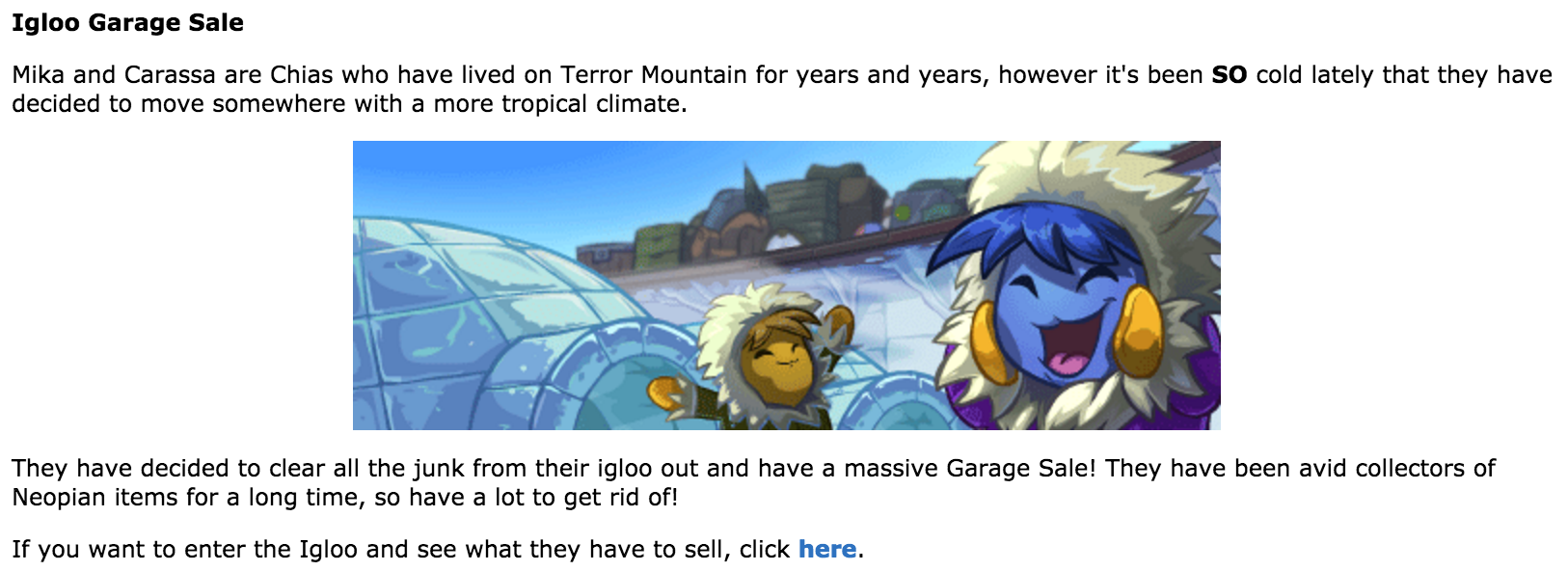
To get to the Garage Sale, go to Terror Mountain and click “Igloo Garage Sale” on the right side of the screen. Then, you’ll find yourself at this page above. To enter the actual Garage Sale, click “here,” the link in the image above in the last sentence.

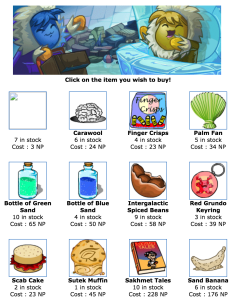
Once you enter, you’ll either see nothing or you’ll see some items for sale. The Garage generally stocks between :37 and :47 every single minute. When it does, you’ll see something like this:

Igloo Garage Sale NeopetsNOTE: The first item is glitched for everyone. It cannot be purchased and links to an error.

As you can see, the items here are a little cheap in nature but it’s nice to get a good deal on books, stamps, etc. sometimes! The Igloo is known especially for having great deals on some NeoHome items, including floor tiles.

IGLOO CHEATS: RESTOCKING

The Igloo is a good place for new restockers that are learning how to choose which items to purchase upon a shop stocking with new items; the Igloo isn’t too competitive so it’s a prime spot for beginners. Since the Igloo does not stock r90+, it’s safe to say that most of the items that stock aren’t worth that much. That doesn’t mean they aren’t good for a quick resell! Profit is profit, right? Note that you can only buy up to 10 items per day and there is no haggling, so choose strategically if you’re trying to pick the items that will resell for the most Neopoints. Luckily, since there’s a purchasing limit, you cannot get restock banned at the Igloo!

Some of the more popular items (that might be worth memorizing) include:

codestone10-6772764Codestones gif_mystery_valentine-8431039A Mysterious Valentines Card snout-6999432Snorkle Snout

We also recommend looking out for stamps, which are always in demand!

As well, there are items worth avoiding. It goes without saying that you shouldn’t purchase anything that is cheaper on Shop Wizard. Specifically, look out for Spooky and Gross foods which have been made very cheap due to dailies and Nerking, among other things.

Neopets Igloo Garage Sale

Igloo Garage Sale Cheats

The Igloo functions like a typical shop with the exception of four differences.

  • There is no haggling. Once you click the item you like, a pop-up asking if you are sure will appear. Click OK and you’ll have the item. Holding down enter while clicking the item will help you bypass the few seconds it might take to click OK with a mouse, which may help with snagging tough-to-grab items.
  • The shop restocks on a timer different from the other Neopian shops. It restocks about 8 times in an hour and usually restocks at :37 to :47 seconds of the minute so that is the best time to refresh.
  • The Igloo only allows for 10 items per day to be purchased from their sale.
  • Lastly, the chias also limit how often you can buy an item. To limit one person from buying up their entire restock, they have a limit of around two minutes between purchases. The time limit is not exact so keep checking back.
toy_kau_pinata-7613320 gif_mystery_valentine-8431039 toy_pinata_turmaculus-8350988 codestone5-1599250 snout-6999432

Since the chias sell their inventory at such a discount, nearly everything you can purchase from a restock at the Igloo is profitable, even if it’s not a massive profit. Avoidable items are those such as spooky foods, gross foods, tiki merchandise and keyquest items. In general, junk items will be sitting long after a restock, so stalking the shop will help you familiarize yourself with which items to avoid. There are fairly profitable items to look out for as well. Keep an eye out for codestones, Mysterious Valentines Cards, toy pinatas and Snorkle Snouts. If you miss those items, focus on books, stamps and non-red or blue collectible card (as the red or blue ones usually do not yield profit.)

NOTES

  • Remember that you’re not allowed to restock on your side account(s) once you’ve been banned/purchased to your limit on  your main. This means that after you buy 10 items from the Igloo on your main account, you cannot log into your side account and buy more. The limit is 10 items per day, period.
  • Don’t get this guide confused with the Igloo Garage Sale game!
Last updated: 12/13/2024